Integrations
Integrations are software components that allow Home Assistant to connect with other software and platforms.
For example, the Xiaomi Miio integration serves as a bridge between Home Assistant and the Xiaomi ecosystem. It allows you to control selected Xiaomi WiFi devices directly from the Home Assistant interface, offering similar functionality to the official Xiaomi Home app. Any compatible Xiaomi device will then appear in Home Assistant as a device.
On the other hand, integrations like Auto Backup extend the functionality of Home Assistant itself. This particular integration, for example, enhances the system's backup capabilities, increasing the security and reliability of the entire installation.
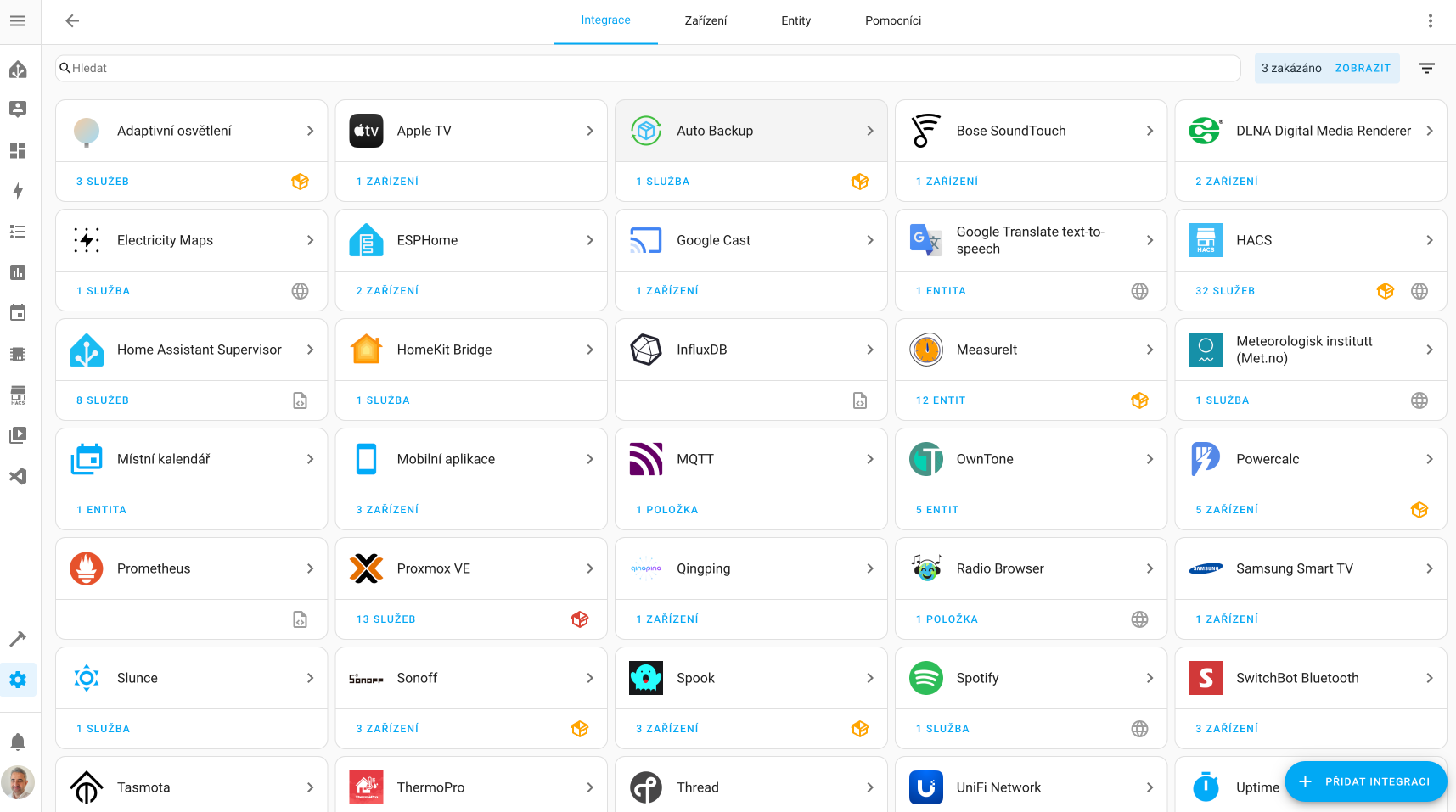
Some integration cards display an icon:
-
The globe icon 🌐 indicates that this integration depends on the cloud. The file icon 📂 suggests that this integration was not set up through the user interface. Either you configured it in the
configuration.yamlfile, or it is a dependency set by another integration. If you want to configure it, you will need to do so in theconfiguration.yamlfile. -
The custom integration icon 📦 indicates that this is not an official Home Assistant integration but a custom-created integration. It may be imported from another source, such as downloaded from HACS (Home Assistant Community Store).
You can find a list of all installed integrations in your Home Assistant via Settings -> Devices & Services.
You can read more about specific integrations in the Integrations section.
Did this guide help you?
I write these guides in my spare time and keep them up to date. If one saved you time, you can chip in.
One-off, by card or Apple Pay. You can change the amount on the next page.
Would rather not send money? Buy the parts through my product links. The price is the same for you and it helps too.