Home Assistant 2026.4
Infrared is back in the game! 📡
The April release of Home Assistant carries the subtitle "Infrared never left the chat", and its main highlight is native infrared support. Thanks to this, you can finally bring old TVs, air conditioners, fans, or even projectors into your smart home without having to throw them out. Beyond that, purpose-specific triggers and conditions have moved further along, dashboards gained colored section backgrounds, and Matter locks now allow full PIN code and user management.
Let's take a look at what's new in this release.
Infrared Control as a Native Feature
When infrared support was first proposed, many people reacted skeptically — "IR is old technology, isn't it?". The reality is different: millions of devices with IR receivers still sit in homes and aren't being replaced with smart appliances. Instead of throwing them away, you can now control them through Home Assistant.
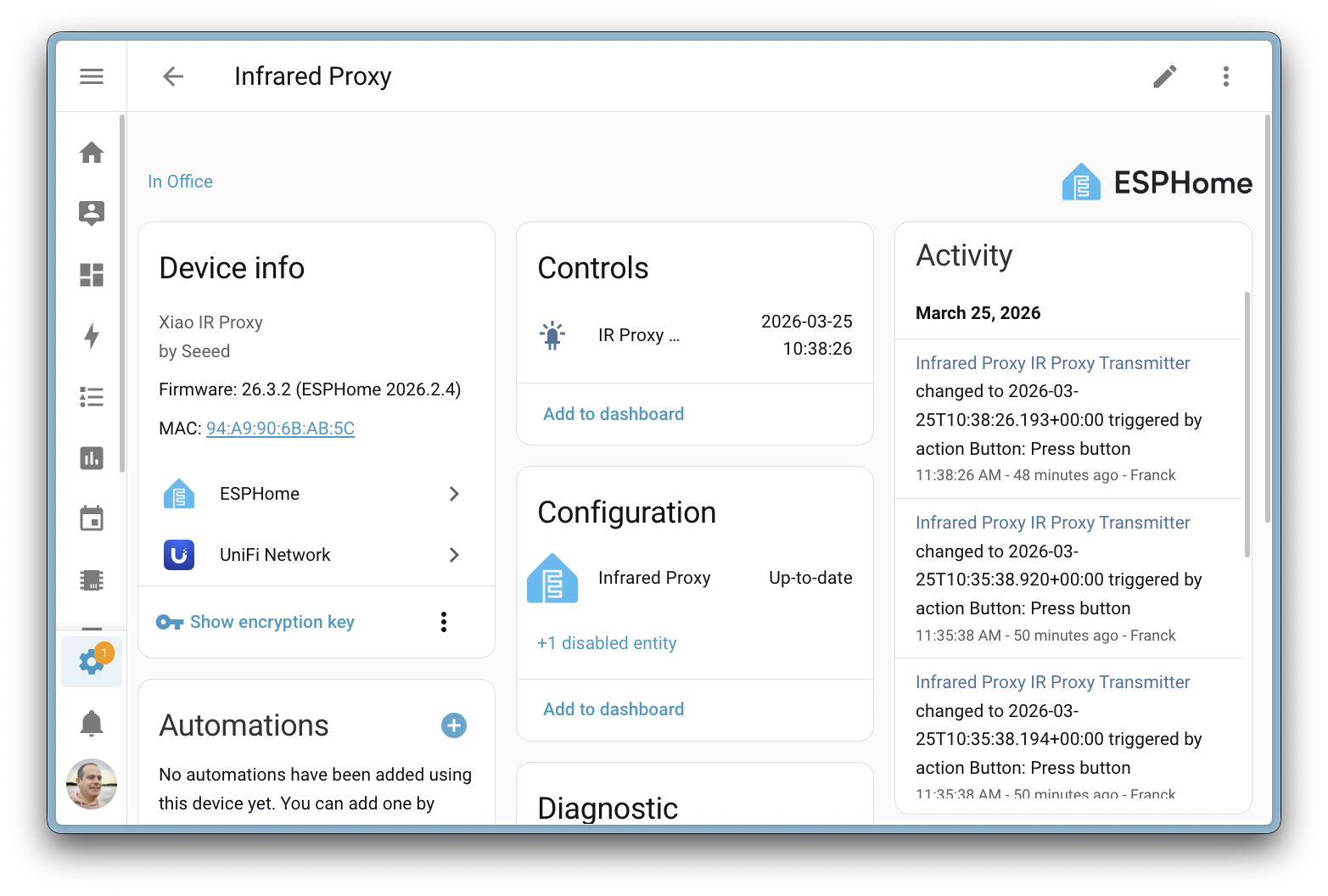
How It Works
The principle is very similar to Bluetooth proxy devices that many of you already know:
- An IR proxy is a small ESPHome device with an IR transmitter (and often a receiver for learning codes)
- The proxy connects to Home Assistant over the network
- Home Assistant then sends IR commands to appliances through this device
The architecture is designed to work with any IR protocol — it isn't tied to specific manufacturers or signal formats.
How to Try It
In this release, the infrared integration launches as the foundation layer, and the first showcase is the LG Infrared integration for LG TVs. The setup is surprisingly simple:
- Get a Seeed Studio XIAO IR Mate (an officially supported IR transmitter)
- Flash it through the ESPHome Ready-Made Projects right from your browser
- Add the device to Home Assistant
- Enable the LG Infrared integration and link it to your TV
Once finished, you get a fully functional media player with power, volume, and channel controls, plus buttons for the remote functions.
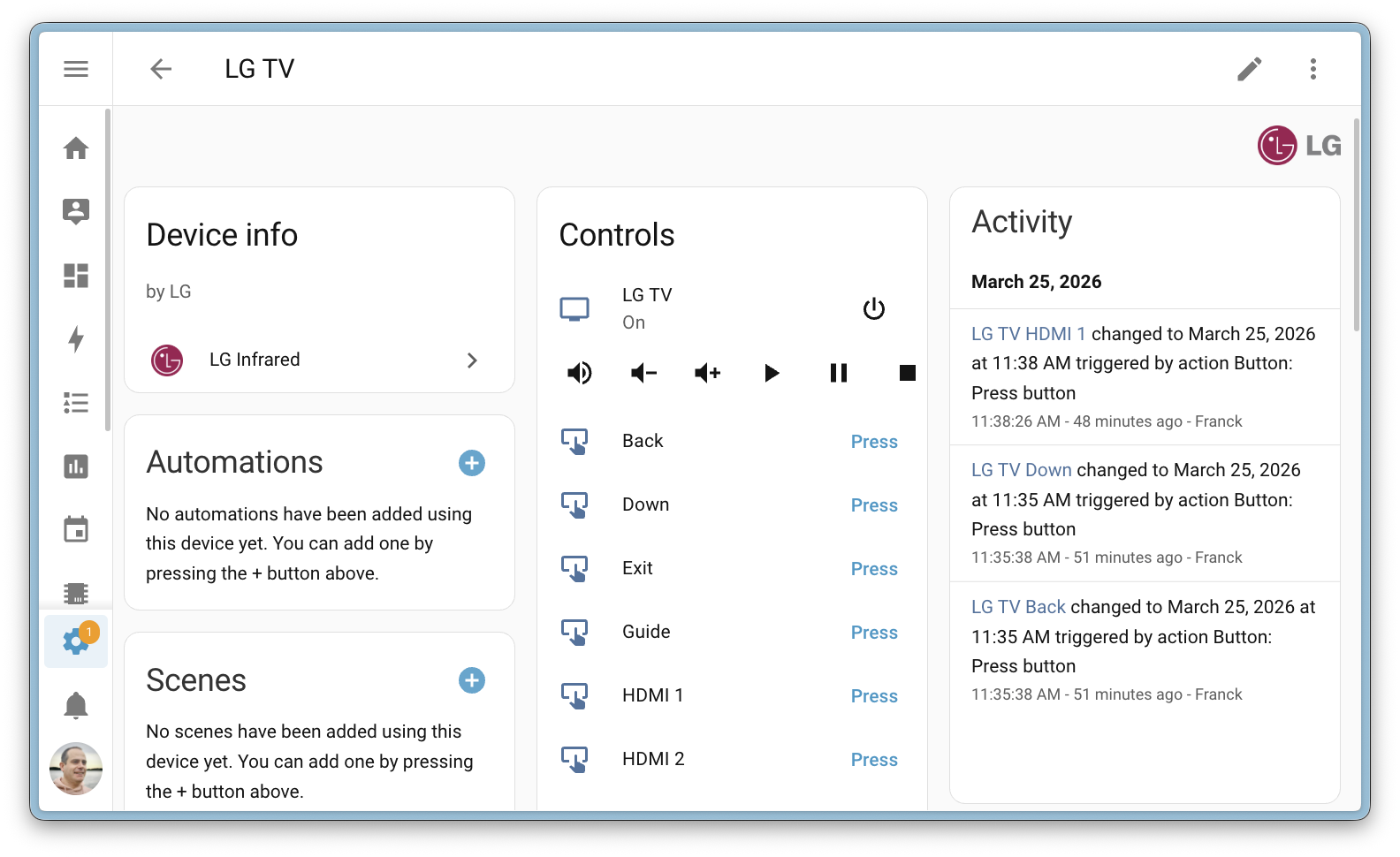
The point of infrared support isn't just "to control your TV". The goal is to extend the life of existing devices and reduce electronic waste — a value close to the Open Home Foundation philosophy.
Purpose-Specific Triggers and Conditions Across Domains
In the previous release, purpose-specific triggers reached the next level of polish, and in 2026.4 they move even further — they now work across domains (cross-domain). Instead of picking a specific entity type, you describe what should happen in the real world.
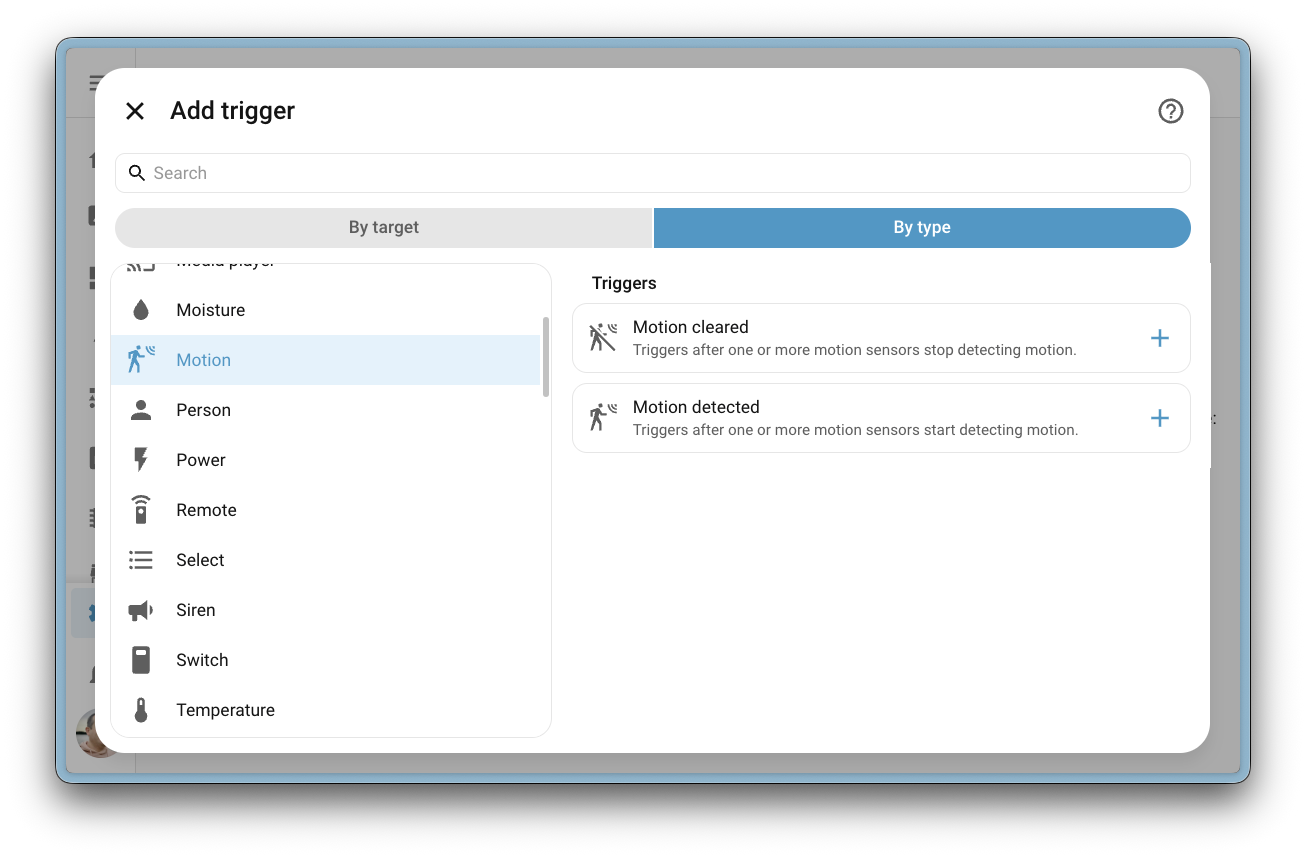
What's New
Until now, triggers were tied to a specific domain (light, lock, climate, ...). Now you can pick things like:
- Window opened / closed — regardless of whether it's backed by a binary sensor, cover, or event entity
- Motion detected or cleared across binary sensors and event entities
- Room occupancy — combining multiple sensor types
- Temperature, humidity, illuminance changes with thresholds
- Energy consumption across devices
- Battery level and charging status
- Air quality (CO, CO₂, smoke)
And because all these triggers support targeting an area, floor, or label, you can write an automation like "When any window on the bedroom floor is opened…" without manually listing individual sensors.
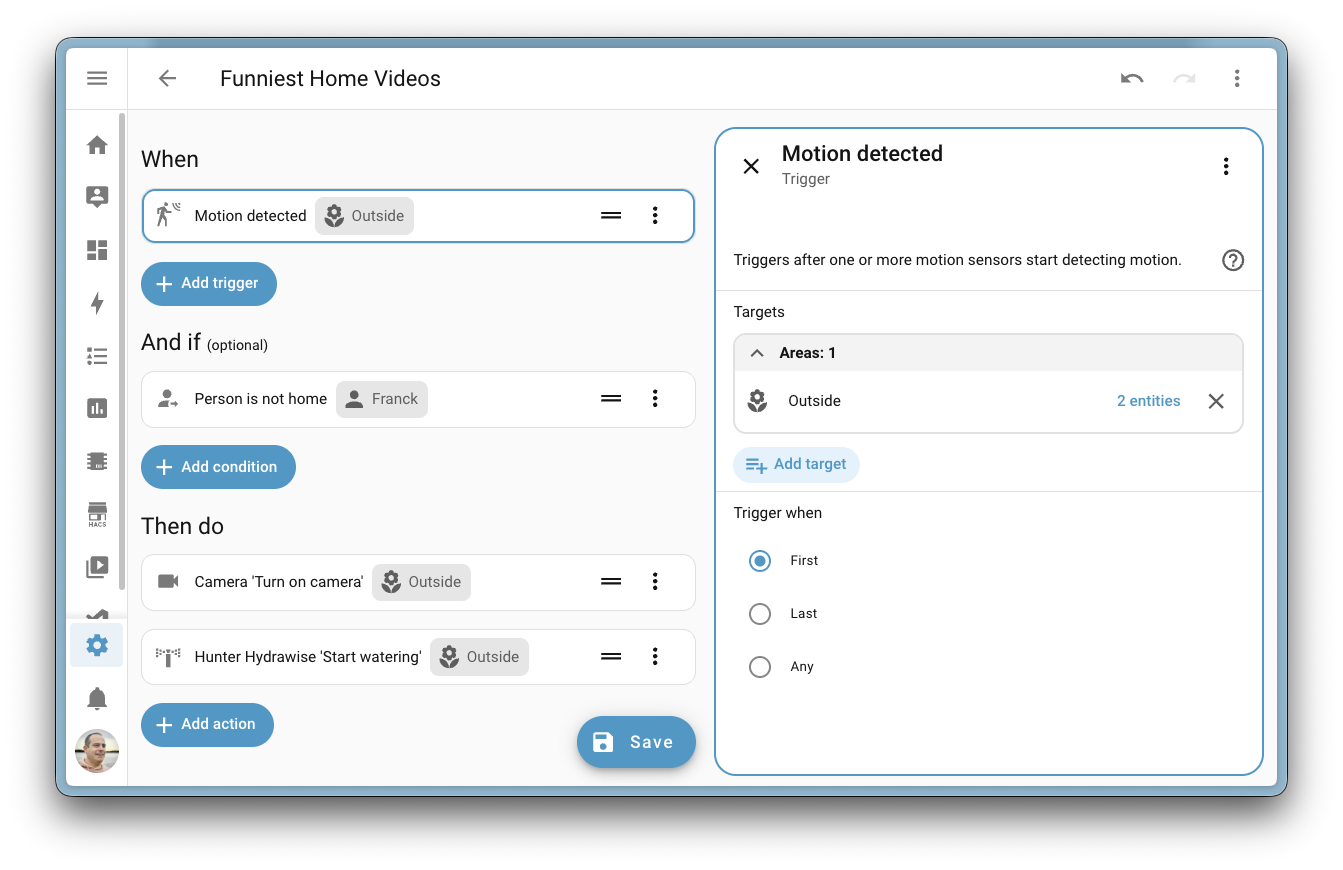
Domain-Specific Triggers Added
Beyond cross-domain triggers, purpose-specific triggers and conditions were also added for additional specific domains: counter (increment/decrement/reset), cover (various types), event entities, humidifier, input_boolean, input_text, moisture, remote, schedule, select, text, temperature, to-do list, valve, and water heater.
Purpose-specific triggers are still in Home Assistant Labs — don't forget to enable them under Settings > System > Labs.
Dashboards: Colored Section Backgrounds
Section-based dashboards now support colored backgrounds. You can visually separate parts of your interface, highlight specific zones of the home, or simply add some flair to an otherwise monotonous view.
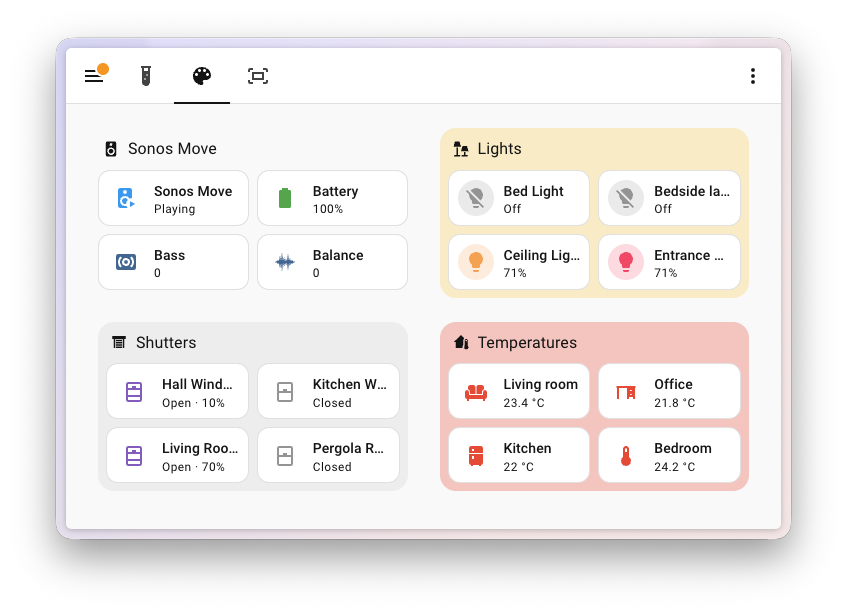
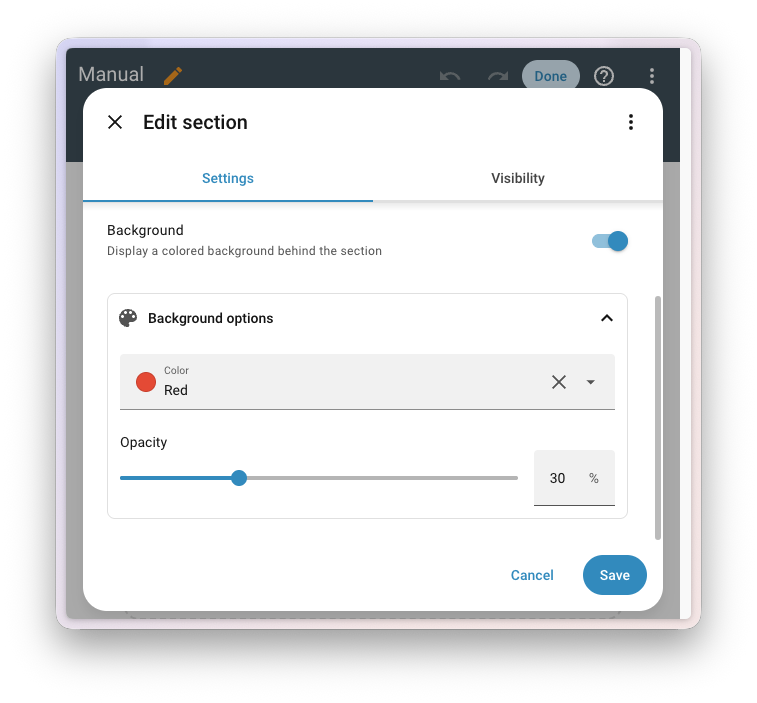
The settings live in the section editor inside the visual dashboard editor:
- Toggle the background on or off
- Predefined colors or a custom hex value
- Opacity slider to fine-tune intensity
Sections without a background automatically adapt visually, so the resulting dashboard stays consistent and doesn't feel fragmented.
More Dashboard Improvements
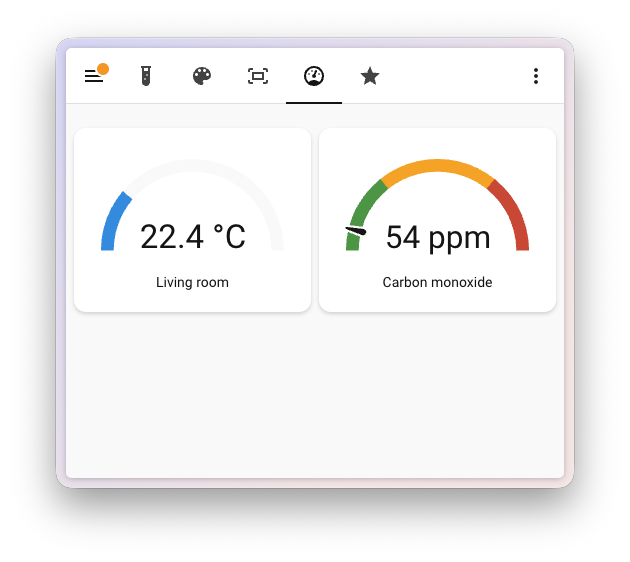
- Gauge card received a visual redesign — a more modern and polished look
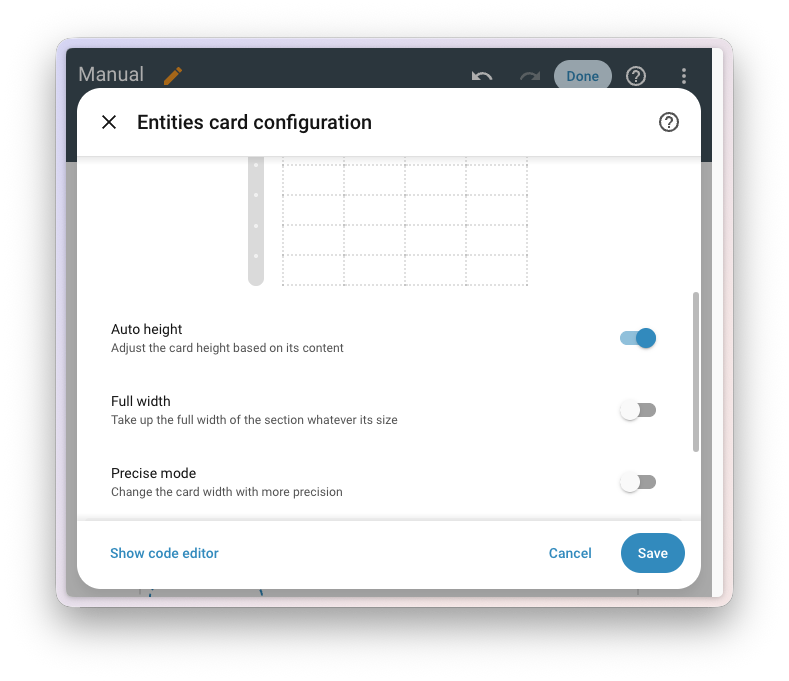
- Auto height — cards can now automatically adjust their height to match content (directly from the card layout editor)
- Favorite light colors and favorite cover positions can be added as card feature buttons
Favorite Colors and Positions Right on the Card
If you have favorite colors or white temperatures stored in a light's more-information dialog, you can now display them directly on tile or light cards as buttons. The tile card renders as many buttons as fit in the available space.
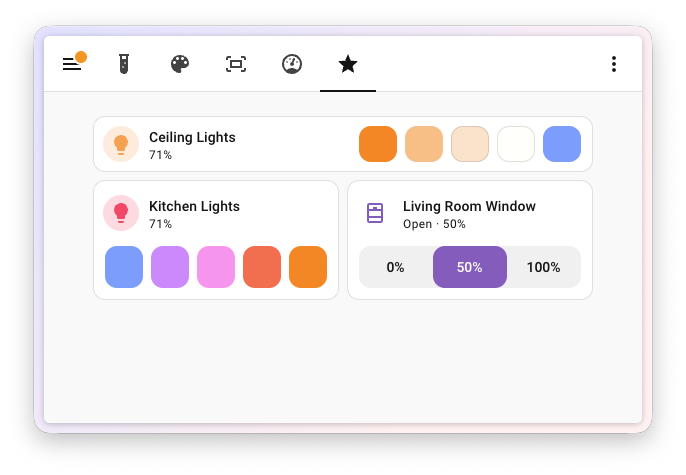
The same goes for cover and valve entities — you can store favorite positions (e.g., 0%, 50%, 100%) and trigger them with a single tap.
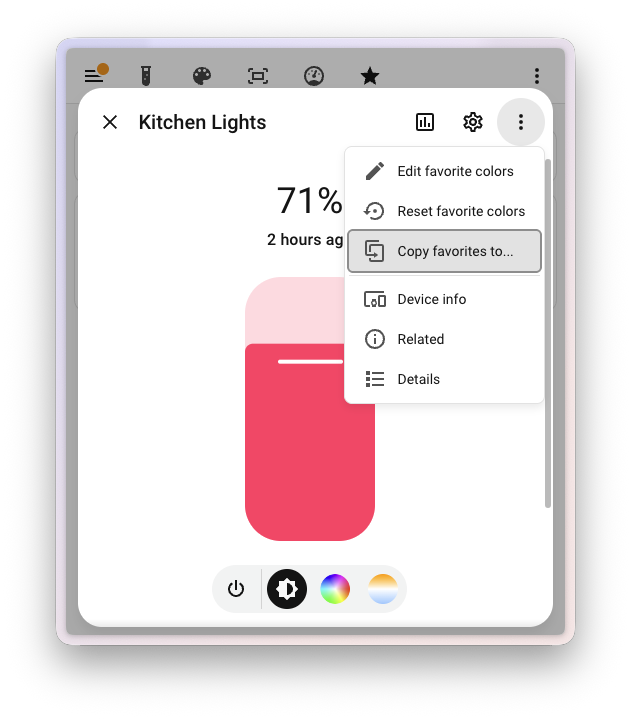
And because nobody wants to manually configure favorite colors for every single bulb, this release also adds the option to copy favorite colors from one entity to others — just a few clicks.
PIN Code and User Management for Matter Locks
If you use a smart lock with the Matter protocol, there's good news. Home Assistant can now fully manage lock users directly from the device page — no need to fire up the manufacturer's app.
What You Can Do
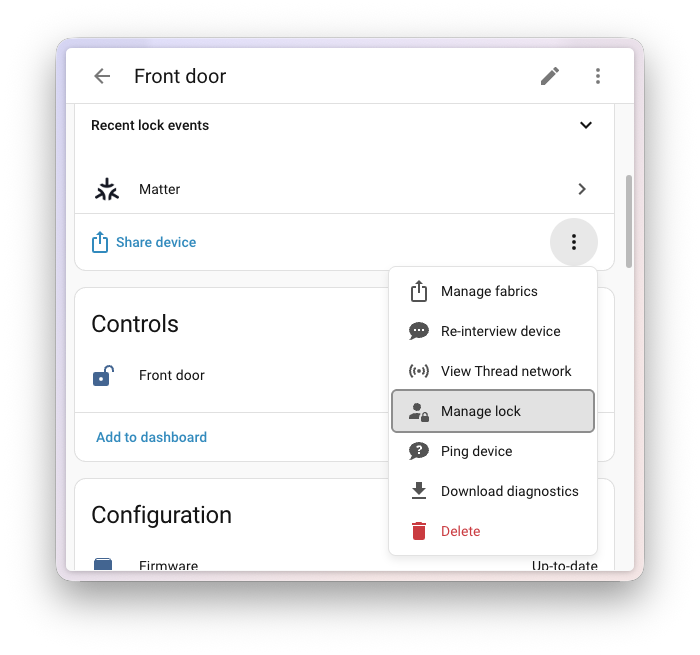
On a Matter lock's device page, you'll find a new Manage lock option where you can:
- View all configured users
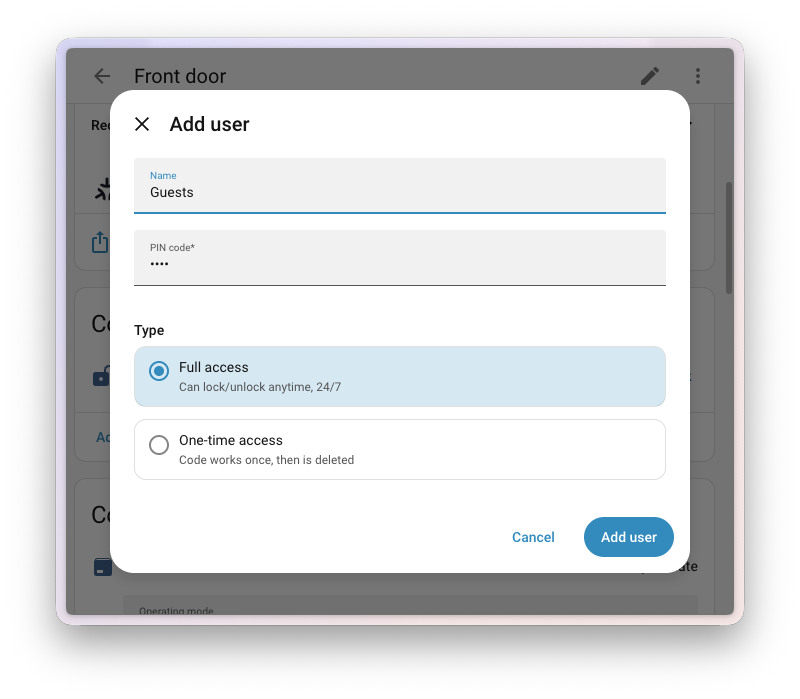
- Add, edit, and remove users
- Set PIN codes
- Choose the access type:
- Full access — the PIN works anytime (a classic user)
- One-time access — the PIN is automatically deleted after a single use (great for a tradesperson or a delivery)
Automations Over Locks
For advanced scenarios, new actions are available directly in automations and scripts: create and remove a user, set and clear credentials, query lock capabilities. You can, for example, build an automation that generates a one-time PIN, sends it to your phone, and removes it after the package is delivered.
This feature requires a Matter lock with User Management functionality implemented — meaning a modern generation of locks. If your lock only works through Z-Wave or Zigbee, keep an eye on the development of your integrations.
Voice Assistant Sees Its Own Reasoning
If you use AI Assist with reasoning models (e.g., GPT-5.4 via OpenAI Conversation), you'll see a new collapsible Show details element in the conversation. It reveals how the agent thinks — which tools it called, what arguments it passed, and what happened at each step.
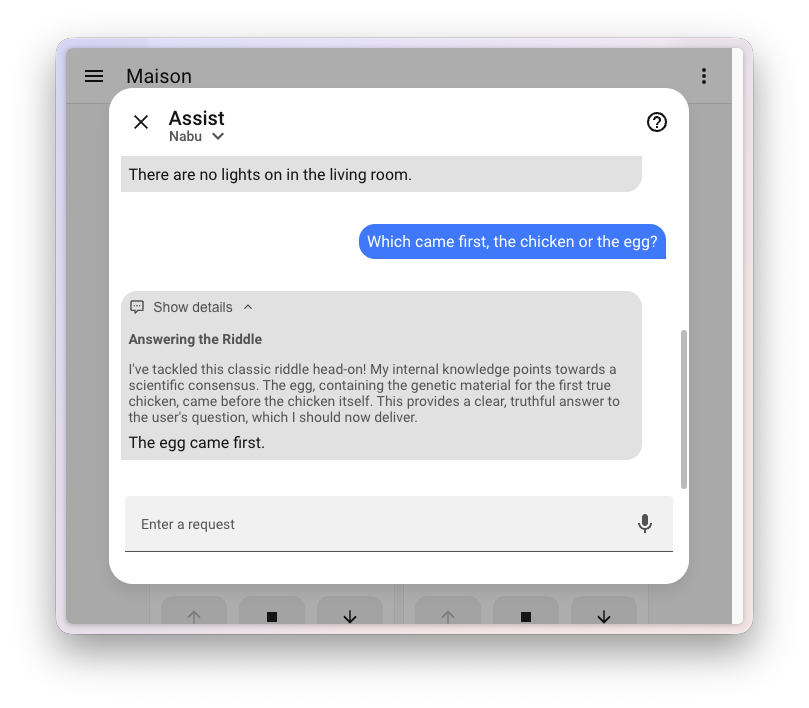
You don't need this for ordinary questions, but when the assistant comes back with something strange or an action doesn't go as expected, it's gold for tuning prompts and automations.
More Voice News
- Vacuum area cleaning — voice control of robot vacuums now understands commands like "Vacuum the kitchen" and sends the command for that specific room only
New Integrations
2026.4 brings 14 new integrations:
- Autoskope — GPS vehicle tracking
- Casper Glow — Bluetooth control for the Casper Glow sleep light
- Chess.com — Monitor your chess statistics from Chess.com
- Fresh-r — Fresh-r ventilation and air quality tracking
- Infrared — Abstraction layer for IR transmitters (foundation for other integrations)
- LG Infrared — Control LG TVs through an IR proxy
- Lichess — Chess statistics from Lichess.org
- LoJack — Vehicle GPS tracking via the LoJack service
- OpenDisplay — Control BLE e-paper displays from OpenDisplay
- Qube Heat Pump — Heat pump monitoring over Modbus TCP
- Solarman — Solarman smart energy device integration
- TRMNL — Monitor TRMNL e-ink displays (Platinum quality level)
- UniFi Access — Ubiquiti UniFi Access door system
- WiiM — Control WiiM audio streamers
Notable Improvements to Existing Integrations
- SmartThings — Expanded robot vacuum support (speeds, cleaning modes, dust sensors), stick vacuums, and dishwasher actions
- Roborock — Q10 series support
- OpenAI Conversation — GPT-5.4 and GPT-5.4-pro models with reasoning effort settings
- SwitchBot — Keypad Vision support with doorbell events
- Govee BLE — New H5140 CO2 monitor
- Jellyfin — Shuffle and enqueue support on the media player
- Proxmox VE — Major expansion of monitoring and management
- Renault — Charging settings and battery limit
- Schlage — Access code management
- Teslemetry — Energy price tariff calendar
Other Notable Changes
- The Markdown card now responds to tap, hold, and double-tap actions
- New template functions:
state_attr_translatedandentity_namefor localized display - Network visualizations (ZHA, Z-Wave, Bluetooth) gained search in the topology
- The Map card has an improved UI editor
- Backups show visual upload progress to remote storage
Backward-Incompatible Changes
This release contains a few changes worth being aware of:
- MQTT — the deprecated
object_idoption has been definitively removed - Motion Blinds — tilt operation behavior has changed for covers
- Z-Wave — the Installer panel has been removed (its functionality moved to the main Z-Wave section)
- Tuya — deprecated valve control switches have been removed
- JVC Projector — Picture Mode and HDR Processing migrated from the sensor to the select domain
- Litter-Robot — the night light mode switch has been removed; use the select entity instead
- pyLoad — 0.4.x is deprecated, upgrade to pyLoad-ng 0.5.0
- Roth Touchline — preset mode names standardized (Normal → none, Night → sleep, Holiday → away)
If you use any of these integrations, take a look at your configuration file and automations.
More Information
What Came Next
The follow-up 2026.5 took the same path with radio frequency (433/868 MHz) — RF is now a first-class platform of Home Assistant.
Release Party Video
Did this guide help you?
I write these guides in my spare time and keep them up to date. If one saved you time, you can chip in.
One-off, by card or Apple Pay. You can change the amount on the next page.
Would rather not send money? Buy the parts through my product links. The price is the same for you and it helps too.