Home Assistant 2026.3
After last month's massive release, this one is a nice and relaxed one 🙂
The third release of 2026 puts the Home Assistant community in the spotlight. This month the developers focused mainly on reviewing and merging contributions from the wider community, which gives us a lot of new integrations, quality improvements to existing integrations, and bug fixes. Let's take a look at the most interesting parts.
Home Assistant now runs on Python 3.14, bringing a faster interpreter, improved startup time, and better memory efficiency. For most users this change is invisible, but it will show up in the performance of your automations and integrations.
Area-Based Cleaning for Robot Vacuums
If you have a robot vacuum integrated in Home Assistant, you probably know the issue: even when you carefully define areas in Home Assistant (kitchen, living room, bedroom), the vacuum uses its own segment names from the vendor app. You ended up working with two different maps of your home in your automations.
This release brings cleaning based on Home Assistant areas. Instead of vendor-specific identifiers, you can now tell the vacuum to clean specific areas defined directly in Home Assistant - the same ones you already use to control lights or heating.
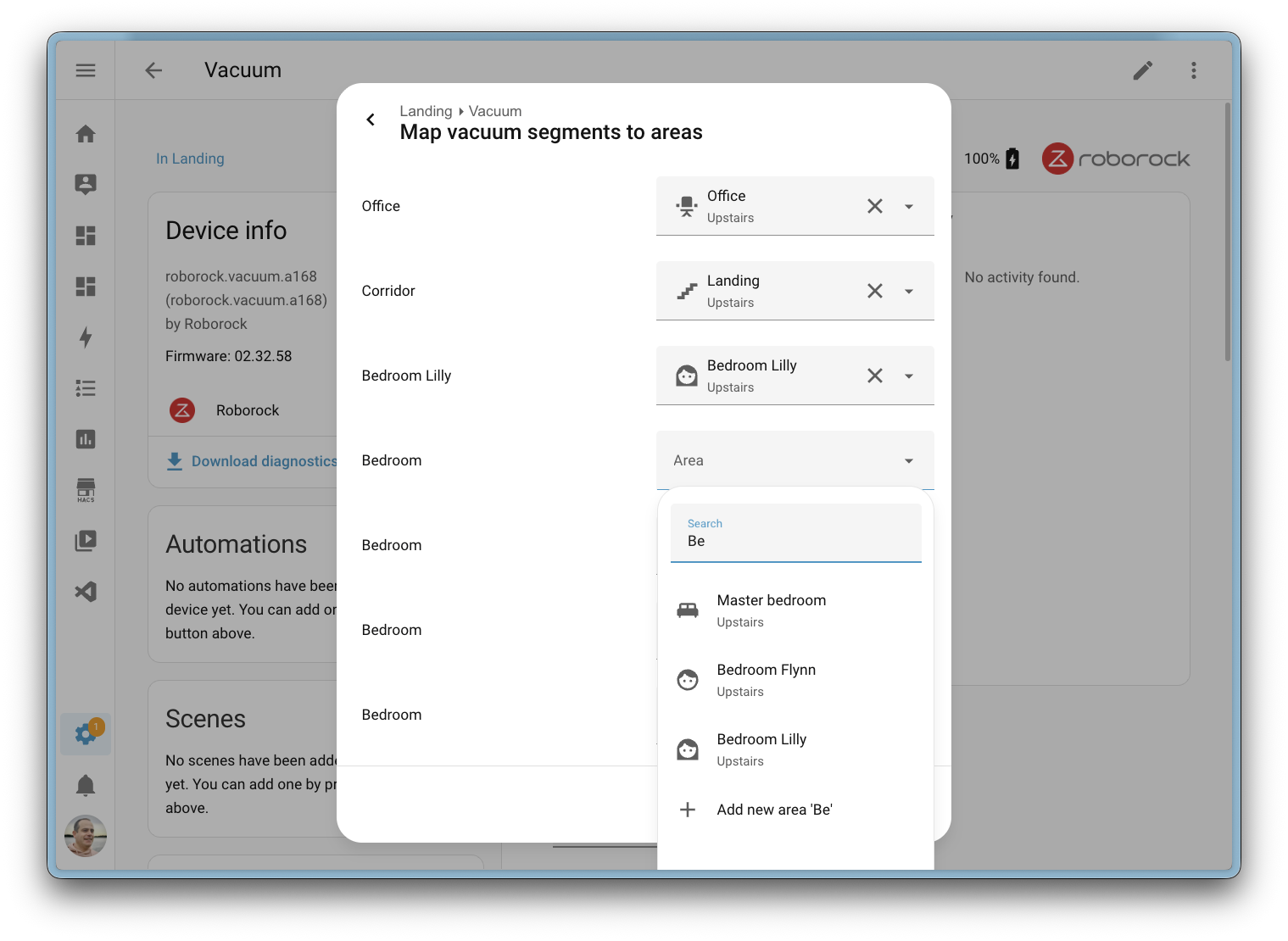
Support in this release covers the Matter, Ecovacs, and Roborock integrations. Home Assistant also automatically detects when the vacuum's segment map changes (typically after a re-mapping) and creates a repair notification so you can review the mapping.
If you want to trigger cleaning based on your own rules (presence, time, manual button), check out my introduction to automations.
Major Energy Dashboard Update
The Energy dashboard received a pinned date picker in the January release and more improvements in February. March continues the streak.
Real-Time Consumption Tracking
The Now tab features new badges showing the instantaneous consumption of electricity, gas, and water. You finally get a clear view of what is drawing the most energy right now without having to jump between graphs.

Electricity, Gas, and Water Tabs
The Energy section is now renamed to Electricity - it makes more sense once the dashboard tracks gas and water alongside electricity. At the same time, the Energy dashboard settings have been split into three clean tabs: Electricity, Gas, and Water.
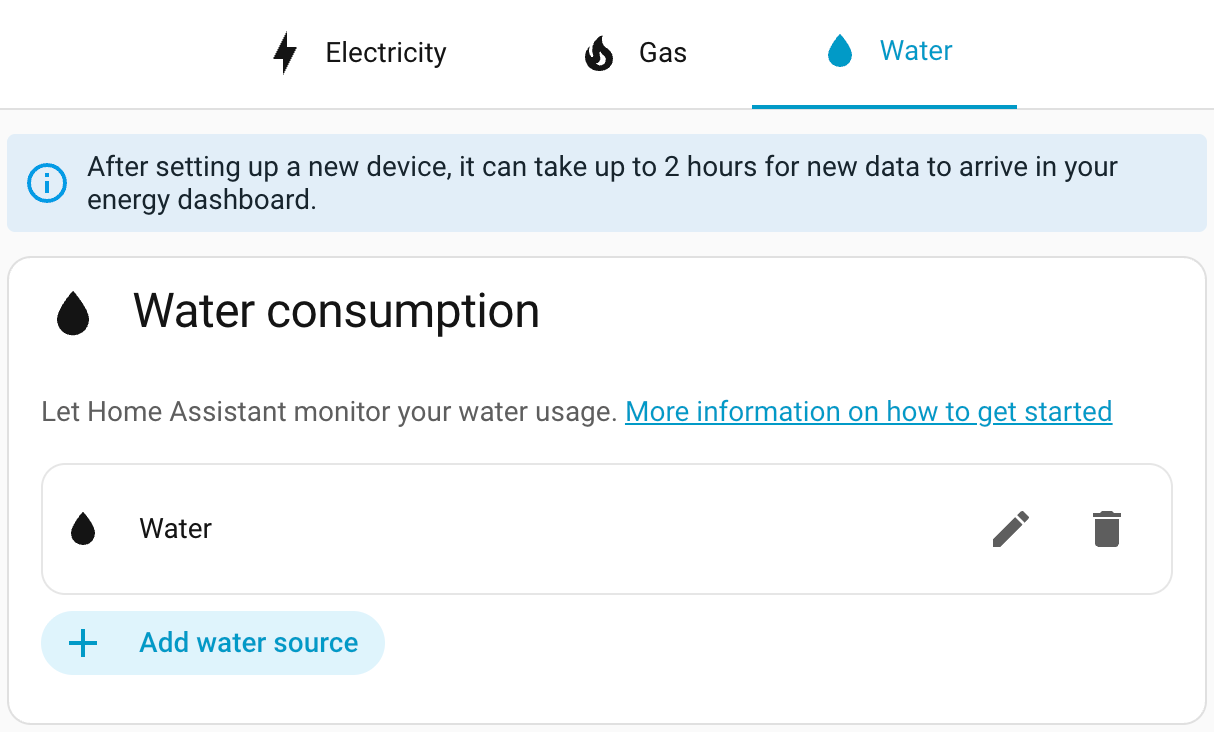
A new Sankey chart has been added for water, so you can see the water flow through individual appliances just like you do for electricity. Bar chart tooltips also now display the day of the week - a small touch that's very useful when comparing your household's behavior on weekdays versus weekends.
Continue on Error - Now in the Visual Editor
Until now, if you wanted an automation that did not stop at the first failing action, you had to dive into YAML and add continue_on_error: true manually. For most users this was a barrier.
This option is now available directly in the visual automation editor. For each action you can mark with a single click that the automation should continue even if the action fails. The editor also visually distinguishes actions that have this option enabled, so you can quickly see where the automation will skip over a problem.
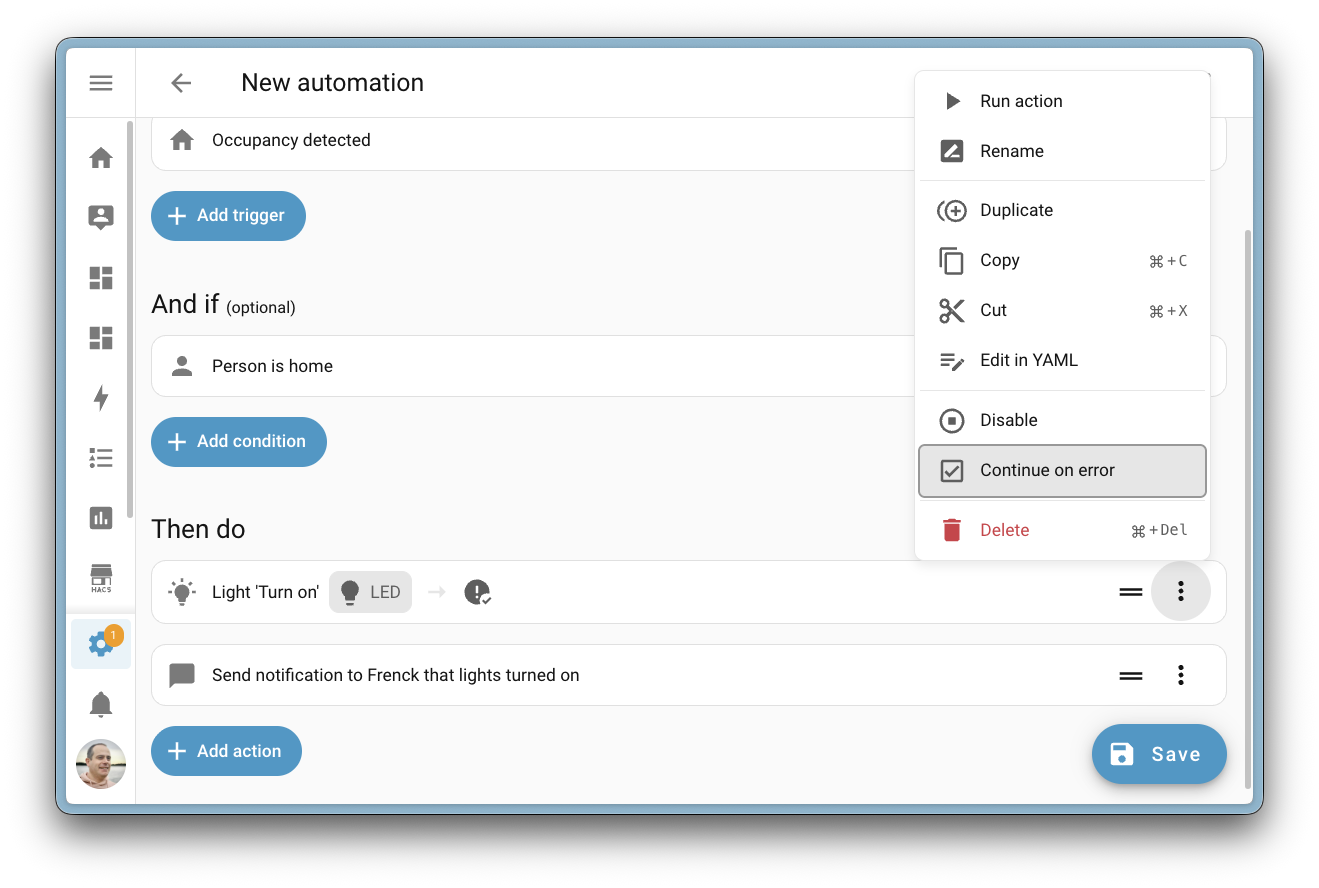
In practice this is invaluable for "turn off all lights in the house" type automations - if one bulb is offline, the automation finishes everything else instead of stopping halfway through.
On-Device Wake Word Detection on Android (Experimental)
The Companion app for Android received experimental support for on-device wake word detection in this release. Using microWakeWord technology you can turn your phone or tablet into a voice endpoint that constantly listens for one of three wake words:
- Okay Nabu
- Hey Jarvis
- Hey Mycroft
The whole wake word recognition runs locally on the device - no audio leaves your phone until the wake word is detected. Only then does the app send the recording to Home Assistant for further processing.
Continuous access to the microphone and CPU means a significant impact on battery life. If you want to use this feature on a phone, I recommend enabling it conditionally - for example only when the phone is connected to your home Wi-Fi or charger. Building such an automation takes only a few minutes.
New Integrations
We welcome 17 new integrations in this release:
- Ghost - monitor metrics from the Ghost publishing platform
- Hegel Amplifier - control Hegel audio amplifiers
- Homevolt - read data locally from the Homevolt battery system
- Hypontech Cloud - monitor Hypontech solar inverters
- IDrive e2 - cloud backups to the IDrive e2 service
- Indevolt - communicate with the Indevolt battery system
- IntelliClima - integrate ventilation systems
- Liebherr - control Liebherr fridges and freezers
- MTA New York City Transit - arrival predictions for New York City public transit
- MyNeomitis - connect Neomitis heating devices
- OneDrive for Business - cloud backups to business OneDrive
- Powerfox Local - read data locally from a Powerfox electricity meter
- Redgtech - Brazilian Redgtech smart switches
- System Nexa 2 - control Nexa smart devices
- Teltonika - monitor Teltonika routers
- Trane Local - local control of Trane thermostats
- Zinvolt - monitor the Zinvolt battery system
Notable Improvements to Existing Integrations
From the long list of improvements, here are the most interesting picks:
- Matter - added support for carbon monoxide alarm states and TVOC air quality sensors
- SmartThings - dual-cavity Samsung oven support, dishwasher washing options control
- Roborock - full Zeo washer and dryer support with program and temperature control
- Reolink - five new diagonal/continuous rotation PTZ buttons and patrol status reporting
- UniFi Protect - PTZ preset actions and live state updates
- ESPHome - improvements as part of the ongoing bidirectional communication work
- KNX -
numberentity configuration and periodic state re-sending - OpenAI Conversation -
gpt-image-1.5model for faster image generation - Anthropic - Claude Opus 4.6 model with adaptive thinking and structured outputs
- SwitchBot - password programming for Keypad Vision, slow mode for curtains
- Alexa Devices - Amazon Air Quality Monitor support
- Renault - remote horn and light controls
- Tessie - energy remaining sensor and battery health diagnostics
- Proxmox VE - CPU, memory, and disk usage sensors
- SleepIQ - five new sleep health sensors per sleeper
Three integrations that previously required YAML can now be set up from the UI: InfluxDB, Ness Alarm, and Splunk.
Other Notable Changes
- The voice assistant can now use Assist to remove items from to-do lists
- The statistics graph card editor gained a Year option as a period
- The security dashboard now also displays window-type covers
- Sections views support footer cards
- Matter, Z-Wave, Zigbee, and Bluetooth settings got a cleaner organization
Backward-Incompatible Changes
This release contains a few important changes to watch out for:
- Lights - the mireds-based
color_tempparameter has been removed. Use Kelvin values from now on (this also affects the LIFX integration, where thecolor_tempparameter for pulse effects was removed) - Container - images are now compressed with zstd, so you need Docker 23.0+ or containerd 1.5.0+
- Tado - mobile device tracking (
device_tracker) has been removed - Snapcast - group media player entities and grouping actions have been removed
- StarLine - ignition and autostart attributes have been removed, replaced with binary sensors
- Z-Wave - fan percentage values have been corrected for consistency
- Template - errors on
fanentities now returnunavailable, and theunknownstate has been added - BSB-Lan - water heater operation mode now reports
performanceinstead ofon; update your automations - Satel Integra - binary sensors and switches now initialize as
unknowninstead ofoff
As always, the full list of changes is available in the official documentation.
More Information
What Came Next
The follow-up 2026.4 brought native infrared control through ESPHome proxies, cross-domain purpose-specific triggers, and PIN code management for Matter locks.
Release Party Video
Did this guide help you?
I write these guides in my spare time and keep them up to date. If one saved you time, you can chip in.
One-off, by card or Apple Pay. You can change the amount on the next page.
Would rather not send money? Buy the parts through my product links. The price is the same for you and it helps too.