Mini PC and Generic x86-64 Hardware
Home Assistant can run on a wide range of x86-64 hardware - from cheap mini PCs to powerful servers. For most users, mini PCs represent the ideal compromise between performance, price, power consumption, and size.
Mini PCs are a great choice if you:
- 🎥 Plan to use cameras and Frigate (AI detection requires power)
- 🚀 Want more than just Home Assistant (Proxmox, Plex, additional VMs)
- 📈 Need room to grow (100+ devices, complex automations)
- 💪 Are looking for performance at a reasonable price (often cheaper than Raspberry Pi 5 + accessories)
Hardware Options Comparison
Before diving into details about Mini PCs, let's look at a comparison of all main options:
| Feature | Mini PC (x86-64) | Home Assistant Green | Raspberry Pi 5 (4GB) |
|---|---|---|---|
| CPU Performance | Intel/AMD 2.0-3.4 GHz (4-8 cores) | Quad-core ARM 1.8 GHz | Quad-core ARM 2.4 GHz |
| RAM | 8-32 GB (expandable) | 4 GB | 4-8 GB |
| Storage | M.2 NVMe SSD 256-1000 GB | 32 GB eMMC | microSD card |
| Complete Price | 3,000-8,000 CZK | ~2,650 CZK | ~1,800 CZK (without accessories) |
| Power Consumption | 6-20 W (depends on model) | ~1.7-3 W | ~3-8 W |
| Installation | Requires installation | Plug & Play | Requires installation |
| Storage Reliability | SSD (highest) | eMMC (high) | microSD (lower) |
| Frigate/cameras | Full support, HW acceleration | Limited (1-2 cameras) | Limited (1-2 cameras) |
| Proxmox/VM | Yes (multiple services) | No | No |
| Expandability | Easy RAM/SSD upgrades | None | Limited |
| Bluetooth/WiFi | Mostly integrated | External adapter | Integrated (BT 5.0) |
| Recommended for | Cameras, multiple services, advanced | Simplicity, beginners | Performance/price, universal |
Choose Mini PC if:
- 🎥 You're planning cameras with Frigate (AI detection)
- 🚀 You want multiple services (Proxmox, Plex, AdGuard...)
- 📈 You need room to grow (100+ devices)
- 💪 You're looking for performance at a reasonable price
Home Assistant Green is ideal if:
- ✅ You want the simplest solution without installation
- ✅ You're looking for reliable eMMC storage
- ✅ You prefer lowest power consumption (1.7-3 W)
- ✅ You want to support Home Assistant development
Raspberry Pi 5 is best if:
- ✅ You want best performance/price
- ✅ You have installation experience
- ✅ You're planning multiple applications on one device
- ✅ You need integrated Bluetooth
More information:
- Home Assistant Green - plug & play solution
- Raspberry Pi for Home Assistant - popular alternative
x86-64 Hardware Options
1. Mini PC with Intel N100/N95/N150 (Most Popular)
Intel Celeron N100 is still the gold standard for Home Assistant in 2026. It offers excellent performance/price/power consumption ratio.
Advantages:
- ✅ Low power consumption - 6-10 W idle, 15-20 W under load
- ✅ Sufficient performance - Frigate with 5+ cameras, Proxmox, multiple VMs
- ✅ Integrated graphics - Intel UHD for HW acceleration
- ✅ Price availability - 3,000-6,000 CZK
- ✅ Passive cooling - some models without fan
- ✅ Compact - size similar to RaspberryPi
Popular brands:
- Beelink - S12 Pro, S13, EQ12, EQi12
- Acemagic - various models with N100
- Firebat - T8 Pro, T8 Plus (recommended below)
- GMKtec - NucBox series
Users on Reddit report dramatic improvement over Raspberry Pi:
- Frigate handles 5 cameras without problems
- Automations respond instantly
- Zigbee network is more stable
- You can run Plex/Jellyfin alongside HA
2. Older Business Mini PCs (Best value)
Used business PCs are often the best choice for limited budgets. Companies mass-retire them after 3-5 years.
Recommended models:
- Lenovo ThinkCentre M910q / M920q / M720q
- HP EliteDesk 800 G3/G4 Mini
- Dell OptiPlex 3050/5050/7050 Micro
- Dell Wyse 5070 Extended (popular for low power consumption)
Advantages:
- ✅ Low price - 2,000-5,000 CZK (refurbished)
- ✅ Quality construction - business standard
- ✅ Proven reliability - runs 24/7 for years
- ✅ Easy availability - eBay, Alza Bazar
- ✅ Expandable RAM - usually 2x SODIMM slot
What to watch out for:
- ❌ Older processors - lower performance than N100
- ❌ Higher consumption - 15-35 W
- ❌ Larger dimensions - than new mini PCs
3. Intel NUC (More expensive, but quality)
Intel NUC (or clones Asus, MSI) are premium choice with best quality and support.
Advantages:
- ✅ Excellent quality - official Intel
- ✅ Long support - firmware updates for years
- ✅ Quiet operation - quality cooling
- ✅ Powerful models - Core i3/i5/i7 variants
Disadvantages:
- ❌ High price - 8,000-20,000 CZK
- ❌ Overkill for HA - often unnecessary power
4. Classic PC/Servers (For advanced users)
If you already have an old computer or need maximum performance:
Advantages:
- ✅ Maximum performance - no compromises
- ✅ Easy upgrades - standard components
- ✅ Expansion options - multiple disks, network cards
Disadvantages:
- ❌ High consumption - 50-200 W
- ❌ Noise - fans
- ❌ Large dimensions - need space
Firebat T8 Pro and T8 Plus - Specific Recommendations



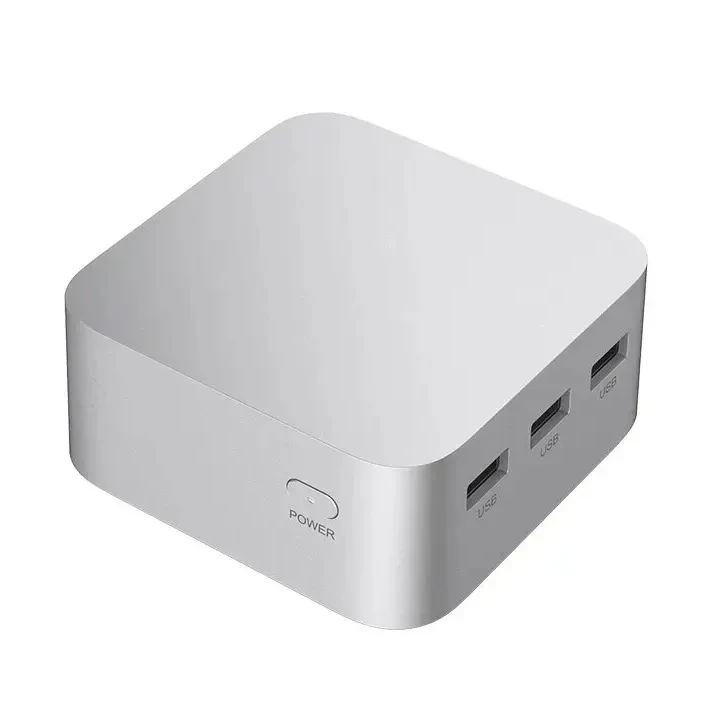
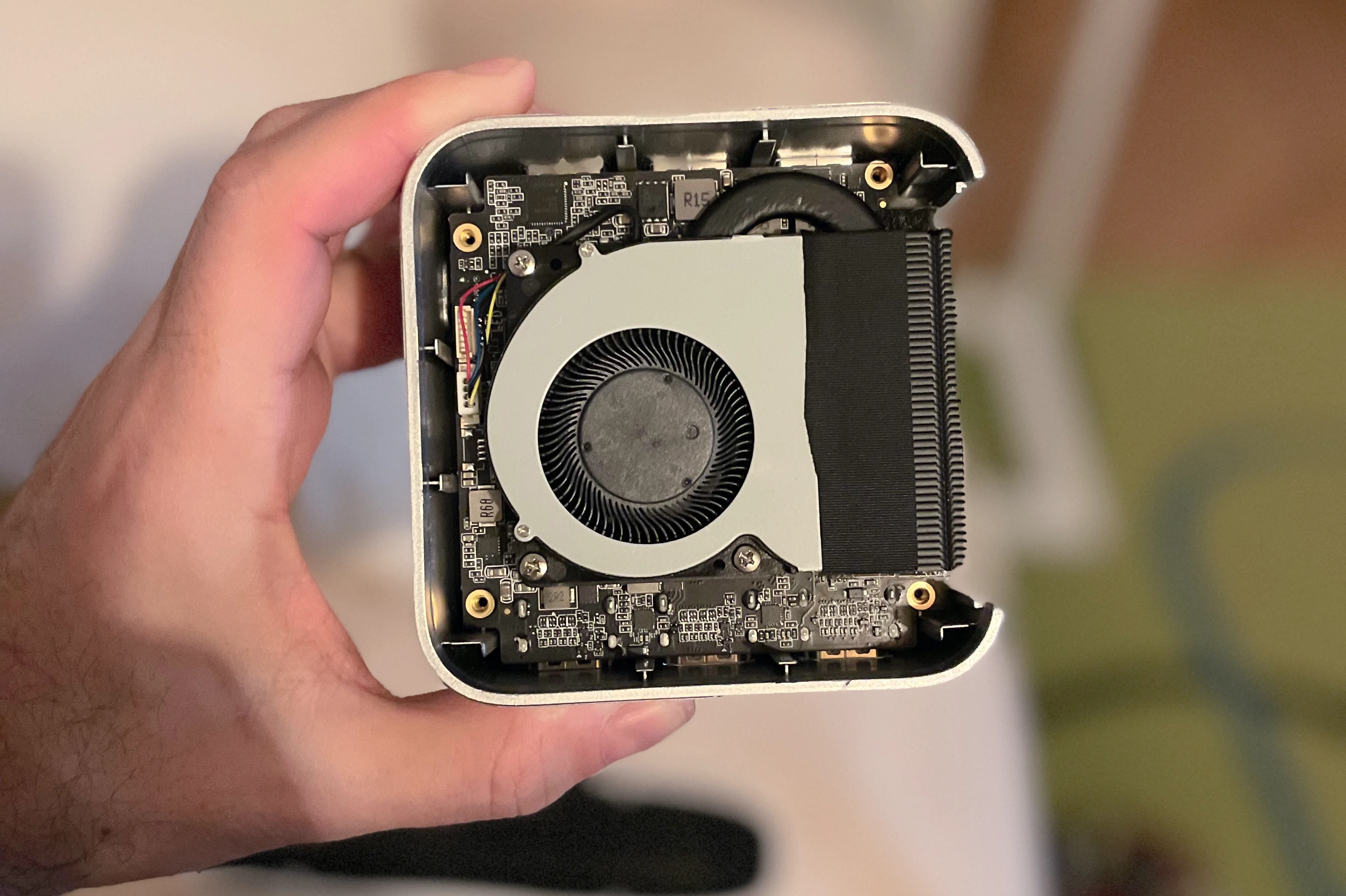
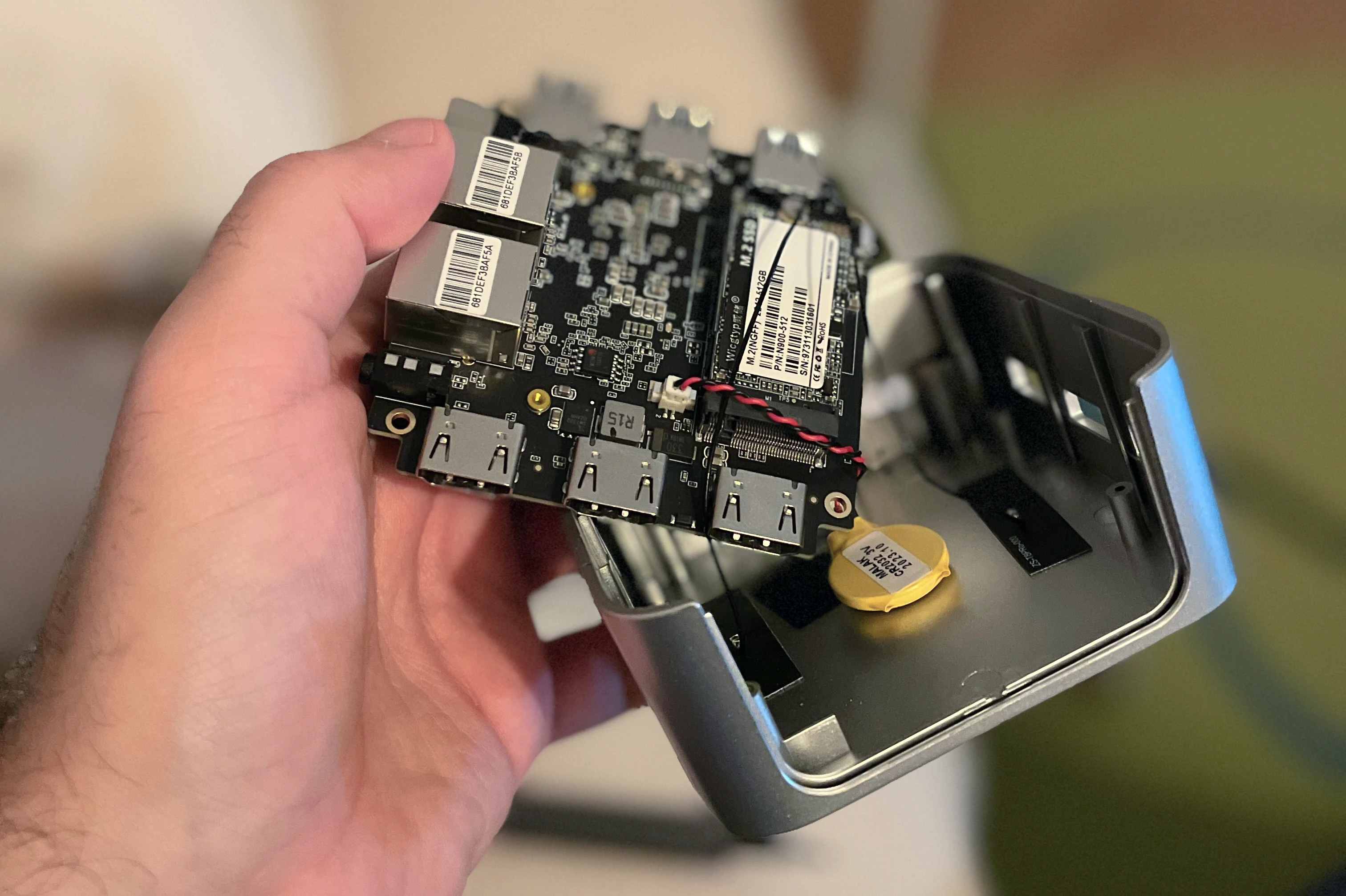
Specifications
- Processor: Intel Celeron N5095 (4 cores, max. 2.9GHz) / Intel N100 (4 cores, max. 3.4 GHz)
- RAM: 8 GB LPDDR4 2400 MHz / 8-16 GB LPDDR5 4800 MHz
- Storage: NVME M.2 SSD 256 GB / 256-512 GB
- Graphics: Intel UHD Graphics (16EUs) integrated
- Network: 2× 1Gbit Ethernet RJ45
- WiFi: WiFi 5 2.4/5GHz, 802.11ac
- Bluetooth: 4.2
- Ports: USB 3.1 3×, HDMI 2.0 3×, 3.5mm audio
- Power Consumption: ~6-15 W (typically 8-10 W)

T8 Pro vs T8 Plus Comparison
| Feature | Firebat T8 Pro | Firebat T8 Plus |
|---|---|---|
| CPU Processor | Intel Celeron N5095 (4 cores, 4 threads), max. 2.9GHz | Intel N100 (4 cores, 4 threads), max. 3.4 GHz |
| GPU Graphics Card | Intel UHD Graphics (16EUs) | Intel UHD Graphics (24EUs) |
| RAM Memory | 8GB LPDDR4 2400 MHz | 8/16GB LPDDR5 4800 MHz |
| SSD Disk | NVME M.2 SSD 256GB | NVME M.2 SSD 256/512GB |
| WiFi Network | WiFi 5 2.4/5Ghz, 802.11ac | WiFi 5 2.4/5Ghz, 802.11ac |
| Ethernet Network | 2× 1Gbit RJ45 | 2× 1Gbit RJ45 |
| Bluetooth | 4.2 | 4.2 |
| Ports | USB 3.1 3×, HDMI 2.0 3×, 3.5mm audio | USB 3.1 3×, HDMI 2.0 3×, 3.5mm audio |
| Price (indicative) | ~3,500-4,500 CZK | ~4,500-6,000 CZK |
| Recommended for | Basic HA without cameras | HA + Frigate + Proxmox |
T8 Pro (N5095) is sufficient if:
- ✅ You don't need cameras or just 1-2 cameras without AI
- ✅ You want only Home Assistant without additional VMs
- ✅ You're looking for the lowest price
T8 Plus (N100) I recommend if:
- ✅ You're planning Frigate with 3+ cameras
- ✅ You want Proxmox and additional VMs (Plex, AdGuard...)
- ✅ You want performance reserve for the future
- ✅ The price difference is acceptable for you
I personally recommend T8 Plus - the price difference is small, but the performance reserve is noticeable.
Installing Home Assistant
Option 1: Home Assistant OS (Recommended for beginners)
Home Assistant OS (HAOS) is the simplest path - plug and play solution.
Advantages:
- ✅ Simple installation - install and it works
- ✅ Automatic updates - supervisor takes care of everything
- ✅ Add-ons - easy addition of features
- ✅ Backups - integrated solution
Disadvantages:
- ❌ Limited flexibility - you can't install other software
- ❌ Only HA - if you want more services, you need Proxmox
Installation:
- Download HAOS image for x86-64
- Write to USB using Balena Etcher
- Boot from USB and HAOS will install on internal disk
- Open
http://homeassistant.local:8123
Complete guide can be found in official documentation.
Option 2: Proxmox + HAOS VM (Recommended for advanced users)
Proxmox VE is a hypervisor that allows running multiple virtual machines. Ideal if you want:
- Plex/Jellyfin for media
- AdGuard Home for ad blocking
- Frigate for cameras (can run separately)
- Other services separated from HA
Advantages:
- ✅ Multiple services - separate VMs for each service
- ✅ Isolation - problems in one VM don't affect others
- ✅ Easy backups - VM snapshots
- ✅ Flexibility - testing without risk
Disadvantages:
- ❌ More complex - requires basic Linux knowledge
- ❌ Overhead - approx. 10-15% performance goes to virtualization
Complete guide including installation, configuration and USB passthrough can be found in article Proxmox for Home Assistant.
Option 3: Docker Container (For advanced users)
If you already have a Linux server and just want to add Home Assistant as a container.
Advantages:
- ✅ Shared hardware - HA runs alongside other services
- ✅ Low overhead - more efficient than VM
Disadvantages:
- ❌ No Supervisor - no Add-ons from GUI
- ❌ Manual configuration - everything via YAML/Docker
Installation:
docker run -d \
  --name homeassistant \
  --restart=unless-stopped \
  -e TZ=Europe/Prague \
  -v /path/to/config:/config \
  --network=host \
  ghcr.io/home-assistant/home-assistant:stable
Home Assistant Container does not have access to Add-ons. If you need them, use HAOS or Proxmox with HAOS VM.
Power Consumption
Mini PCs are significantly more efficient than classic PCs, but consume more than Raspberry Pi or Green.
Indicative Consumption
| Hardware | Idle | Under Load | Annual Cost* |
|---|---|---|---|
| Home Assistant Green | 1.7 W | 3 W | 90-160 CZK |
| Raspberry Pi 5 | 3 W | 8 W | 160-420 CZK |
| Mini PC (N100) | 6 W | 15 W | 320-790 CZK |
| Older Mini PC (i5) | 10 W | 25 W | 530-1,300 CZK |
| Intel NUC (i5) | 8 W | 20 W | 420-1,050 CZK |
| Desktop PC | 50 W | 150 W | 2,630-7,900 CZK |
*at 6 CZK/kWh price and 24/7 operation
Mini PC with N100 consumes annually approx. 52-131 kWh (6-15 W × 24h × 365), which is 320-790 CZK annually.
For comparison, Raspberry Pi 5 consumes 26-70 kWh, but doesn't have power for cameras and additional VMs. If you had to add NAS or other device to it, total consumption would be higher.
Accessories
What you need to purchase
Always needed:
- 🔌 Power cable - usually included in package
- 🌐 Ethernet cable - for router connection (recommended)
For Zigbee/Thread:
- 📡 Home Assistant Connect ZBT-2 - official adapter (best choice)
- 📡 Sonoff Zigbee Dongle-E - affordable alternative
- 📡 ConBee II - reliable, but more expensive
For Z-Wave:
- 📡 Home Assistant Connect ZWA-2 - official adapter
For Bluetooth:
- Most mini PCs have integrated Bluetooth
- If not: TP-Link UB500 or other USB adapter



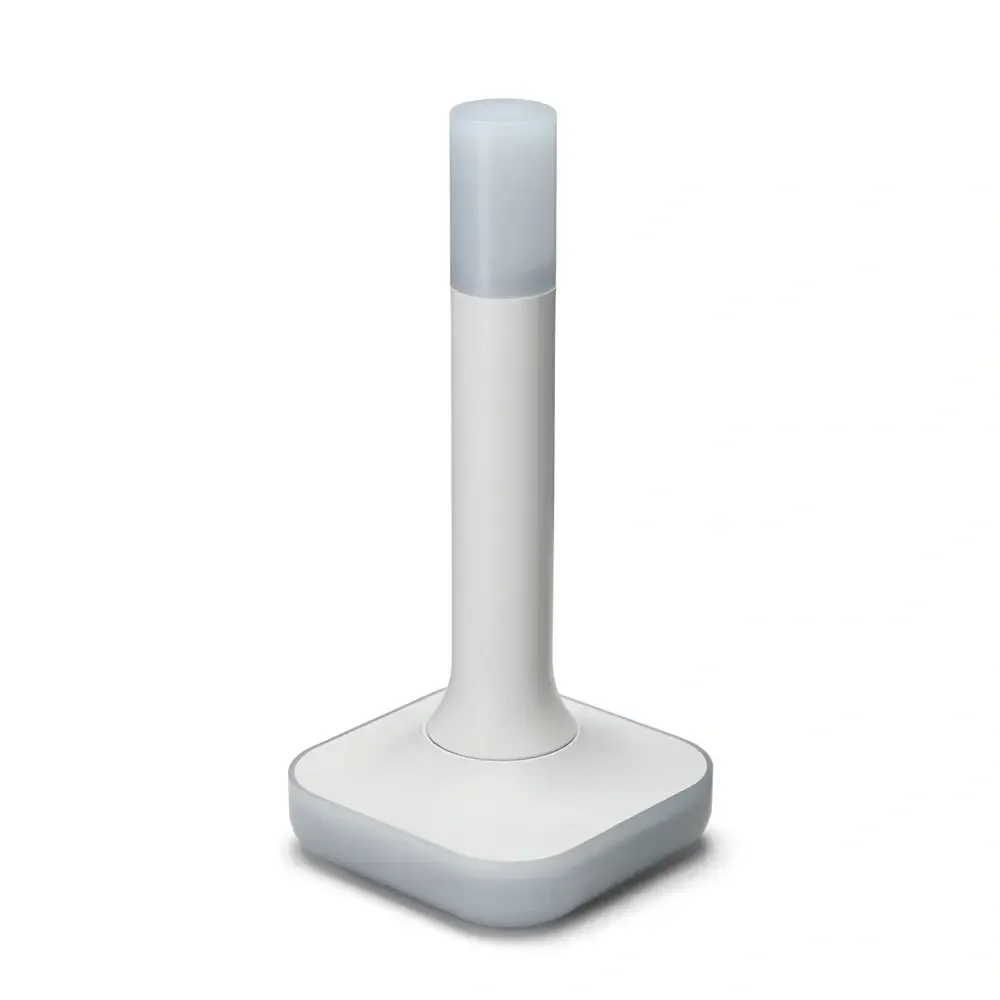
Home Assistant Connect ZBT-2
USB adapter - USB Zigbee/Thread coordinator for Home Assistant (ZHA/Thread), model NC-ZBT-9741, SoC Silicon Labs MG24 + ESP32-S3 (USB-UART), support for Zigbee 3.0 and Thread/Matter-over-Thread (in HA), USB-C connection, power supply 50 m frequency 5 V 2400–2483.5 MHz, omnidirectional antenna 4.16 dBi (Ø24 × 164 mm), CE/FCC/RCM certification, FCC-ID 2A8ZE04, device dimensions 83 × 83 × 179 mm, weight 157 g, polycarbonate housing, operation 0–65 °C, 0–65 °C, operation 0–65 °C indoor use, requires Home Assistant 2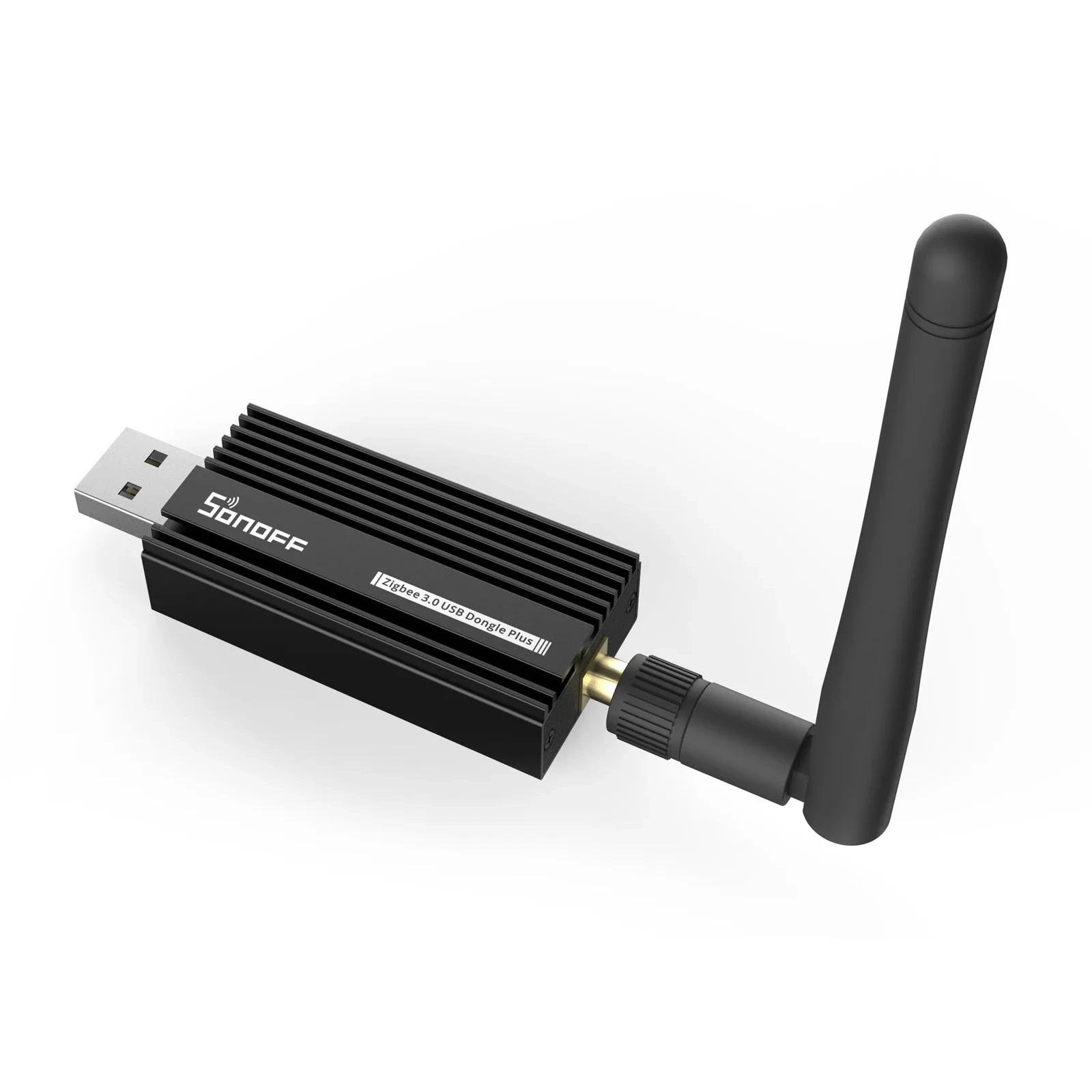
Sonoff Zigbee 3.0 USB Dongle Plus E
USB adapter for connecting Zigbee devices to smart home. With EFR32MG21.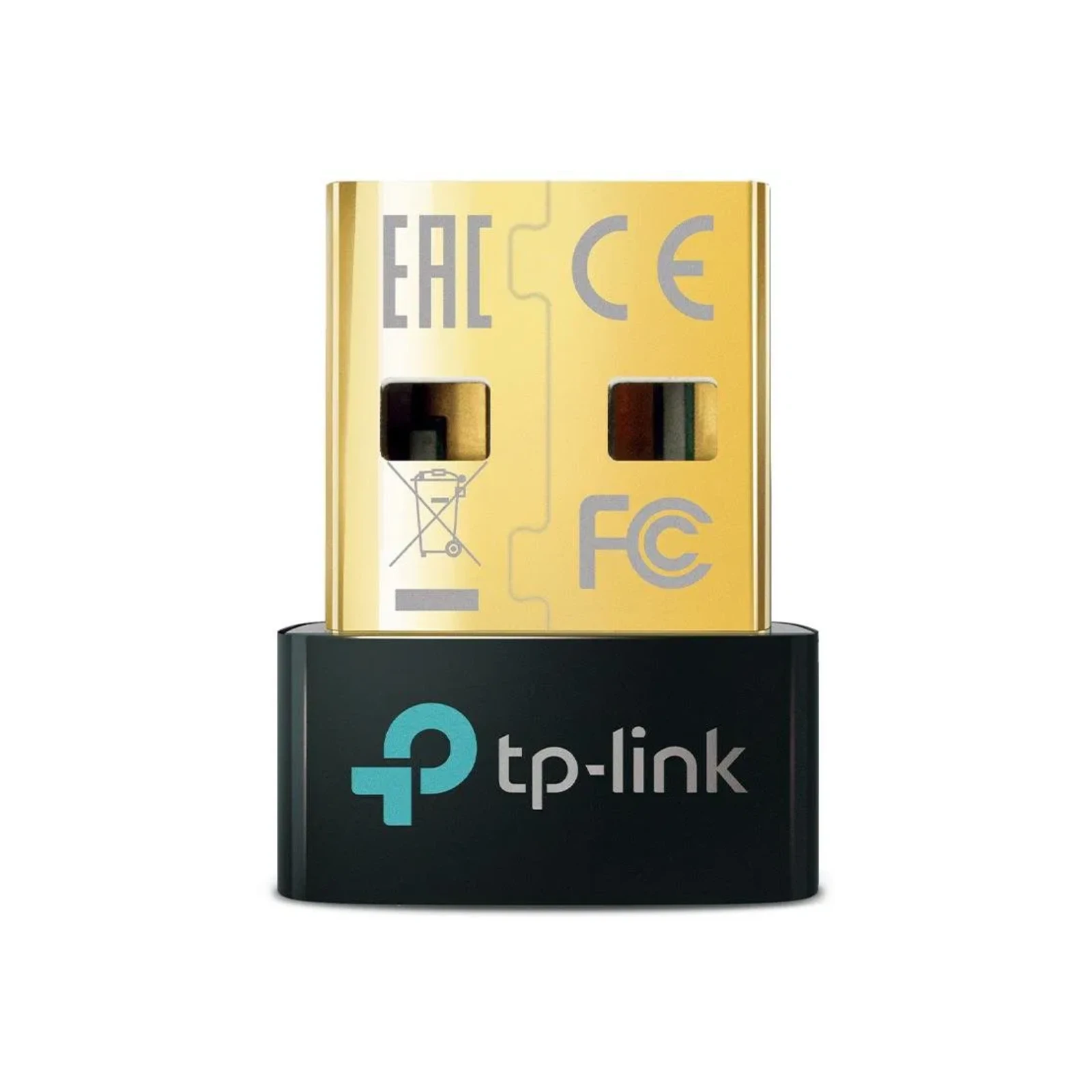
TP-Link UB500, Bluetooth 5.0 Nano USB Adapter
External Bluetooth adapter, USB 2.0 connection.Frequently Asked Questions
How much RAM and storage do I need?
Minimum requirements:
- RAM: 4 GB (enough for basic HA)
- Disk: 32 GB
Recommended:
- RAM: 8 GB (for HA + several add-ons)
- Disk: 128 GB SSD
For Proxmox and multiple VMs:
- RAM: 16 GB (8 GB for Proxmox, 4 GB for HA VM, rest for others)
- Disk: 256 GB SSD
Home Assistant itself takes approx. 2-5 GB RAM and 10-20 GB disk (depends on history and number of devices). 8 GB RAM and 128 GB SSD is a comfortable choice for most users.
Do I need WiFi or is Ethernet enough?
Ethernet is always the better choice:
- More stable connection
- Faster (1 Gbit vs 300-600 Mbit WiFi 5)
- Lower latency
Use WiFi only if you cannot run a cable. In that case, I recommend WiFi 6 (802.11ax) model or use Powerline adapters (internet over electrical network).
Can I use an old laptop/PC?
Yes! An old computer can be a great choice, but consider:
Advantages:
- ✅ You already have it, so "free"
- ✅ Usually sufficient power
Disadvantages:
- ❌ High consumption (50-200 W)
- ❌ Noise
- ❌ Takes space
- ❌ For laptops: battery can be a risk (swelling)
Recommendation: If it's an older machine (5+ years) with high consumption, new mini PC will pay for itself in 1-2 years on saved electricity.
Is Intel or AMD better?
For Home Assistant, Intel is the better choice thanks to:
- Better HW acceleration support in Linux (QuickSync for video)
- Broader community support
- Proven drivers for Proxmox/HAOS
AMD Ryzen is also a great choice, but may require more configuration. If you already have AMD, definitely use it - performance-wise they're similar.
Does mini PC support USB adapters for Zigbee/Z-Wave?
Yes! All mini PCs have standard USB ports. I recommend:
- Use USB 2.0 or 3.0 port
- For better reception connect via short USB extension cable (reduces interference)
- In Proxmox use USB passthrough (not USB device redirect)
How long will a mini PC last?
Quality mini PC will last 5-10 years with 24/7 operation. Key factors:
- SSD: 5-10 years (depends on quality and writes)
- Fan: 3-5 years (can be replaced)
- Other: 10+ years (no moving parts)
- Regularly clean from dust (1× yearly)
- Place in location with good air circulation
- Don't smoke in the room (smoke clogs fans)
- Use quality SSD (Samsung, Crucial, WD)
Do I need a monitor and keyboard?
During installation: Yes, but only during first installation of HAOS or Proxmox
During normal operation: No! After installation, everything is controlled via web interface from another computer/tablet/phone.
Mini PC Pros
- ✅ High performance: Handles cameras, AI detection, multiple services at once
- ✅ Flexibility: Proxmox allows running multiple VMs
- ✅ Expandability: Easy RAM and SSD upgrades
- ✅ HW acceleration: Intel QuickSync for video processing
- ✅ More ports: Multiple USB, HDMI, Ethernet
- ✅ Long lifespan: 5-10 years of operation
- ✅ Quiet operation: Modern models are almost inaudible
Mini PC Cons
- ❌ Higher price: 3,000-8,000 CZK vs 1,800-2,650 CZK for Pi/Green
- ❌ Higher consumption: 6-20 W vs 1.7-8 W
- ❌ Larger dimensions: Than Pi or Green (but still compact)
- ❌ More complex setup: Especially with Proxmox requires more knowledge
- ❌ Fan needed: Some models (active cooling)
Alternative Products
If the Firebat T8 Pro/Plus doesn't appeal to you or you're looking for something with different parameters, there are other mini PCs with similar specifications:
Other mini PCs with Intel N100/N95
- Beelink S12 Pro - similar specifications to T8 Plus, often on sale
- Acemagic AD08 - compact design, good price
- GMKtec G2 Mini PC - quality construction, passive cooling
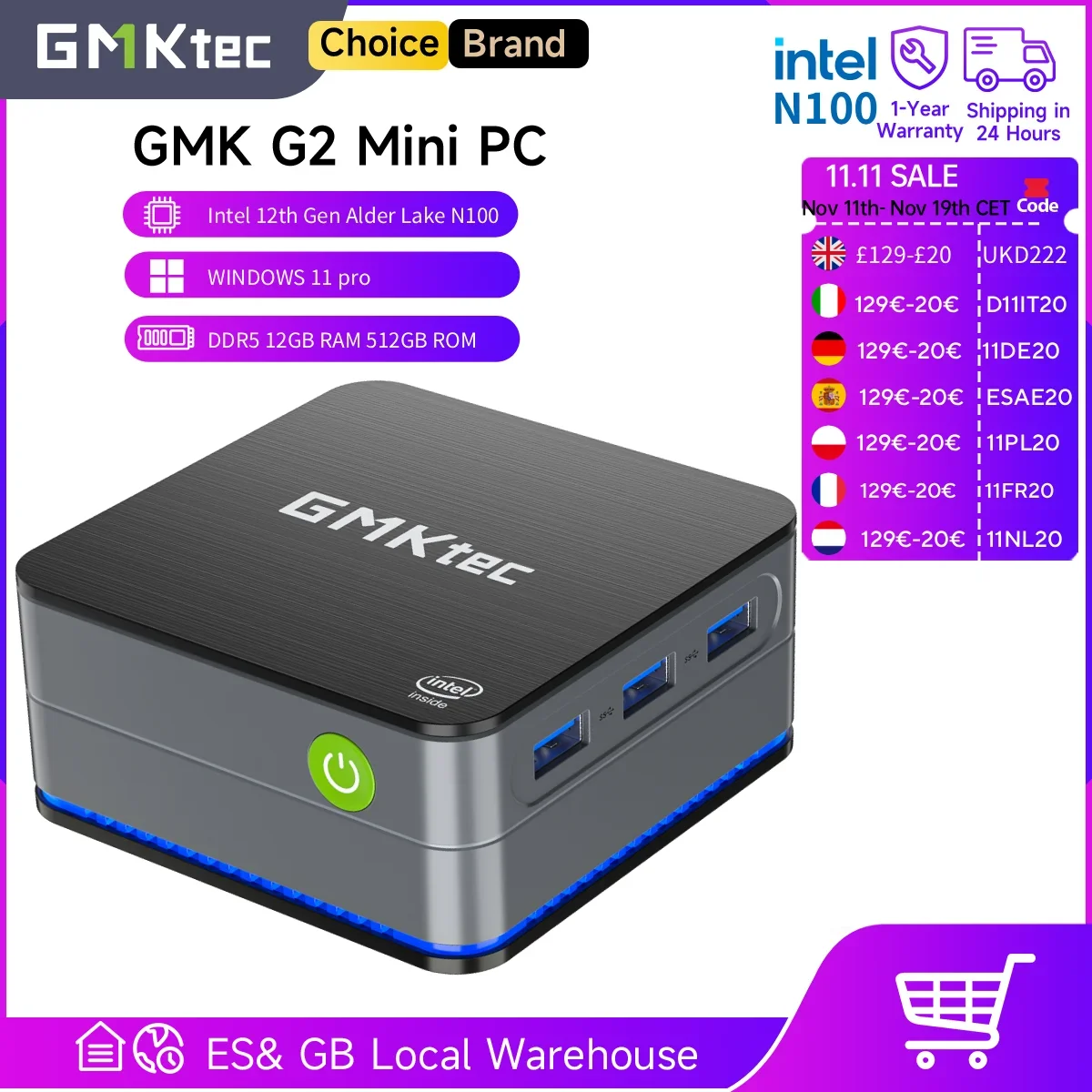
GMKtec G2 Mini PC
Windows 11 Pro Intel 12th Gen Alder Lake N100 Mini PC DDR5 12GB RAM 512GB ROM WiFi 6 BT5.2 Desktop ComputerFor home use, in my opinion, T8 Plus is the ideal choice - proven performance at a reasonable price.
Related Articles
Hardware
- Choosing Hardware for Home Assistant - complete guide
- Raspberry Pi 5/4/3 - popular alternative
- Home Assistant Green - simplest solution
- Home Assistant Yellow - modular device
- NAS Synology - installation in Docker
- Proxmox - hypervisor for multiple VMs
Zigbee and Thread
- Home Assistant Connect ZBT-2 - official Zigbee/Thread adapter
- Zigbee in Home Assistant - Introduction - everything about Zigbee
- ZHA (Zigbee Home Automation) - native integration
- Zigbee2MQTT - popular alternative
- Recommended Zigbee Hardware - tested products
Configuration and Extensions
- Remote Access - how to connect from outside
- HACS - thousands of community components
- Add-ons - extending applications
- Backups and Recovery - how to backup properly