Home Assistant 2025.12
The final update of 2025 🎄 brings Home Assistant Labs for testing new features, purpose-specific triggers and conditions for more intuitive automations, dashboard improvements, and significant Energy dashboard expansions with real-time power monitoring.
Home Assistant Labs 🧪
The new Home Assistant Labs space allows you to try out new features before their final implementation. These aren't unstable beta versions, but fully functional and tested features that may undergo adjustments or even disappear based on community feedback.
You can find Labs in the menu Settings > System > Labs.
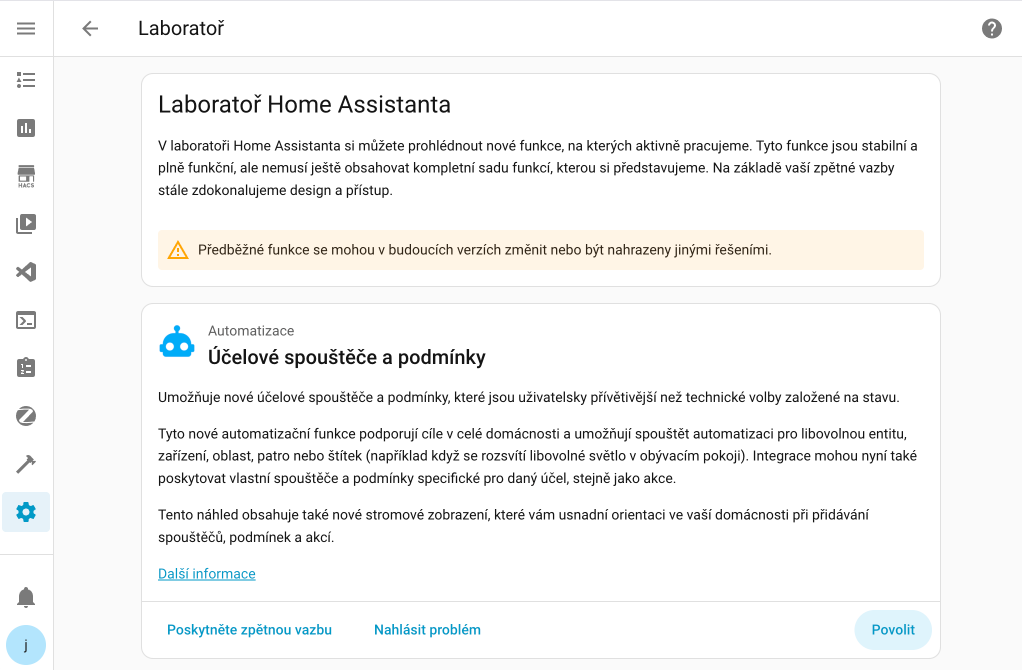
Winter mode ❄️
The first feature in Labs is Winter mode - turn it on and watch snowflakes drift across your dashboard. It's completely unnecessary, utterly delightful, and exactly the kind of feature I'll happily have enabled throughout December 🎄
When activating a preview feature, you can create a backup just to be safe. And if it doesn't suit you? Simply disable it, no restart required!
All preview features are disabled by default and enabling them won't affect your existing system. If you prefer a stable and proven environment, you don't have to use Labs at all.
Purpose-specific triggers and conditions
Almost two years ago, Home Assistant redesigned actions in automations - instead of one generic "Call service" action, you now see clear options like "Light: Turn on" or "Media Player: Set Volume".
The same concept now arrives for triggers and conditions!
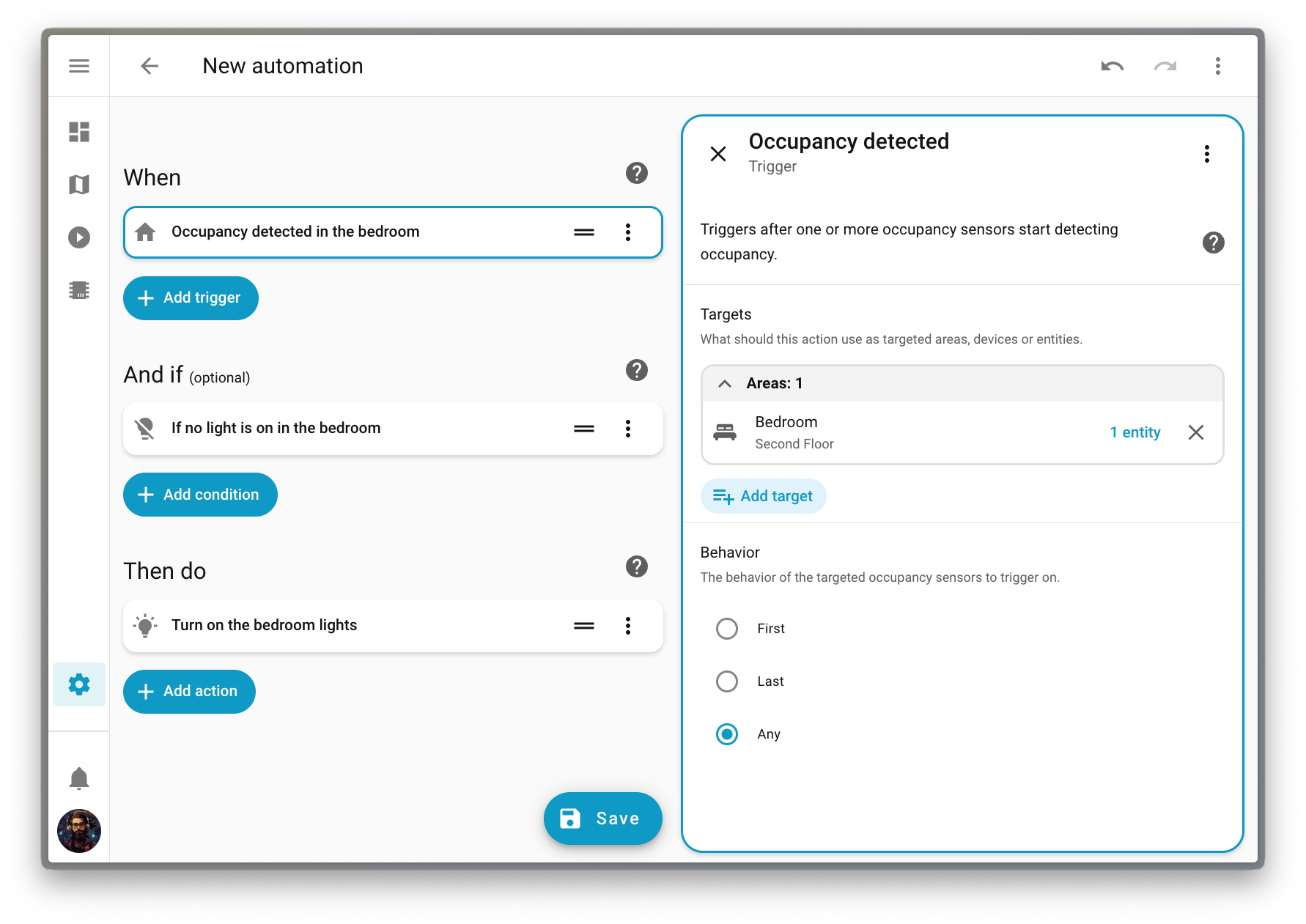
Instead of technical state-based conditions, you can now use intuitive options like:
- "When a light turns on"
- "If a light is on"
- "When climate starts heating"
- "If fan is running"
Targeting areas and floors
The new triggers and conditions fully support targeting - you can trigger an automation when any light in the living room turns on, without having to list them individually or create groups.
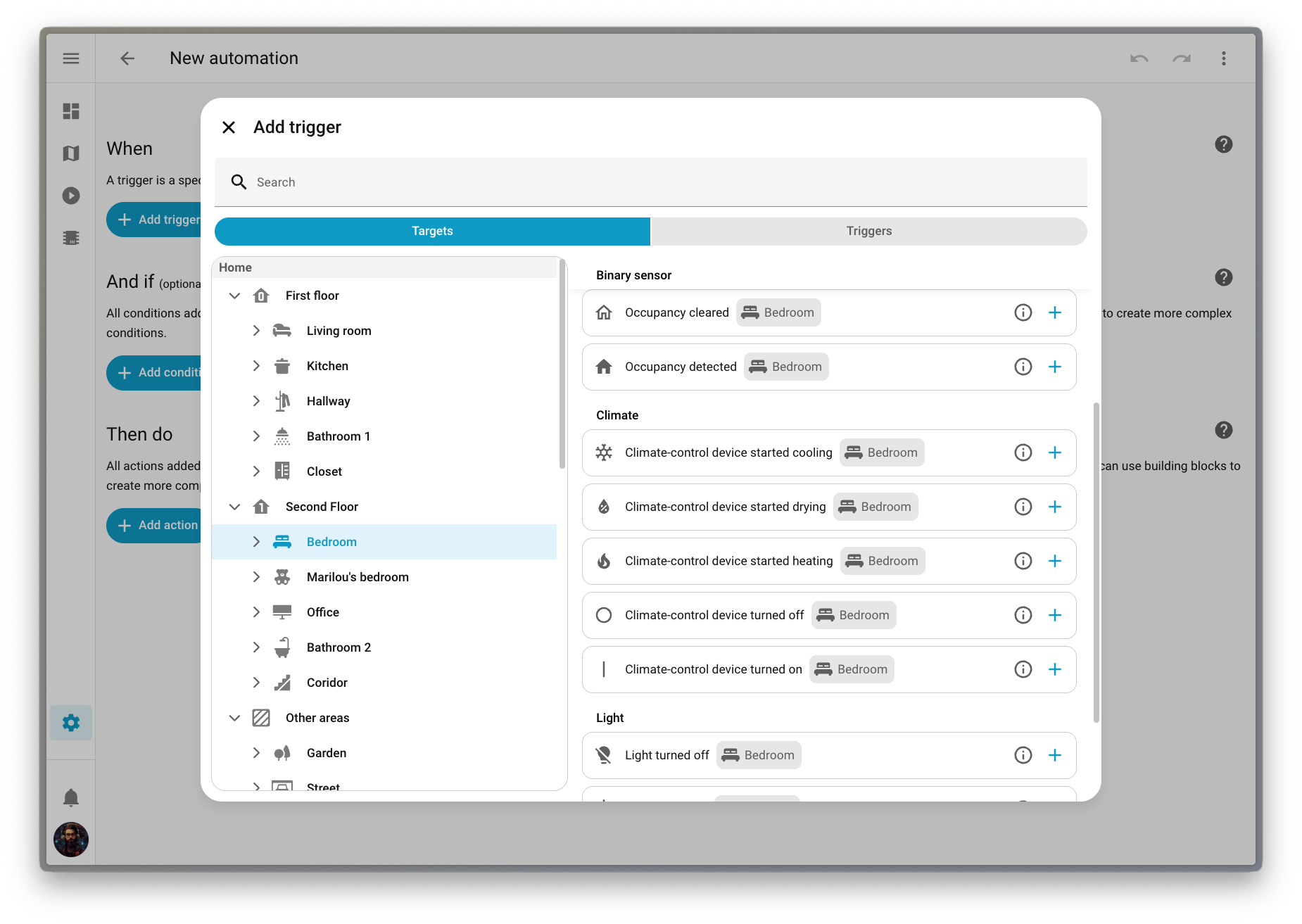
Labels are also supported - you can check if your Christmas lights are on. Perfect timing for the holidays! 🎄
This feature is still being refined, so it's available as a preview in Labs. Go to Settings > System > Labs and help us shape the future of automation building!
Dashboard improvements
This release brings numerous dashboard improvements - from better default dashboard management to an improved Home dashboard.
System-wide default dashboard
Selecting a default dashboard is now a system-level setting that takes effect instantly for all users. The selected dashboard appears at the top of the sidebar and replaces the current default.
Personal preferences still matter! In your User profile, you can set your own preferred dashboard, which will override the system setting.
Reorder areas and floors
When using built-in dashboards (Home, Lights, Security, and others), a major pain point was the strict ordering of areas (alphabetically) and floors (numerically by level). This often didn't make sense in a real home.
Now you can go to Settings > Areas, labels & zones and use the new Reorder floors and areas menu to simply drag and drop any area or floor to the desired position.
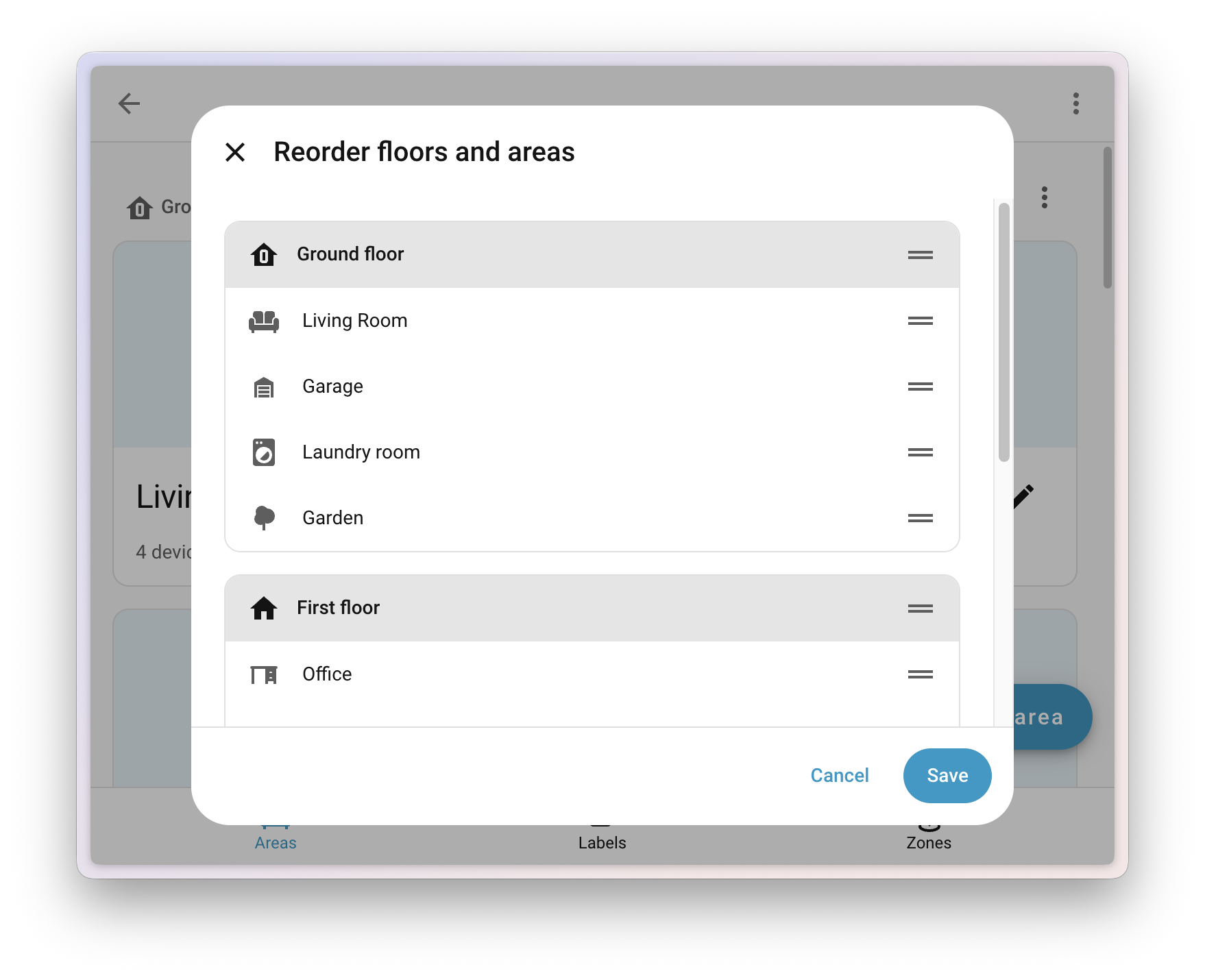
Your changes will instantly apply to all built-in dashboards that display areas and floors.
To learn more about organizing your home using areas, floors, and labels, read my article about areas, floors, and labels.
Undo and redo in the dashboard editor
The dashboard editor now includes the undo and redo feature that was added in version 2025.10 to the automation and script editor. You can undo up to 75 changes or restore them with a single click.
Real-time power and water monitoring
The Energy dashboard has been helping you track energy and gas consumption for years. This release brings two great additions: real-time power monitoring and downstream water meters.
Real-time power monitoring
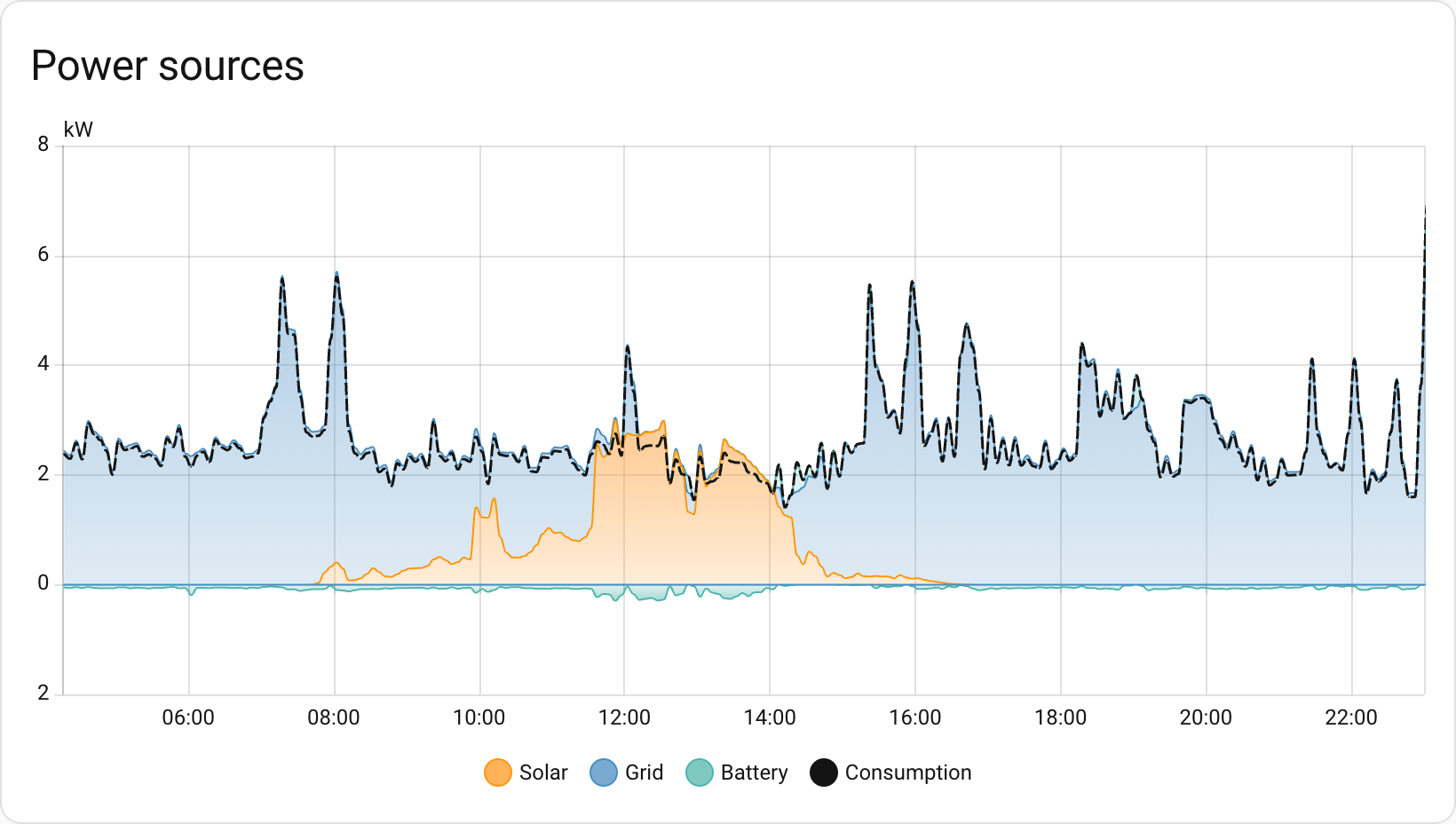
Until now, the Energy dashboard was all about energy - the cumulative kWh consumed or produced over time. But sometimes you need to know what's happening right now. How much power is that appliance actually drawing? Is your solar system producing at this very moment?
Now you can configure power sensors alongside your energy sensors. Track your real-time grid consumption, see how much you're exporting back to the grid, and watch those watts flow in real-time.
Downstream water meters
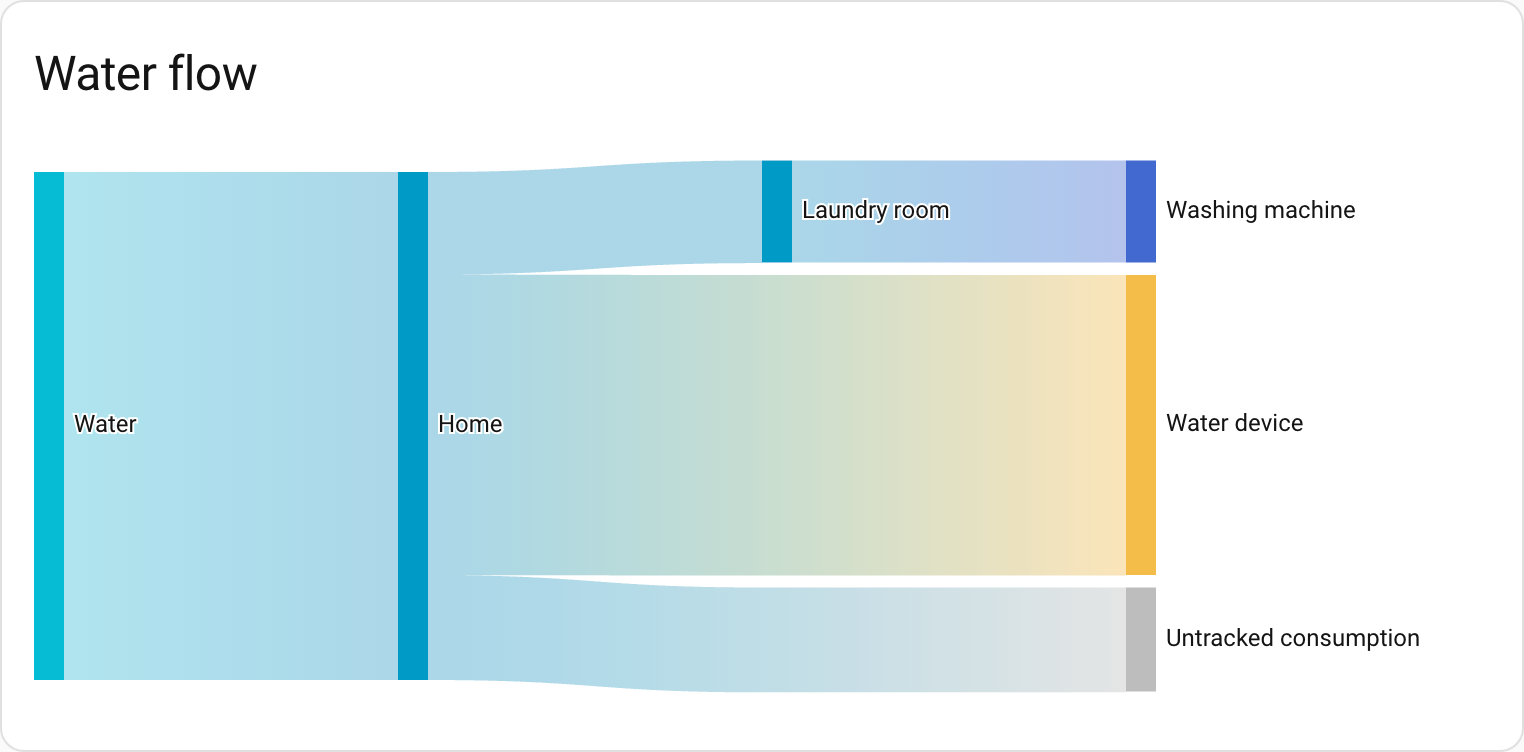
The Energy dashboard has been tracking water consumption for a while, but something was missing: the ability to see where all that water is actually going. Just like you can track individual devices for energy consumption, you can now add downstream water meters to break down water usage.
Got a smart irrigation controller? A water softener with a flow meter? A separate meter for your pool? Now you can track them all and see exactly how your water consumption is distributed.
There's also a brand-new water sankey card that visualizes water flow, just like the energy sankey diagram you already know.
New Energy dashboard layout
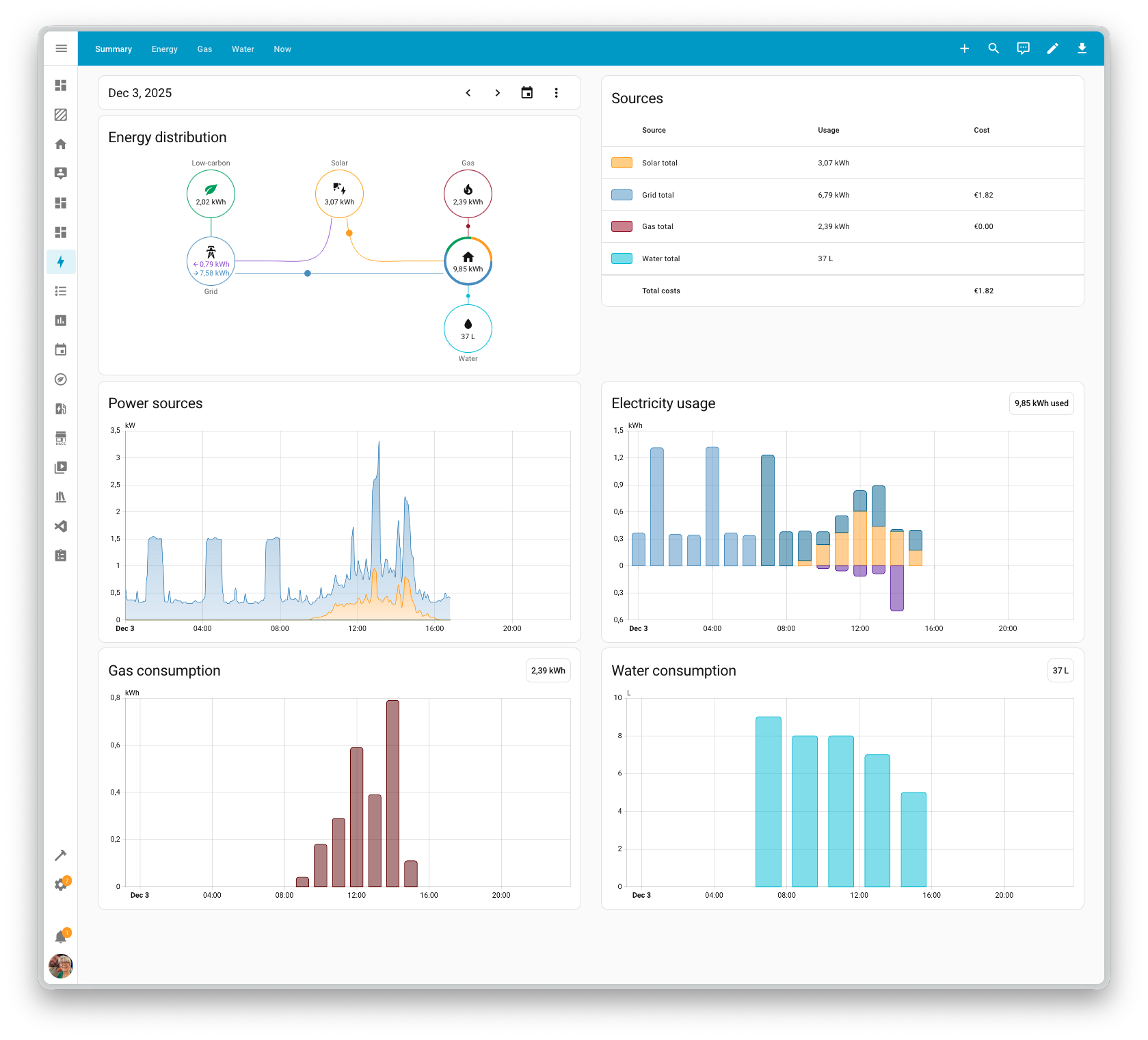
To accommodate these new features, the Energy dashboard has been reorganized. If you only have energy configured, you'll still see the same dashboard. But if you add water, gas, or power monitoring, the dashboard will be split into several tabs.
New integrations
This release welcomes the following new integrations:
- Airobot - Control smart thermostats for floor heating
- Anglian Water - Track water usage from smart water meters
- Backblaze B2 - Cloud storage for Home Assistant backups
- EnergyID - Advanced energy analytics and benchmarking
- Essent - Dynamic energy prices for Essent customers in the Netherlands
- Google Air Quality - Air quality data using Google API
- Google Weather - Weather from Google with hourly forecast for 24 hours
- Hanna - Water quality from Hanna Pool Controller
- Home Assistant Labs - Panel for testing new features
- Philips Hue BLE - Control Philips Hue via Bluetooth
- Saunum - Control Saunum Leil sauna
- Victron BLE - Monitor Victron Energy devices via Bluetooth
Noteworthy improvements to existing integrations
- ESPHome - Home Assistant now generates entity IDs using its standard rules, aligning it with other integrations
- Shelly - Configure Wi-Fi on generation 2+ devices directly from Home Assistant via Bluetooth
- Tuya - Cat litter boxes with support for switches, buttons, lights, and sensors + doorbell events
- Reolink - Exposure mode and audio noise reduction for supported cameras
- OpenAI Conversation - Support for GPT-5.1 models
- Home Connect - Support for air conditioners and microwaves
- Xbox - Link multiple Xbox accounts, track friends, control remote functions, and new media browser category with game artwork
- Ecovacs - Border spin switch (for better mopping) and auto-empty select entity
- SQL - Support for templates in queries for greater flexibility
Other noteworthy changes
- New template math functions -
clamp,wrap, andremapfor manipulating numbers - Activity card filtering - Filter by state for easier tracking of specific events
- Bar gauge feature improvements -
minandmaxoptions for tile cards - Delete helpers - Now directly from the helpers panel without opening them
- Blueprint statistics - Blueprints panel shows how many automations and scripts each blueprint uses
- Double-click reset - Double-click the automation editor sidebar to reset its width
- Labels on device card - Labels now appear on the device information card
AI conversation insights
Been playing around with AI in Home Assistant and wondered what data is actually being sent? You can now inspect the system prompt that tells the AI how to behave, along with any tool calls it made to generate your answer.
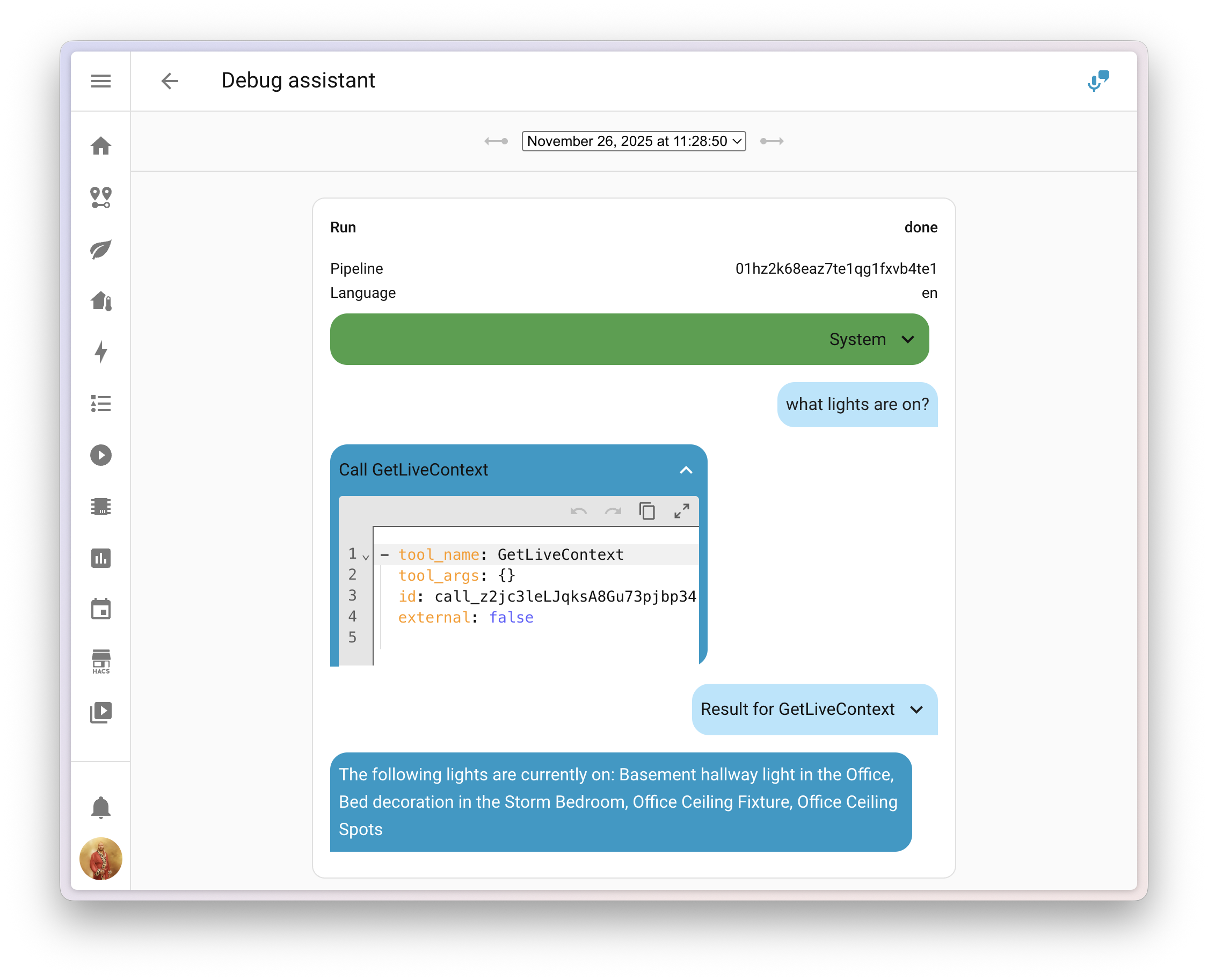
This makes it much easier to figure out why the AI skipped over that one entity, or why it called a specific tool. You can find the debug interface in the voice assistant configuration panel.
Add entities to Android widgets
If you're using the Home Assistant Companion app for Android, there's a handy new feature waiting for you! Starting with app version 2025.11, you can now add entities to widgets and Android Auto favorites directly from the entity's more info dialog.
Just a few taps and you can:
- Add widgets for quick control of entities right from your home screen
- Set entities as Android Auto favorites for easy access in your car
Quality Scale achievements
Two integrations reached platinum level in this release 🏆:
- Brother Printer
- Shelly
Backward-incompatible changes
Core and Supervised installation methods, and 32-bit systems
After a 6-month deprecation period, support for Home Assistant Core and Home Assistant Supervised installation methods, as well as all 32-bit system architectures (i386, armhf, and armv7), has been fully removed.
These installation methods and architectures will no longer receive updates, including security updates. If you're still using one of these methods or architectures, please migrate to a supported installation method and architecture as soon as possible.
Other backward-incompatible changes:
- Hive - Removed alarm control panel as Hive APIs no longer support security products
- Templates - The
issues()method now returns only active issues, not resolved ones - go2rtc - Now required to set
usernameandpasswordfor debug UI - UniFi Protect - Legacy license plate event sensor replaced with new Vehicle Detection Event with significantly more functionality
- Xbox - Changed media-source identifier format + following and followers sensors no longer include friends in counts
More Information
Release party video
Thank you for an amazing 2025! ❤️
Happy holidays and enjoy this release!