Music Assistant 2.7
Music Assistant 2.7 is the biggest update yet of this audio server. It brings a complete visual redesign, user accounts with login, remote music streaming over the internet, a brand new streaming protocol Sendspin, AirPlay 2 support, lyrics display, and much more.
Music Assistant is an open-source audio server that can run as an add-on in Home Assistant and allows you to play music from various sources (Spotify, Tidal, YouTube Music, local files) on different speakers in sync.
Marvin Joins the Team
Music Assistant has gained its first full-time employee within the Open Home Foundation! Marvin Schenkel has been contributing to the project for three years and will lead the project's day-to-day operations starting in the new year. He primarily focuses on Apple Music and YouTube providers.
Marcel (the project founder) remains active - as head of the Ecosystems department at the Open Home Foundation, he will continue working on Music Assistant in his spare time.
Visual Redesign
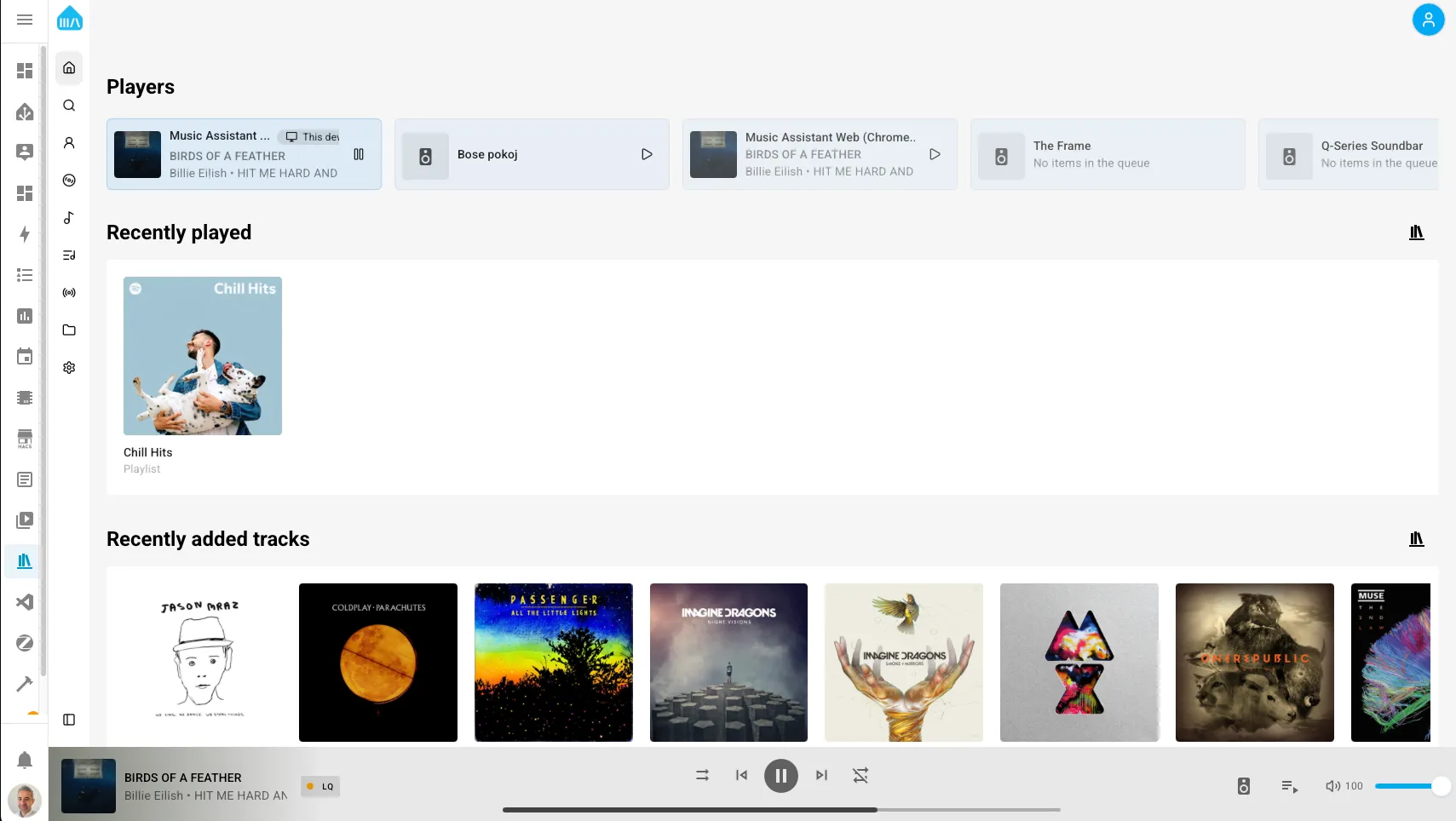
Music Assistant finally gets a complete visual redesign, making the UI/UX much more intuitive and modern.
What Changed:
- Collapsible sidebar - similar to Home Assistant, much clearer navigation
- New settings page - with breadcrumbs for easier orientation
- Built-in player - listen to music directly in the browser thanks to Sendspin - the most useful new feature for me personally.
User Accounts and Login
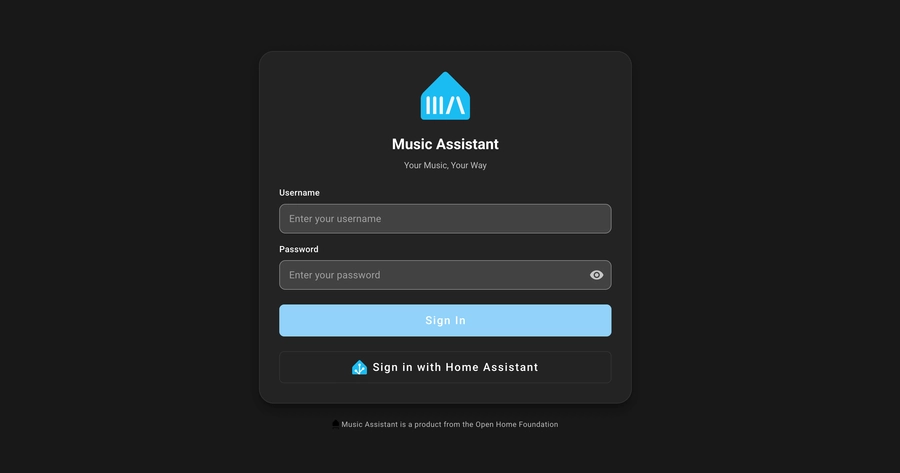
Music Assistant now supports user profiles with authentication. The login was designed to be as unobtrusive as possible - you can even use Single Sign-On with your Home Assistant account.
Benefits of User Profiles:
- Personal music providers - each family member can have their own Spotify/Tidal account
- Speaker permissions - determine who can play on which speakers
- Cleaner organization - no more four Tidal accounts sitting next to each other in playlists
You can find user management in Settings > User Management.
Remote Music Streaming
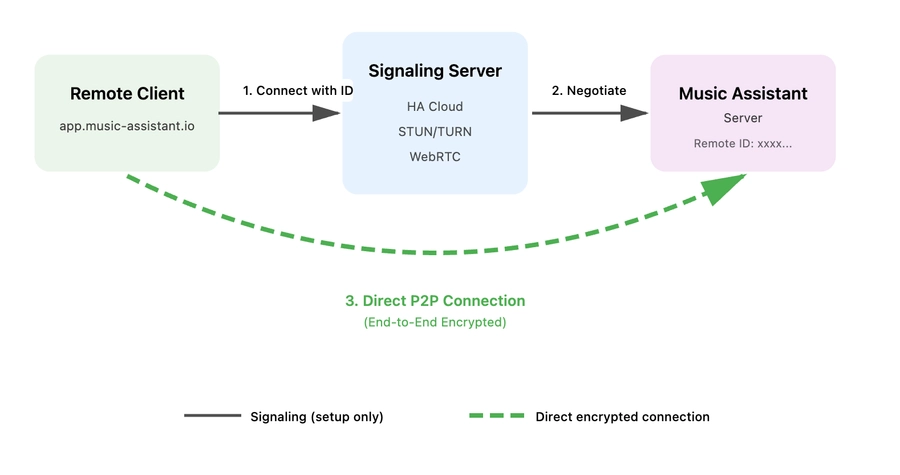
Thanks to the new login, it's now possible to stream music from anywhere in the world! Music Assistant has a new web application that allows remote connections.
How It Works:
- Uses WebRTC infrastructure from Home Assistant Cloud
- Connection is peer-to-peer and end-to-end encrypted
- Available for free to everyone (Home Assistant Cloud subscription not required)
- Cloud subscribers get access to more powerful routing for better streaming
You can open two instances of the web app and stream to two devices in sync! And that brings us to the next big feature...
New Sendspin Protocol
The Music Assistant team has long been searching for the ideal way to stream audio, album art, and other music visualizations to various devices. When they couldn't find anything suitable, they decided to create their own solution.
Introducing Sendspin - a completely new open-source protocol for multimedia streaming and synchronization, developed by the Open Home Foundation!
What is Sendspin?
Sendspin is an open standard for the complete music listening experience. Unlike existing protocols like AirPlay or Google Cast, which are closed and proprietary, Sendspin is fully open and available to everyone.
Existing protocols like AirPlay and Cast are closed and proprietary, making it impossible to create an open ecosystem of interoperable solutions. Additionally, they focus only on audio streaming, while the complete music experience includes playback control, visualizations, and per-speaker DSP. Sendspin addresses this gap.
What Sendspin Can Do:
- Synchronized audio - playback across multiple speakers in perfect sync
- Metadata transfer - album covers, track information, and artist details
- Playback control - from tablets, screens, or mobile devices
- Audio visualization - smart lights pulsing to the music rhythm (coming soon)
- Per-speaker DSP - individual audio processing for each device
- Automatic adaptation - based on each device's capabilities
Where You Can Try Sendspin:
Music Assistant 2.7 brings the first practical implementation of Sendspin:
- Music Assistant - stream music via Sendspin simultaneously to browsers and Google Cast devices¹
- Web browser - the built-in player in Music Assistant uses Sendspin
- Home Assistant Voice Preview Edition - playback via beta firmware (+ speakers connected via AUX)
- ESPHome - display album covers and control playback (example configuration)
- Command-line tools - sendspin-cli and sendspin-go
¹ For Google Cast devices, you need to enable experimental Sendspin mode in Music Assistant settings for each Cast player.
Usage Examples:
- Multi-room audio - E-paper display with album cover in one room, speakers in perfect sync in others
- Smart lighting - bulbs reacting to the rhythm and mood of music (coming soon)
- Control panels - tablet as a music controller with metadata and album covers
- DIY projects - custom devices with ESPHome displaying playback information
Open-source and Availability
Sendspin is a fully open protocol with:
- Public protocol specification
- Open-source SDKs and sample code
- Ability to use in commercial products (with licensing and certification)
Sendspin is currently in public preview - the specification may still change. The team is calling all developers and audio enthusiasts to test and contribute!
📢 You can share feedback in the #sendspin-beta-testing channel on Music Assistant Discord.
AirPlay Improvements
Music Assistant now supports AirPlay audio as an external source - you can stream from iOS/macOS devices to Music Assistant, which then distributes the audio to all your speakers (even those that don't support AirPlay).
There's also new support for AirPlay 2 speakers as players - meaning perfectly synchronized audio across all AirPlay 2 devices (like HomePods).
Lyrics Support
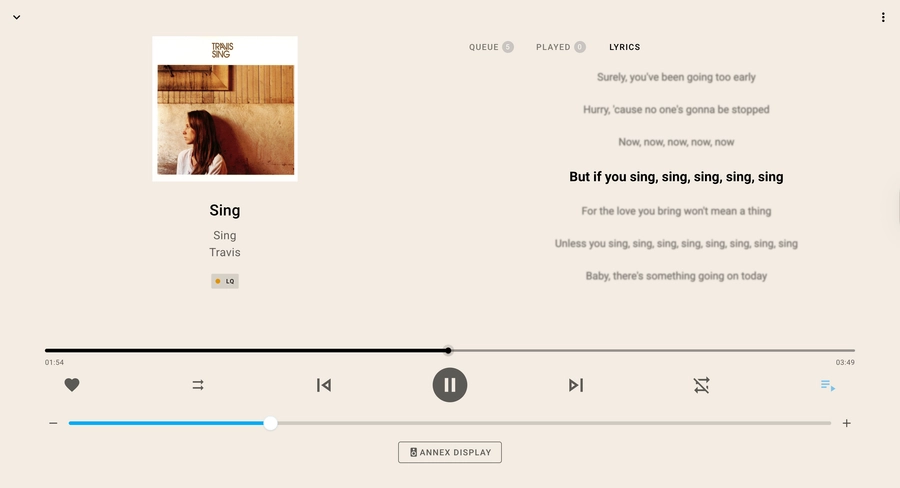
You'll never have to guess what Kurt Cobain is singing in "Smells Like Teen Spirit" again! Music Assistant now displays song lyrics during playback.
Lyrics Features:
- Time-synced lyrics - lyrics scroll with the music (karaoke style)
- Available in the "Lyrics" tab in the queue menu
- Supported sources: LRCLIB, Tidal, Genius, local LRC files
The "Lyrics" tab will only appear if the track name, artist, and album are correctly recognized by the lyrics providers.
Smart Fading Between Tracks
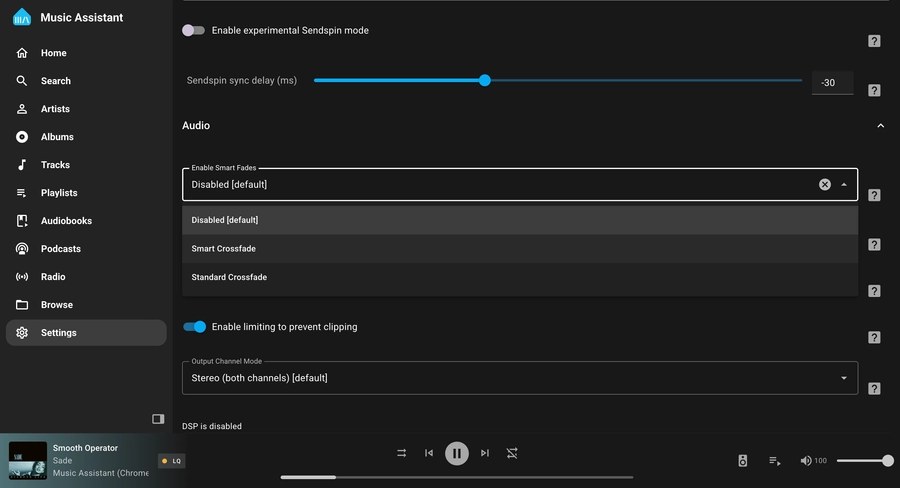
Music Assistant is now your personal home DJ! The new Smart fading feature takes into account the BPM of each track for natural transitions between songs.
How to Enable:
- Go to your selected player
- Scroll down to the Audio section
- Enable "Enable Smart Fades"
Unlike a real DJ, Music Assistant always takes your requests 😎
Other Significant Updates
New Features:
- DSP presets - quickly save and apply custom audio configurations
- Scrobbling - track your listening history via Last.fm, ListenBrainz, or Subsonic
- New speaker types - Yamaha MusicCast, Roku with Media Assistant
- VBAN as a new input provider
New Content Providers:
- Radio and podcasts: Radio Paradise, Podcast Index, BBC Sounds, gPodder, iTunes Podcasts, Dl.fm, ARD Audiothek
- Live concerts: Phish.in, Nugs.net
- Internet Archive - huge collection of audio content
- Niconico - one of Japan's largest streaming platforms ㊗️
More Information
- Official Music Assistant 2.7 blog post
- Music Assistant documentation
- Sendspin protocol
- Music Assistant Discord community
Related Articles
- Music Assistant - Complete Guide - installation, configuration, and use of Music Assistant in Home Assistant
- Remote Access to Home Assistant - complete guide to Home Assistant Cloud and other remote access methods
- ESPHome - create custom smart devices that can display playback information via Sendspin