Home Assistant 2026.1
Happy New Year! 🥂
The first release of 2026 brings an improved home dashboard on mobile devices, new purpose-specific triggers for automations, and easier access to communication protocols like Zigbee, Z-Wave, or Thread. Although this is a smaller release (the development team was also enjoying some well-deserved time off during the holidays), it contains several interesting improvements.
I hope you had a wonderful holiday season with your loved ones. Let's take a look at what's new in this version!
Home Dashboard Improvements
The Home dashboard continues to evolve. In the previous release, a new sidebar layout, weather tiles, and energy distribution summaries were introduced. This release brings an optimized mobile interface and better device management.
Streamlined Mobile Navigation
On mobile devices, summary cards (lights, climate, security, media players, weather, and energy) now display directly at the top of the view, followed by favorites and areas. This replaces the previous tab-based navigation and gives you instant access to everything important without extra taps.
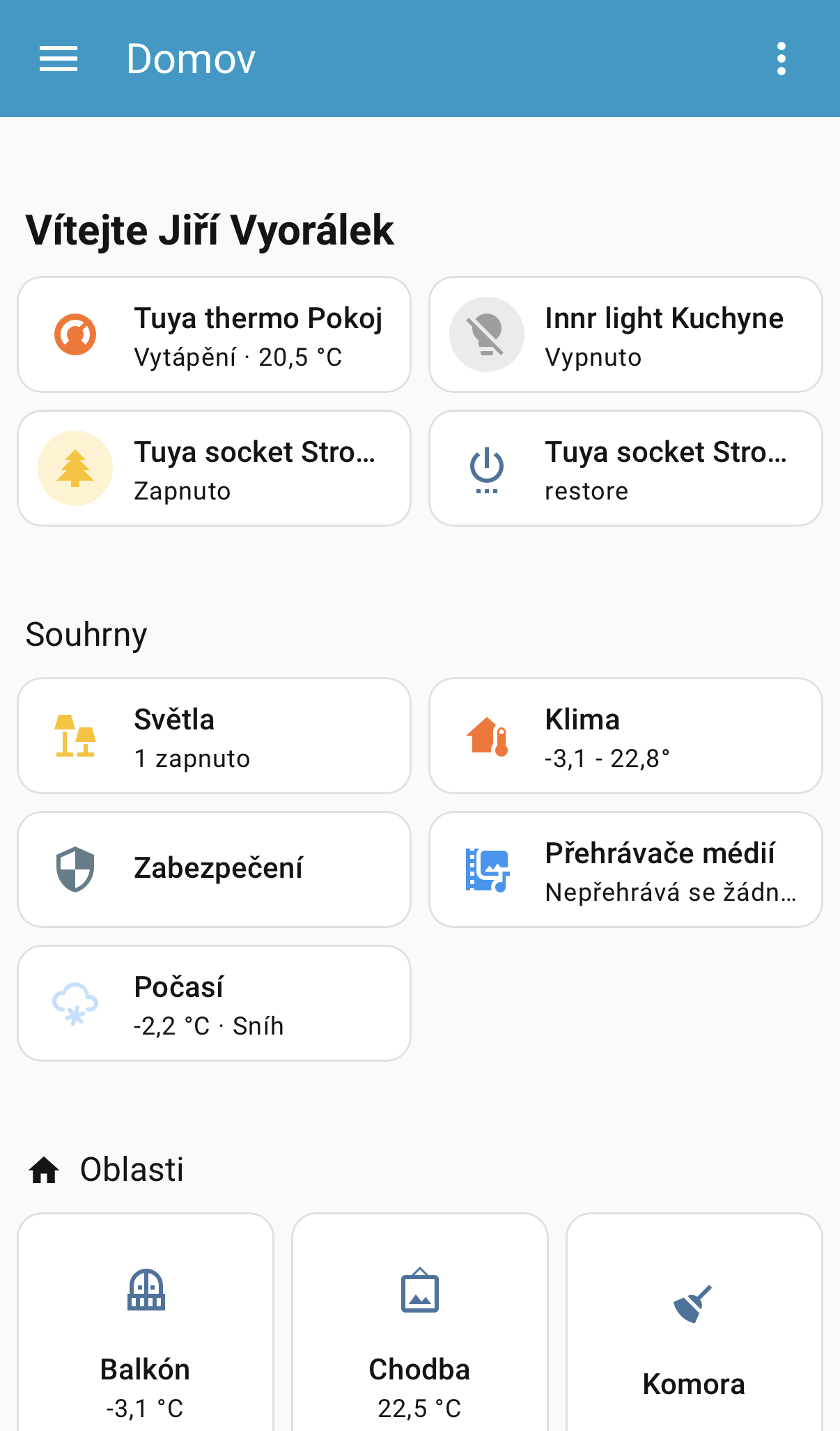
The desktop experience remains unchanged, with summaries displayed in the sidebar under the For you heading.
New Devices Page
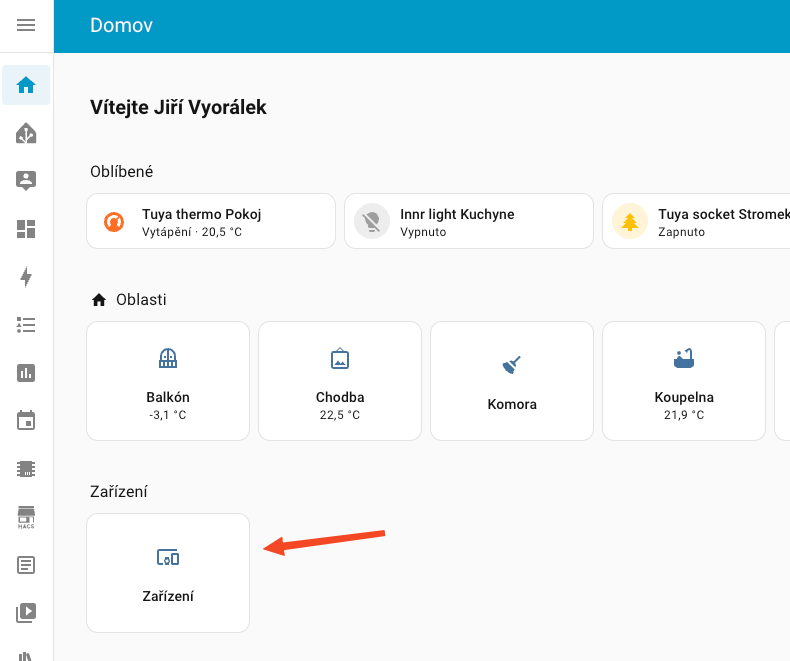
Ever wondered where your devices went after you removed them from a room? A new Devices page now appears on the home dashboard, showing all devices that aren't currently assigned to a specific area. This makes it easy to find and control these "orphaned" devices without hunting through settings.
Progress in Purpose-Specific Triggers and Conditions
In the previous release, purpose-specific triggers and conditions were introduced. Instead of thinking in technical state changes, you can now simply pick things like "When a light turns on" or "If the climate is heating" when building your automations.
This feature is still being refined in Home Assistant Labs, but this release adds many more trigger types, making this new approach even more useful.
Want to try purpose-specific triggers and conditions? Go to Settings > System > Labs and enable experimental features!
New Trigger Types
Overview of all new triggers added in this release:
- Button triggers fire when a button entity has been pressed
- Climate triggers cover all common scenarios: HVAC mode changes, target temperature changes, when target temperature crosses a threshold, current temperature and humidity changes, or target humidity changes
- Device tracker triggers let you automate based on when a device entered or left home, with support for the first device arriving, last device leaving, or any change
- Humidifier triggers fire when a humidifier turns on or off, starts humidifying, or starts drying. You can also trigger on humidity changes or when humidity crosses a threshold
- Light triggers let you automate based on brightness changes or when brightness crosses a specific threshold
- Lock triggers can now fire when a lock is locked, unlocked, opened, or jammed
- Scene triggers fire when a scene is activated
- Siren triggers fire when sirens are turned on or off
- Update triggers fire when an update becomes available
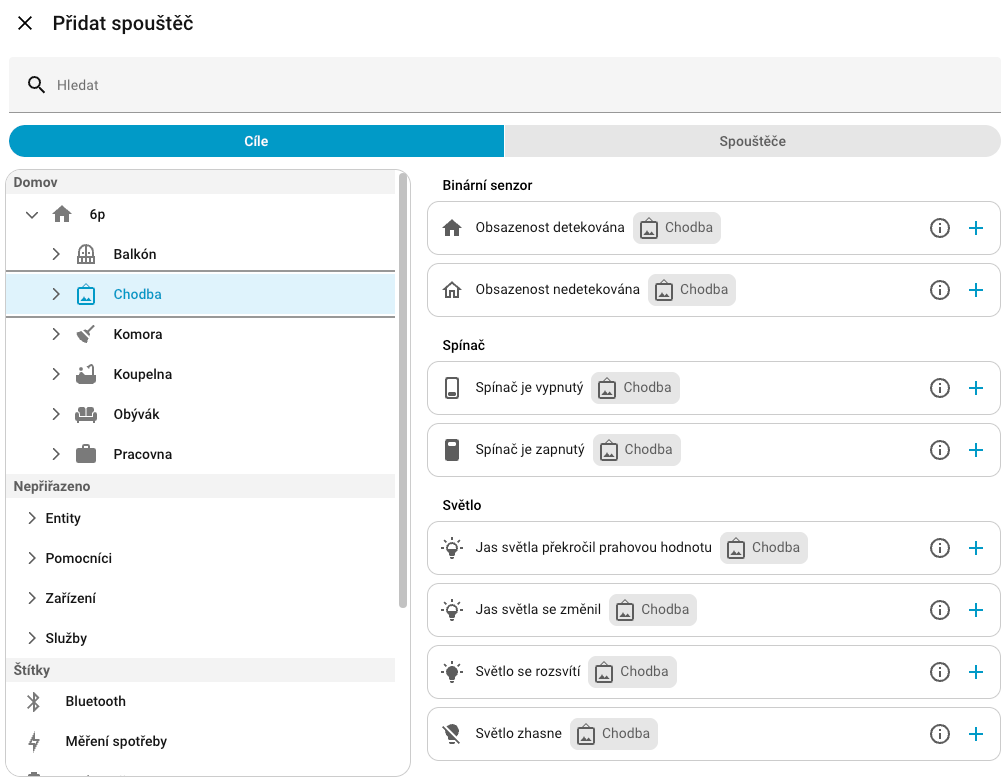
Since all new purpose-specific triggers and conditions support targeting something bigger than a simple entity (an area, a floor, or even a label), the way targets are displayed in the automation flow has also been redesigned. The goal of this change is to allow you to quickly glance at your automation and understand its purpose.
If you want to learn more about creating automations, check out my article on automation basics.
Easier Navigation to Protocol Dashboards
Home Assistant as a project loves open standards seamlessly connecting our devices, but in the past these protocols weren't prominently featured in the user interface. Most people didn't even know that Home Assistant has dedicated dashboards for protocols like Zigbee, Z-Wave, and more.
This release reorganizes the Settings page to give these open protocols a more prominent spot. The protocols section now appears right after the core settings, making it much easier to find all the different ways you're connecting your devices and quickly access very useful protocol-specific configurations.
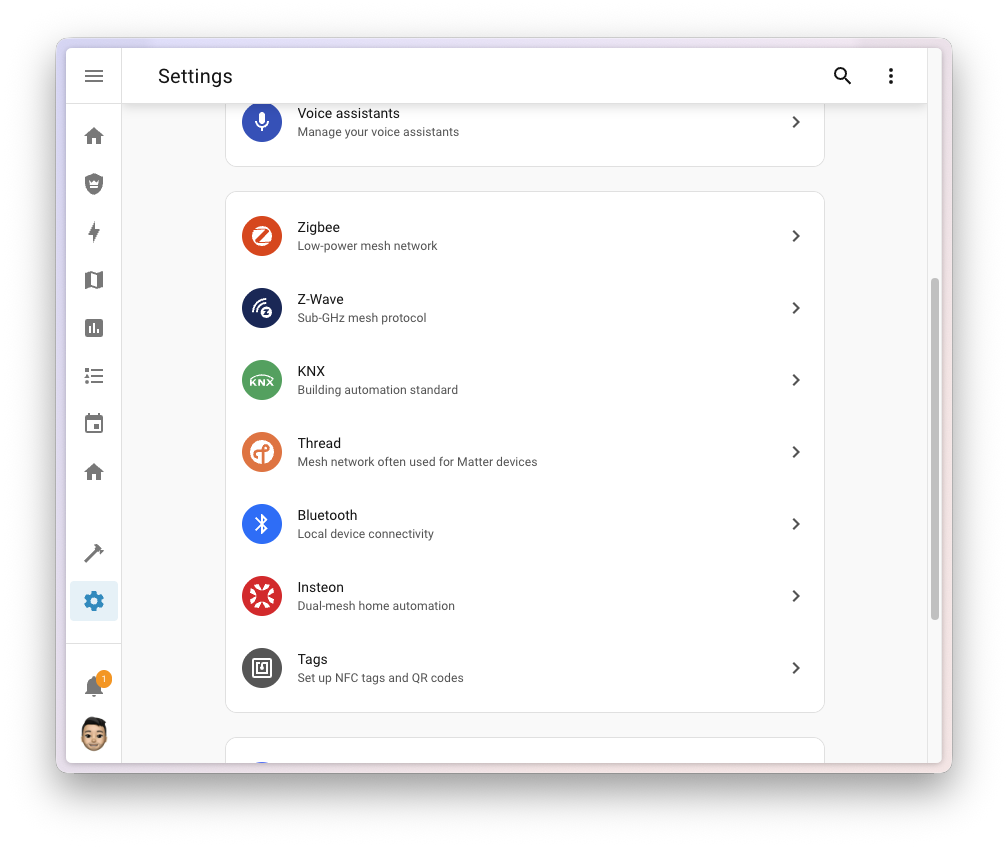
Menu items only appear when you have the corresponding integration set up, so you'll only see what's relevant to your setup.
If you're using Zigbee2MQTT instead of the official Zigbee integration (ZHA), the Zigbee section unfortunately won't appear in the menu yet. Home Assistant only recognizes native protocol integrations.
New Integrations
We welcome the following new integrations in this release:
- Airpatrol - Control your air conditioning units through Airpatrol WiFi devices
- eGauge - Integrate eGauge energy monitors for residential and commercial applications, commonly used with solar installations
- Fluss+ - Connect your Fluss+ Button for quick and easy smart home control
- Fish Audio - Use Fish Audio's text-to-speech service to generate natural-sounding speech
- Fressnapf Tracker - Track your pets' location and monitor their activity using Fressnapf GPS Trackers
- HomeLink - Integrate your HomeLink devices to trigger smart home routines from your vehicle
- Watts Vision + - Control your Watts Vision + smart heating system and remotely manage individual heating zones
- WebRTC - An internal integration providing WebRTC functionality for camera streaming
Notable Improvements to Existing Integrations
Among the most significant improvements to existing integrations:
- Matter - Added volume control support for Matter speakers using the LevelControl cluster, plus three new diagnostic binary sensors for thermostat remote sensing status
- SmartThings - Added many new sensors including air quality sensors (PM1, PM2.5, PM10), hood filter usage tracking, fridge temperature sensors for One Door refrigerators, and fan speed control for range hoods
- FRITZ!Box Smart Home - Added switch entities to enable/disable FRITZ! Smarthome routines (triggers) directly from Home Assistant
- KNX - Expanded UI configuration with support for time, date, and datetime entities, plus added entities for sensors, scenes, text, and fans, making KNX installation setup much easier
- ESPHome - Home Assistant now fully supports receiving API action responses, enabling bidirectional communication with ESPHome devices
Energy Dashboard Date Picker
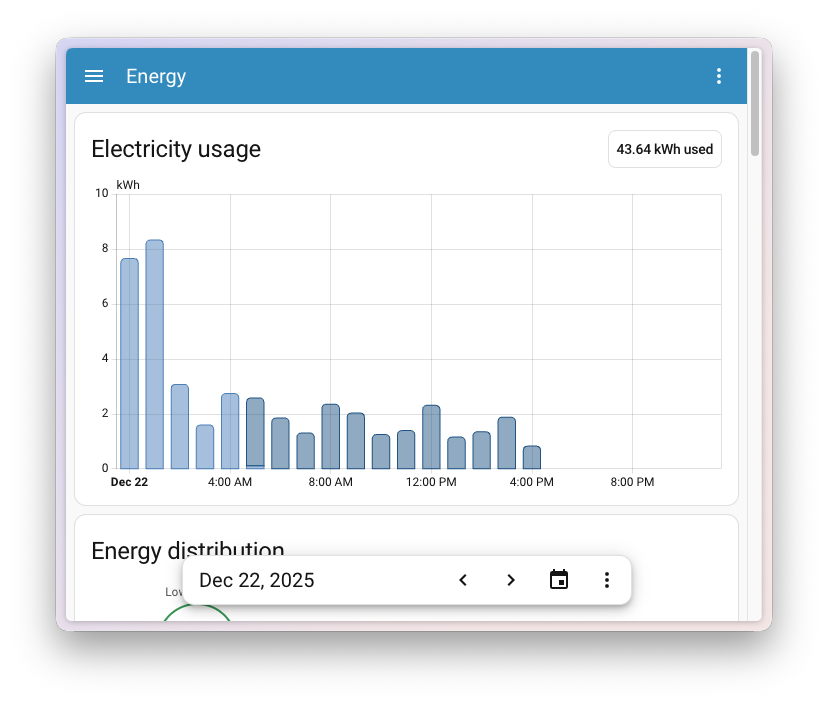
In the previous release, the Energy dashboard received a major update with real-time power monitoring and water consumption tracking. However, some of you noticed that navigating between periods required scrolling up, making it harder to compare data while viewing graphs lower on the page.
This release fixes that! The date picker is now fixed at the bottom of the screen, so you can easily switch between days, weeks, or months without losing sight of the graph you're viewing. This also makes it much easier to access on mobile devices.
Other Notable Changes
- A new gallons per day volume flow rate unit was added, useful for tracking daily consumption of heating oil or similar resources
- The statistics graph card now includes a link to the history panel in the header
- When using the state badge element in your picture elements card, you can now set a custom
nameoption - For integration developers: a new choose selector has been added, allowing users to select between different input types in the UI