Noyafa NF-488 - Network Cable Tester for Home Cabling
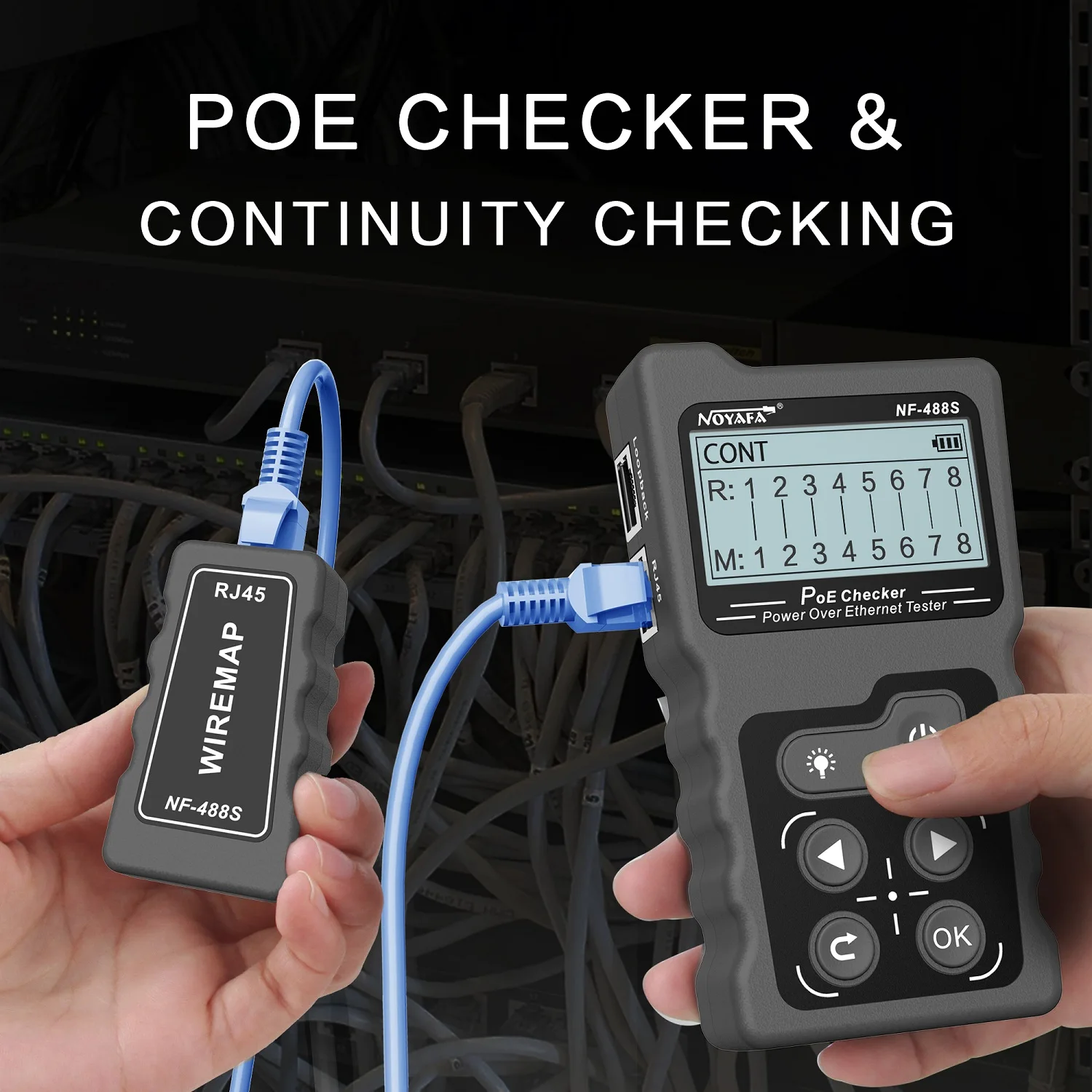
If you have structured cabling, a patch panel, or work with PoE devices (IP cameras, access points, VoIP phones) at home, you surely know the situation when you don't know which cable goes where. Or you've just finished installing a new outlet and want to verify that everything is wired correctly. That's exactly why I got the Noyafa NF-488 - a multifunctional network tester that has saved me dozens of hours of searching and diagnosing problems over the years.
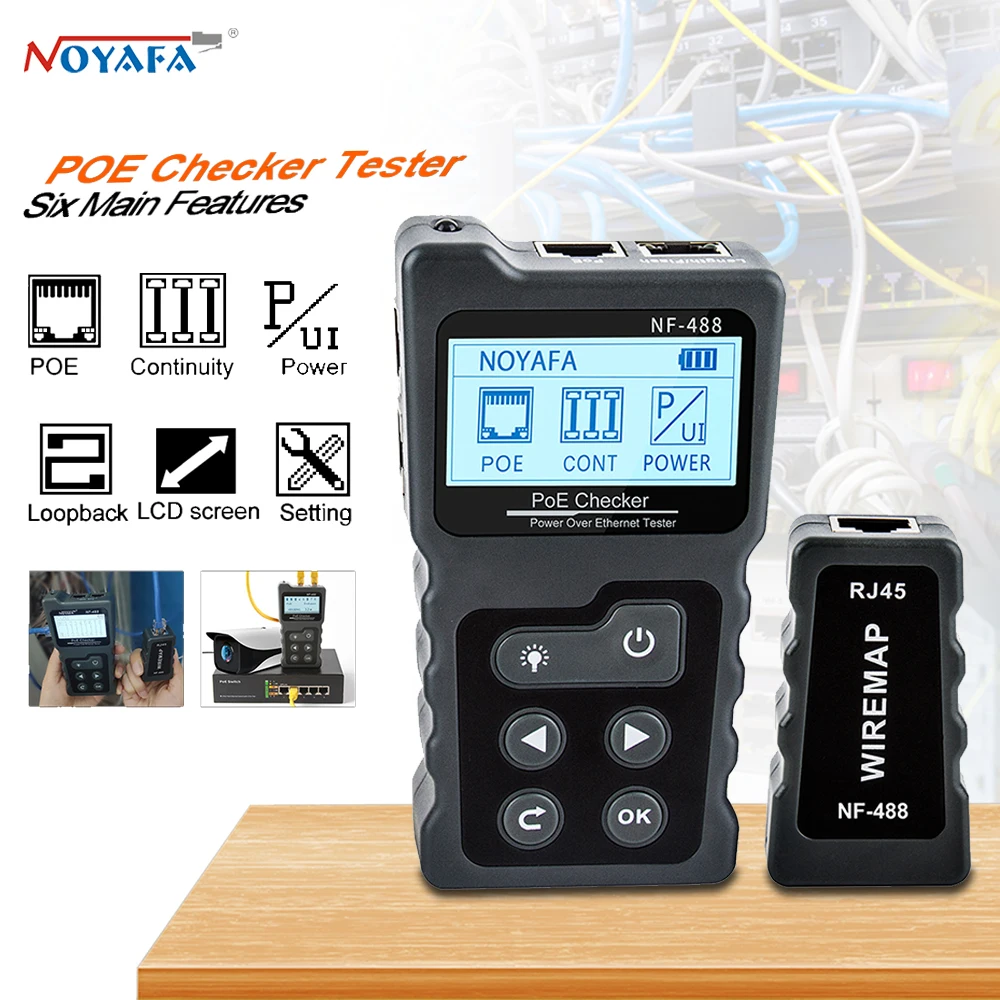
Noyafa NF-488
- Testing: RJ45 (8P8C), RJ11 (6P6C)
- Range: up to 600 m (STP/UTP)
- PoE: DC 5-60V, standards 802.3af/at
- Power measurement: 0-18W (PoE), 0-180W (DC)
- Display: LCD 128x64 mm with backlight
- Power: 3× AAA batteries
I've been using this tester for several years and it has become an indispensable helper for any home network modifications. Previously, I had the simpler NF-8108M, which stopped working after years of use, and the NF-488 is an upgrade with more features.
What I Use It For
The main reason why I got this particular tester is testing structured cabling at home. I have several rooms with RJ45 outlets that lead to a patch panel in my technical room. And without a tester, diagnosing and properly labeling cables is almost impossible.
My Most Common Uses
1. Testing New Cabling
When I install a new RJ45 outlet or replace a cable, I always verify proper wiring with the NF-488. The tester shows me:
- ✅ Whether all wires are correctly connected (1-8)
- ✅ If there's a short circuit anywhere
- ✅ If there's a broken wire (open)
- ✅ If any wires are crossed
2. Identifying Cables in the Patch Panel
This is probably the most common use. I have several cables in my patch panel and need to quickly find out which cable goes to which room/outlet. The process is simple:
- Connect the main unit to a port in the patch panel
- Take the remote unit and go to the outlet
- As soon as I plug in the remote unit, the tester immediately shows the connection
- Label the cable with a sticker (e.g., from MarkLife P15)
Thanks to this, I always know which cable goes where, and during reconfiguration or network upgrades, it's a matter of seconds.
3. Network Problem Diagnostics
When I have a connection problem in a room, I immediately know if the issue is in:
- The cable itself (broken wire, poor termination)
- Switch port (using loop test)
- End device (e.g., faulty RJ45 connector)
Main Features of NF-488
This tester offers much more than just basic continuity testing. Let's go through all the main features:
1. Network Cable Testing
Basic function - testing RJ45 and RJ11 cables for:
- Continuity - whether the cable is complete and all wires are connected
- Wire mapping - correct wire connections (1-8 for RJ45, 1-6 for RJ11)
- Short circuit - whether wires are touching anywhere
- Open - whether any wire is broken
- Crossed - whether wires are crossed
Range: up to 600 meters - completely sufficient for home use.
2. PoE Testing
This is a very useful feature for anyone using PoE devices:
- Voltage detection: DC 5-60V
- Standard identification: 802.3af or 802.3at
- Type detection: Midspan or Endspan
- Polarity: Plus/Minus
- Consumption measurement: 0-18W in real-time
When connecting a new IP camera, access point, or VoIP phone, I immediately see:
- ✅ Whether the switch delivers the correct voltage
- ✅ What PoE standard it uses (af = up to 15.4W, at = up to 30W)
- ✅ How much power the device actually consumes
3. DC Power Measurement
Besides PoE, you can also measure regular DC devices:
- Voltage: DC 0-60V
- Current: 0-3A
- Power: 0-180W
Useful for testing:
- DC adapters
- Power cables
- USB-C chargers (with adapter)
4. Loop Test (Switch Test)
The loop test function is great for testing network switches. The tester simulates network traffic and verifies that the switch port works correctly. Supports:
- 10 Mbps
- 100 Mbps
- 1000 Mbps (Gigabit)
When I suspect that a switch port isn't working properly, this test confirms or disproves it within seconds.
LCD Display and Controls
The tester has a large LCD display (128×64 mm) with backlight, so it's easily readable even in poor lighting conditions (e.g., in a distribution box or shaft).
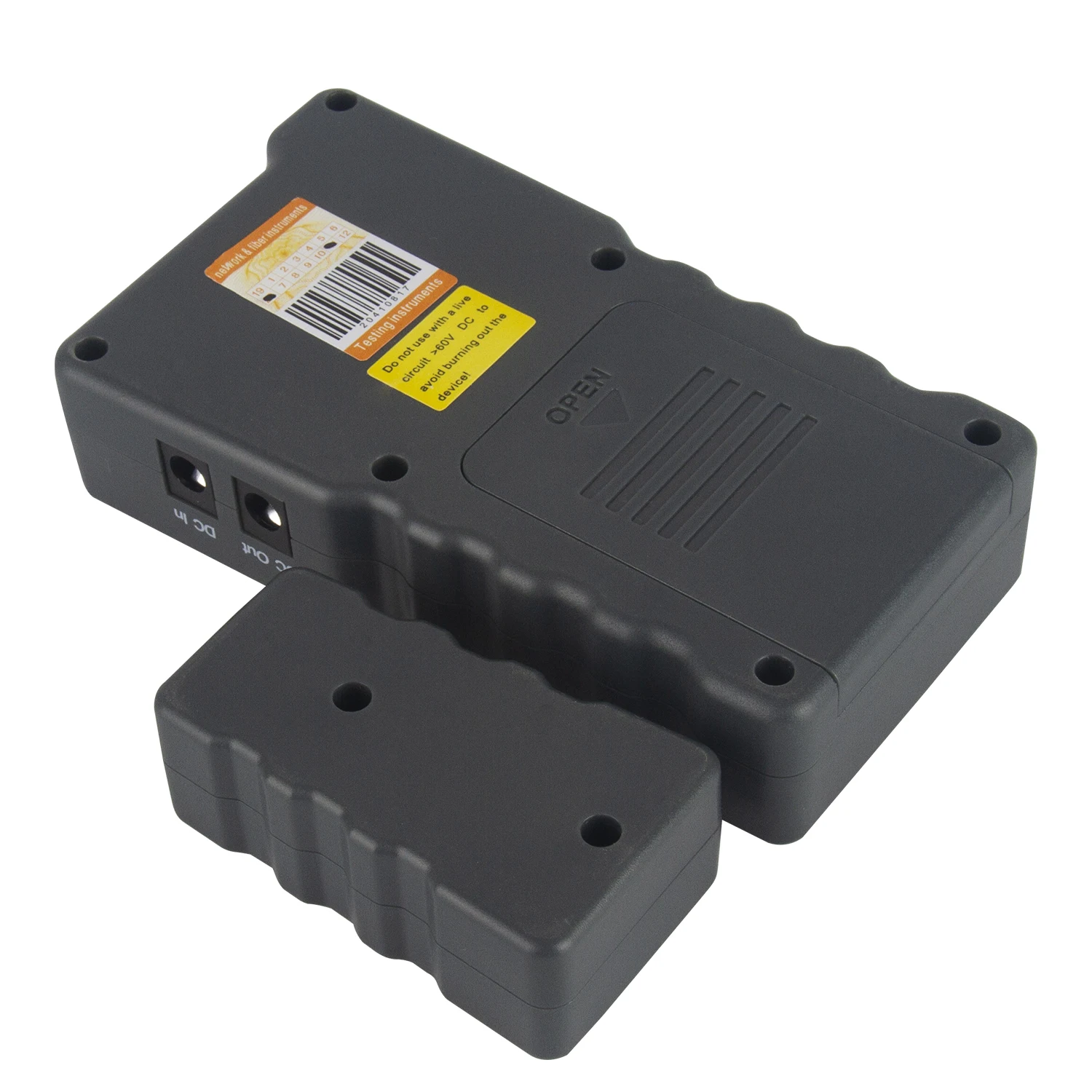
Control is simple using several buttons on the front. The menu is in English, but thanks to icons and logical structure, you'll figure it out within a few minutes.
What's in the Box
The package includes everything needed for immediate use:
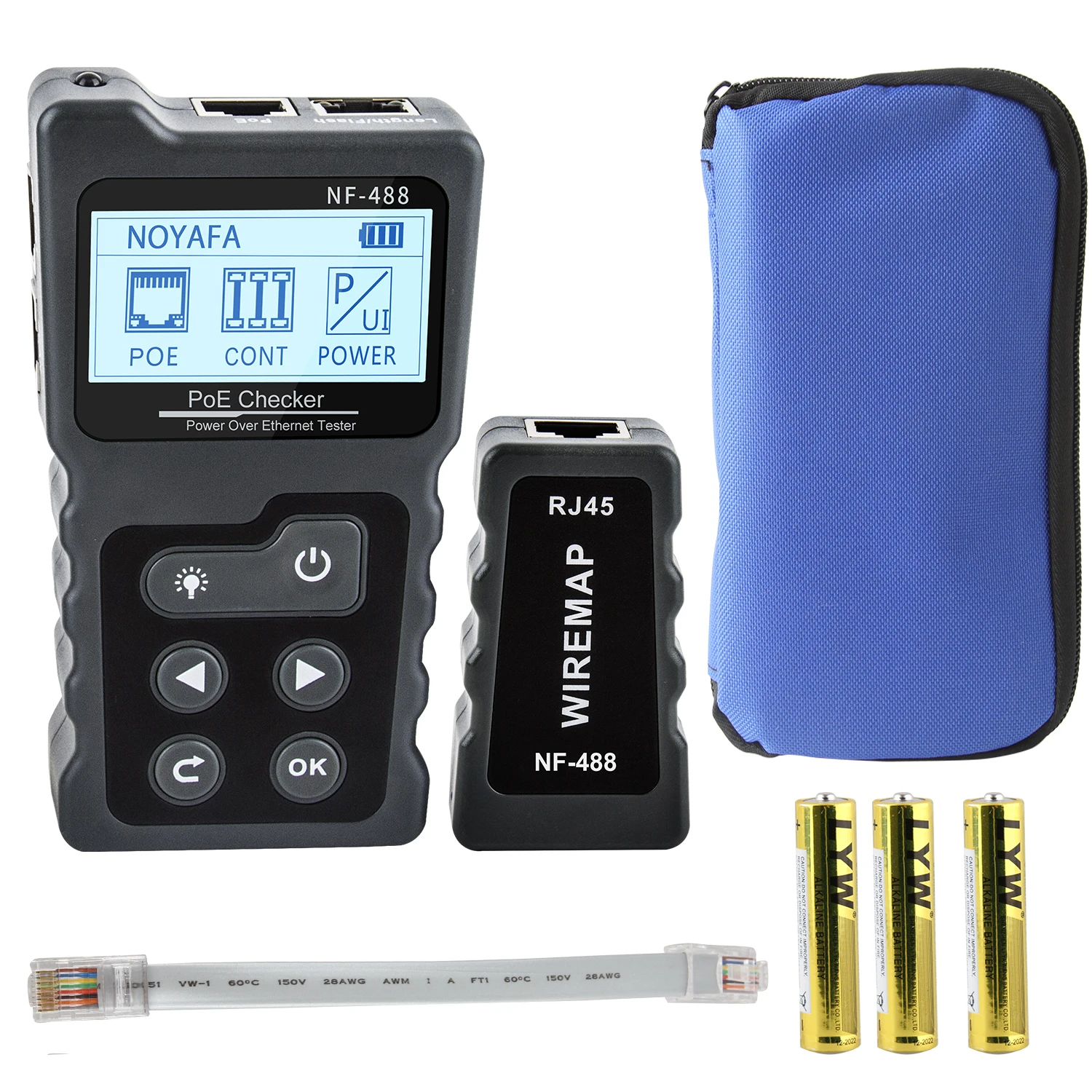
- ✅ Main unit (Emitter) - larger part with LCD display
- ✅ Remote unit - smaller part for the other end of the cable
- ✅ 2× network patch cables - for connecting to outlets
- ✅ Crocodile clips - for measuring DC voltage/current
- ✅ Carrying case - practical for transport and storage
- ✅ Manual - in English
The NF-488 requires 3× AAA batteries, which are not included in the package. Don't forget to buy them in advance!
Practical Use in a Smart Home
Now for practical examples of how I use this tester in my smart home:
1. IP Camera Installation
When installing a new PoE IP camera, I need to know:
- ✅ Whether the cable in the outlet works correctly
- ✅ Whether the PoE switch delivers the correct voltage
- ✅ How much power the camera consumes
The NF-488 shows me all this information before I physically connect the camera. I save time by not having to climb a ladder or get on the roof with the camera only to find out the cable doesn't work.
2. Wi-Fi Network Extension with PoE Access Points
I have several PoE access points at home (e.g., UniFi). When installing a new AP, I need to:
- Find the correct port in the patch panel
- Verify that the cable is functional
- Check that the switch provides PoE power
With the tester, it's a matter of seconds instead of long searching and trying.
3. VoIP Phones
Just like cameras and APs, VoIP phones often use PoE power. The tester helps me:
- Verify switch compatibility
- Check cable quality
- Measure phone consumption
4. Home Assistant Server and Network Infrastructure
My Home Assistant server runs on a separate computer connected by cable. When changing location or switch, I always verify connection quality with the tester before physically moving the server.
Pros and Cons
After several years of use, I can evaluate what I like about the NF-488 and what could be better:
✅ Pros
- Multifunctional - testing, PoE, DC measurement, loop test
- Accurate results - never let me down
- Large LCD display - easily readable
- Backlight - works even in poor light
- Battery powered - mobile, no cables
- 600m range - more than sufficient
- Case included - protection during transport
- Good price - excellent value for $30
- Reliable - using for years without issues
❌ Cons
- Batteries not included - must buy separately
- English-only menu - might be an obstacle for some
- Plastic construction - could be more robust
- No connectivity - no Bluetooth/USB
- Manual use - cannot be automated
- Remote unit has basic functions only - no display
Comparison with Previous Model NF-8108M
Previously, I used the Noyafa NF-8108M, which was much simpler and had only basic continuity and wire mapping testing functions.
Main differences:
| Feature | NF-8108M | NF-488 |
|---|---|---|
| Wire mapping | ✅ | ✅ |
| LCD display | ❌ (LED) | ✅ |
| PoE testing | ❌ | ✅ |
| Power measurement | ❌ | ✅ |
| Loop test | ❌ | ✅ |
| Range | 300m | 600m |
Verdict: The NF-488 is significantly more advanced and for a slightly higher price, you get many more features. If you have PoE devices at home or want a more professional tool, I definitely recommend investing in the NF-488.
Final Assessment
After several years of intensive use, I can say that the Noyafa NF-488 is a great investment for anyone who has structured cabling, a patch panel, or works with PoE devices at home.
For about $30, you get a professional tool that will save you a lot of time and nerves when installing and diagnosing network problems. You'll never have to try all ports in the patch panel one by one or guess whether a cable works correctly.
If you have at home:
- More than 3-4 network outlets connected to a patch panel
- PoE devices (cameras, access points, VoIP phones)
- Planning new cabling installation
- Like to properly diagnose things instead of trial and error
...then I definitely recommend the NF-488. It's one of those tools that you use irregularly, but when you need it, it saves you hours of work.
Personally, I wouldn't want to be without it - every network modification, new device installation, or problem diagnosis is much faster and more efficient. 🔧
Alternative Products
If the NF-488 doesn't interest you or you're looking for something with different features, there are other network testers:
More Expensive Professional Solutions
- Noyafa NF-8601W (~$100) - significantly more advanced model with color LCD display, 8 remote units (instead of 1), storage of up to 160 measurements with PC export, 3 detection modes (normal, PoE, high-power with range up to 0.5m), and built-in lithium battery
- Fluke Networks LinkIQ LIQ-100 (~$2,700) - professional cable and network tester with performance measurement up to 10GBASE-T, switch diagnostics (name, port number, VLAN), advanced PoE testing with class recognition 1-8 and load testing, results management via LinkWare PC
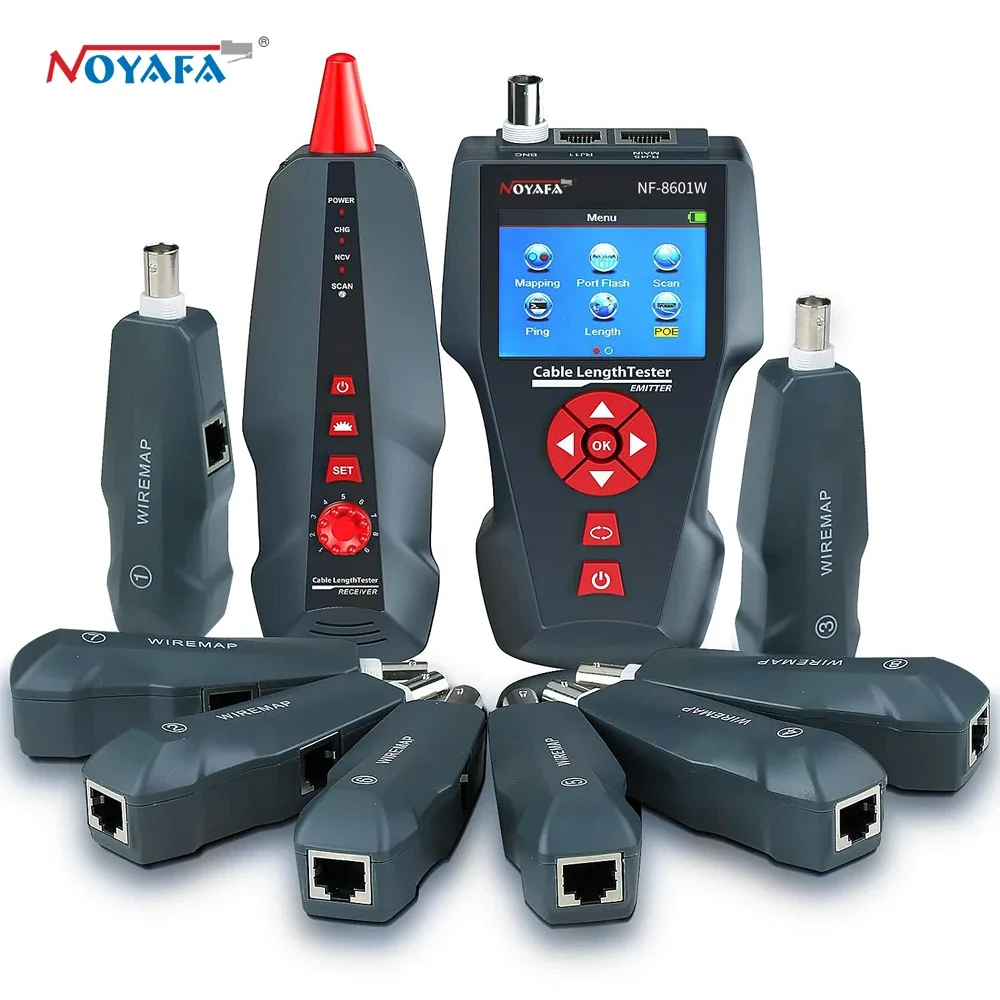
Noyafa NF-8601W
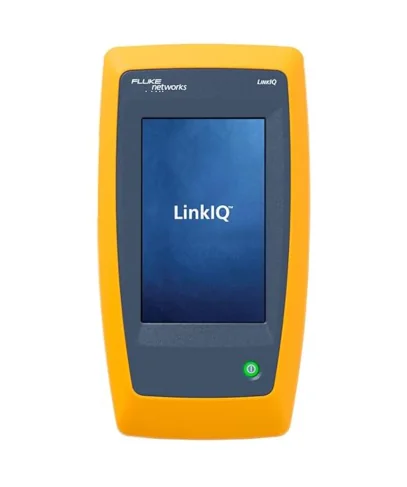
Fluke LIQ-100
Professional cable and network testerFor home use, I think the NF-488 is the ideal choice - enough features for a reasonable price.
FAQ
Can I connect the tester to a computer or phone?
No, the NF-488 is a standalone device without any connectivity (Bluetooth, USB). Everything is controlled manually using buttons and the display.
Does it work with Cat6/Cat6a/Cat7 cables?
Yes, the tester works with all types of network cables - Cat5, Cat5e, Cat6, Cat6a, Cat7. It tests the physical connection of wires, not transmission speed.
How long do batteries last?
From my experience, batteries last several months of regular use (about 2-3 hours per month). It depends on usage frequency and battery type.
Can I test short patch cables too?
Yes, the tester works with cables from a few centimeters up to 600 meters. There's no problem testing even a short 30cm patch cable.
Is it possible to save measurement results?
No, the NF-488 doesn't store measurement history. Everything is displayed only on the screen in real-time.
Where to buy a replacement remote unit?
Remote units are sold separately on AliExpress. It's good to have multiple remote units when testing large installations - you can label them and leave them plugged in at different locations.
Related Articles
- MarkLife P15 - Mini Label Printer - ideal for labeling cables after testing
- Smart Home Gadgets - Introduction
- Hardware for Home Assistant
This article is not sponsored and I purchased the tester with my own money. The links are affiliate links, which means if you buy through them, I get a small commission at no extra cost to you.