MarkLife P15 - Mini Label Printer for Smart Home
If you have a smart home, you definitely know that chaos of cables, plugs, and devices. I personally spent a long time looking for a way to label and organize everything nicely, and eventually I came across an interesting gadget - the MarkLife P15 mini portable thermal printer.

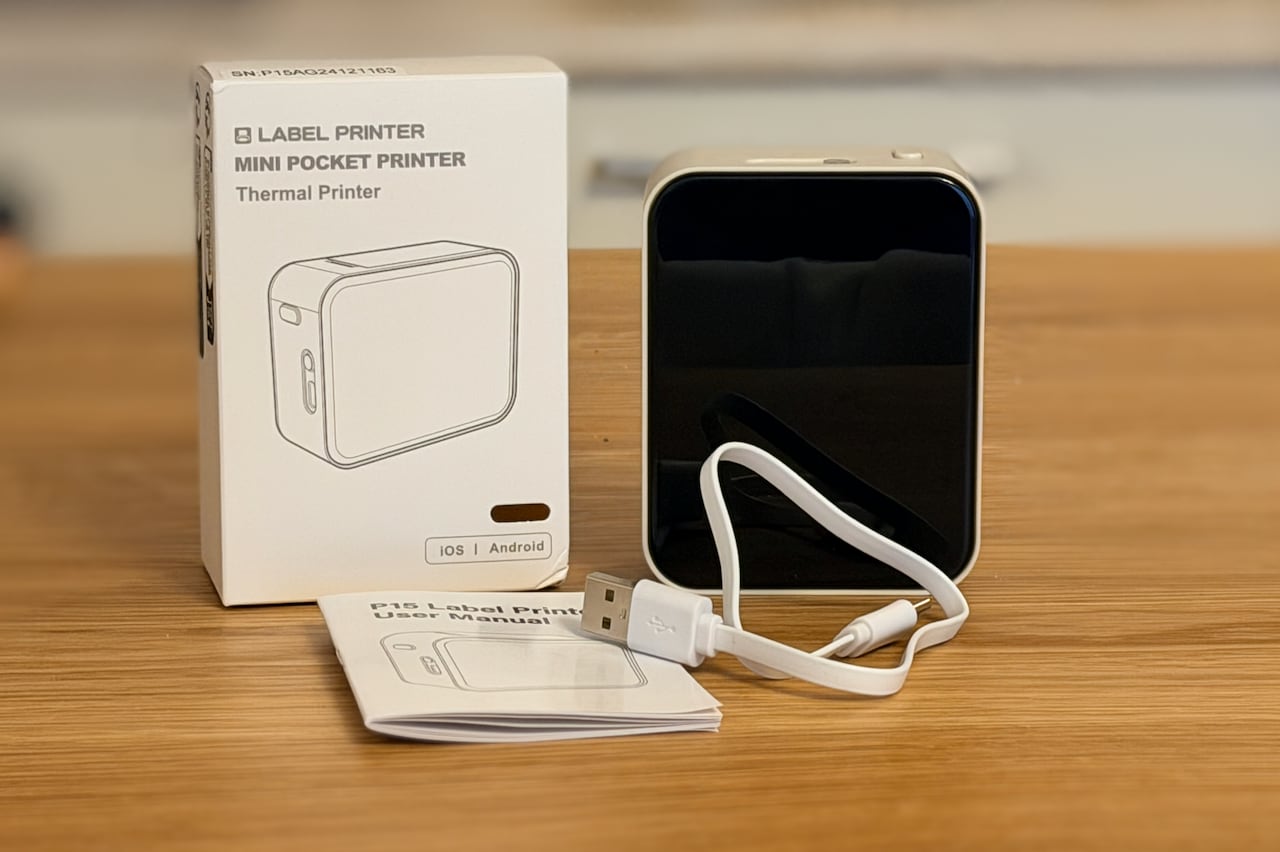
MarkLife P15
- Label width: 12-15 mm
- Battery: 1200 mAh (Li-ion)
- Connection: Bluetooth 4.0+
- Technology: Thermal printing
- Charging: USB-C
- Dimensions: approx. 8 x 3.5 x 3 cm
- Weight: ~60 g
One of the reasons I chose the MarkLife P15 was the fact that it's available on AliExpress from German warehouses, which means very fast delivery in a matter of days, not weeks.
This is a compact wireless thermal printer for adhesive labels that connects via Bluetooth to your phone. Thanks to thermal printing, it doesn't need any ink or toner - it prints directly on special thermal paper that is heat-sensitive.
The printer is truly small - it fits in your palm and is as light as a phone. Thanks to the built-in battery, you can use it anywhere without needing to be near a power outlet. The design is simple and minimalist - the matte surface is comfortable to hold and the buttons are easily accessible.
I personally got it mainly for labeling cables, plugs, and various smart home devices. And I must say that after a few days of use, I'm very satisfied.
From my tests, one print takes approximately 2% of battery, so I estimate that you can print about 50 labels on a single charge. However, I haven't had the chance to fully verify this yet, as I haven't printed that many labels.
Controls
The printer has two buttons that are intuitively placed:
- Main button (power) - to turn it on, you need to hold it for about 3 seconds. After powering on, it starts glowing blue once it's successfully connected to your phone via Bluetooth. To turn it off, just press it once. If you press the button twice quickly, it initiates a test print to verify functionality.
- Cover button - opens the cover for replacing the label roll. Just press it and the cover releases.
LED Indicator
The printer has an LED indicator that signals the device status:
- 🟢 Green light - normal operation, printer is ready
- 🔵 Blue light - wireless connection active (Bluetooth)
- 🔴 Red light - error (no paper, cover is open, or the front side of the paper is not correctly aligned with the print head)
Thanks to the color LED, you can immediately see what's happening and quickly resolve any issues.
The controls are really simple and intuitive - you won't forget them even after a long period of not using the printer.
What's in the Box?
The printer comes in a simple box and includes:
- ✅ MarkLife P15 printer
- ✅ USB-C charging cable
- ✅ Manual (even in Czech!)
- ✅ Test roll of labels (depends on variant)
On AliExpress, there are several variants available - printer only, printer + 5 rolls, or printer + 10 rolls of labels. However, the variants with rolls only include basic 40x12mm white labels, so it depends on what you'll be using them for. If these labels are ideal for you, then it's good to buy the larger bundle right away. Or conversely, if you need a different type (colored, transparent, wider), look for them separately.
Mobile Application
The printer is controlled through the MarkLife mobile app available for both Android and iOS. After pairing via Bluetooth, you can start printing.

App Features
The app is surprisingly well-made and offers many features. Moreover, it's been very frequently updated recently, which is a pleasant surprise for Chinese gadgets.
- Text - various fonts, sizes, print directions
- Images - you can print icons, logos, or custom images
- QR codes - useful for documentation links
- Templates - pre-made patterns for various purposes
- Date and time - automatic date insertion
- Barcodes - various formats (EAN, Code128, etc.)
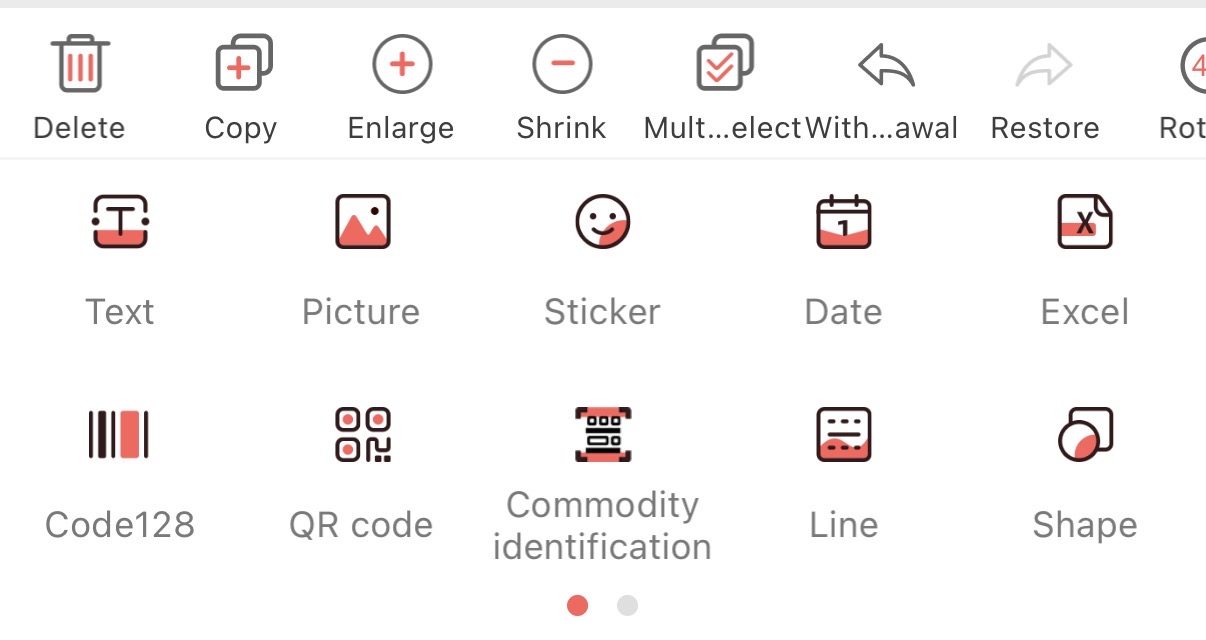
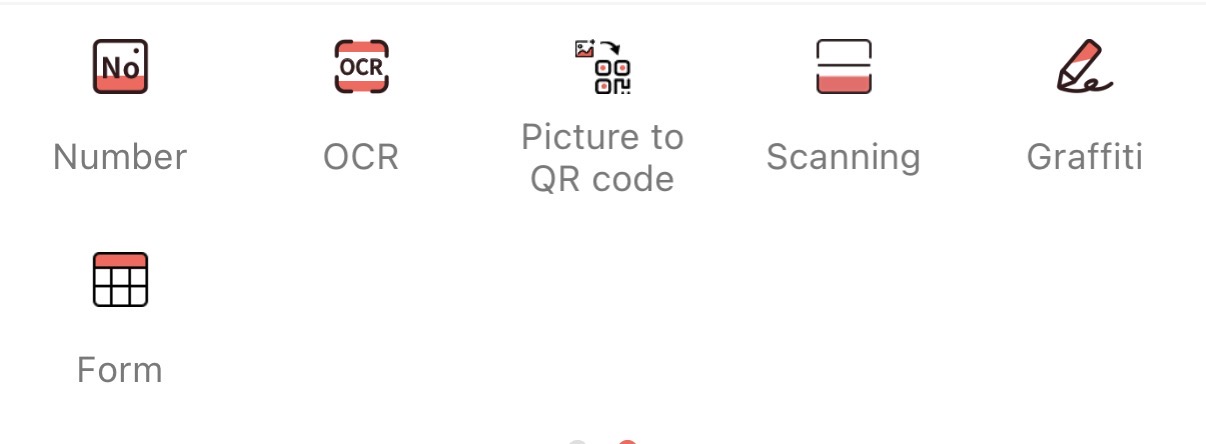
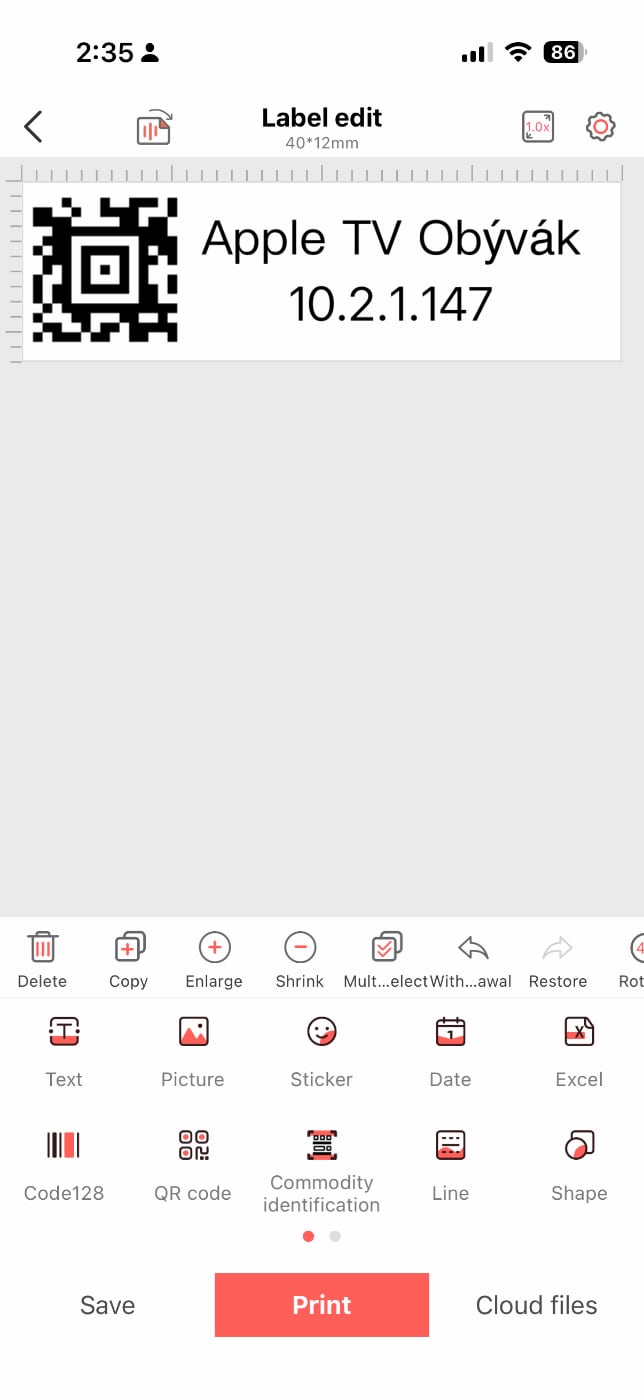
The app is primarily in English and Chinese, but the interface is intuitive and icons are well understandable. After a few minutes, you'll easily find your way around.
Printing and Quality
How does it actually work in practice?
Print Quality
The print is sharp and readable, even at small sizes. Text is easily readable even at 6-point font. Images and QR codes also look good, though you can't expect photo quality.

Print Speed
Printing one label takes about 2-3 seconds depending on the content amount. It's not lightning fast, but sufficient for home use.
Reliability
After a few days of use, I've had not a single printing problem. Bluetooth connection is stable (range about 5-10 meters) and printing always works correctly.
Consumables - Labels
The printer uses adhesive thermal labels in 12-15 mm width. On AliExpress, you'll find various options:
Label Types
- White - classic, most common
- Colored - yellow, green, blue, pink (print is still black)
- Transparent - interesting for discreet labels
- Various materials - paper, plastic, water-resistant
Label Cost
One roll typically has 3-4 meters of labels and costs about $1.5-2. With normal home use, one roll will last you months.
Thermal printing has limited lifespan - labels can fade over time (months to years), especially if exposed to direct sunlight. For home use, this isn't a problem.
Practical Uses in Smart Home
And now for the most important part - what I actually started using the printer for:
1. Labeling Cables and Plugs
This is probably the most useful application. Every cable coming from the distribution panel or outlets now has a label with the device name. When I need to disconnect or reconfigure something, I immediately know what's what.
2. Box and Cabinet Labels
I have several boxes with electronics, cables, and various smart home hardware at home. Each box now has a sticker on the lid with its contents. No more searching for "where did I put those Zigbee sensors?".
3. Identifying Devices in the Distribution Panel
In the electrical panel, I have several relays, WiFi switches, and other modules. Each now has a label with its name and IP address (if needed). During maintenance, I save a lot of time.
4. USB Cable Marking
Various USB cables (USB-C, Micro USB, Lightning) are now also labeled, so I know which one is fast-charging and which is data-only.
5. Labels for Guests
I prepared several labels with WiFi password and QR code for guests. Just scan and they're connected to the network.
Pros and Cons
After a few days of use, here's my summary:
✅ Pros
- Low price - great value for $23
- Mobile - battery lasts long, take it anywhere
- Versatile - text, images, QR codes, templates
- USB-C charging - finally not Micro USB
- Compact - fits in your pocket
- No consumable costs except labels
- Quiet - thermal printing is almost silent
- Practical - truly useful for organization
❌ Cons
- Limited width - only 12-15 mm (for longer text you need multiple lines)
- Thermal print fades - after several years in sunlight
- App in English - might be a barrier for some
- Manual use - no automation via HA
- Import from China - 2-3 weeks wait (not on Amazon)
- Black and white only - no color printing
Verdict
After a few days of intensive use, I must say that MarkLife P15 is a great investment for anyone with a smart home or generally a lot of tech at home.
For less than $25, you get a practical helper that assists with organization and thanks to which you'll finally have order in your cables and devices.
If you have more than 10 smart home devices at home, a panel full of cables, or just like keeping your tech organized, definitely give it a try. At this price, you're not risking anything and it can save you a lot of time searching for the right cable or device.
Personally, I wouldn't want to be without it - it's one of those gadgets you don't know you need until you start using them. 😊
Replacement label rolls can be found on AliExpress (search for "marklife p15 labels" or "12mm thermal labels") - one roll (3-4 meters) costs about $1.5-2 and lasts for months.
Alternatives
If MarkLife P15 doesn't appeal to you, there are other mini label printers:
- Niimbot D11 - similar printer, slightly more expensive (~$30)
- Niimbot B1 - label printer with direct thermal printing, black and white, USB and Bluetooth connection (~$29)
- Phomemo M02Pro - higher resolution 300DPI, supports wider labels 15-50mm (~$37)
All work on a similar principle, differing mainly in label width, battery life, and price.

Niimbot D11
Label printer - direct thermal printing, black and white, for office, print resolution 300 DPI, maximum tape width 15 mm, maximum recommended print speed 50 mm/s, vertical printing, connection via Bluetooth, white color, dimensions 130 × 78 × 28 mm (H×W×D), weight 0.208 kg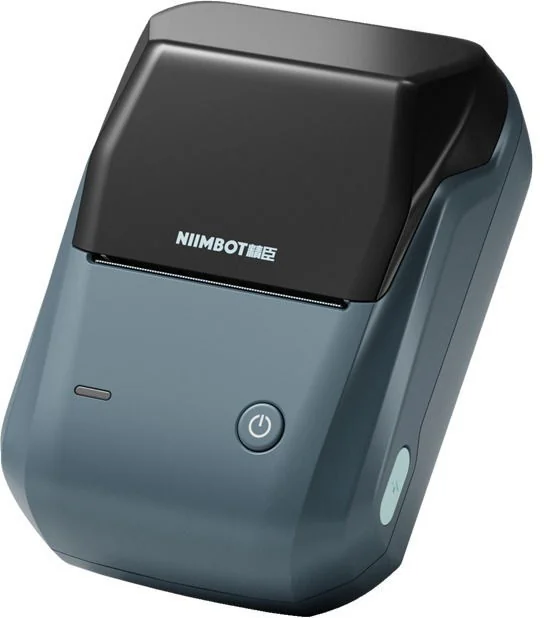
Niimbot B1 blue
Label printer - direct thermal printing, black and white, for the office, connection via USB and Bluetooth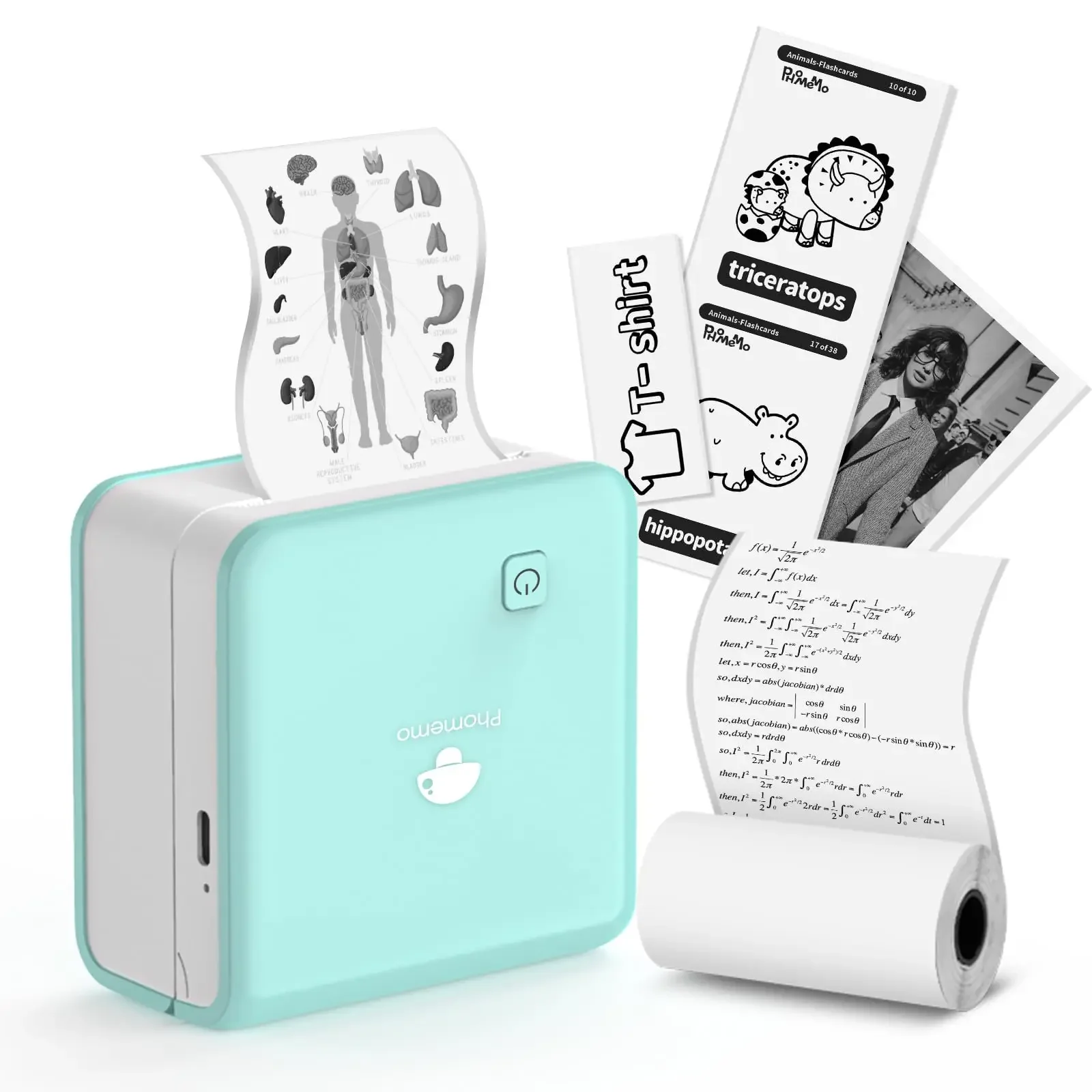
Phomemo M02Pro 300DPI Mini Pocket Printer Bluetooth Thermal Printer 15/25/50mm Label Maker Compatible iOS Android Wireless Photo Printer
Frequently Asked Questions
Is it compatible with both iOS and Android?
Yes, the MarkLife app is available for both platforms - iOS and Android.
Can I print from a computer?
No, the printer connects only via Bluetooth to a mobile phone. There's no PC version of the app.
Are the labels water-resistant?
Depends on the label type. Plastic labels are waterproof, regular paper ones are not.
Will labels last outdoors?
Thermal printing isn't ideal for outdoor use - they'll fade in sun and rain within a few months. For outdoor use, I recommend a classic inkjet printer.
Related Articles
This article is not sponsored and I purchased the printer with my own money. Links are affiliate links, meaning if you buy through them, I receive a small commission at no extra cost to you.